Last Updated on June 2, 2026 by
June 2, 2026
Rugged/Industrial tablets can be put into the laptops-to-be-tested speedpaks instead of with other tablets

Small and mid-size form factor workstations do not need to reach same $200 threshold to be sent to eCommerce instead of scrap. For this smaller Xeon or other special processor workstations of this size, they just need to reach $100. You can still test them like servers, just taking a diagnostic photos only.
PC Tech Level 3: All Other PC/Server Testing Instructions https://www.xworx.app/?p=4984


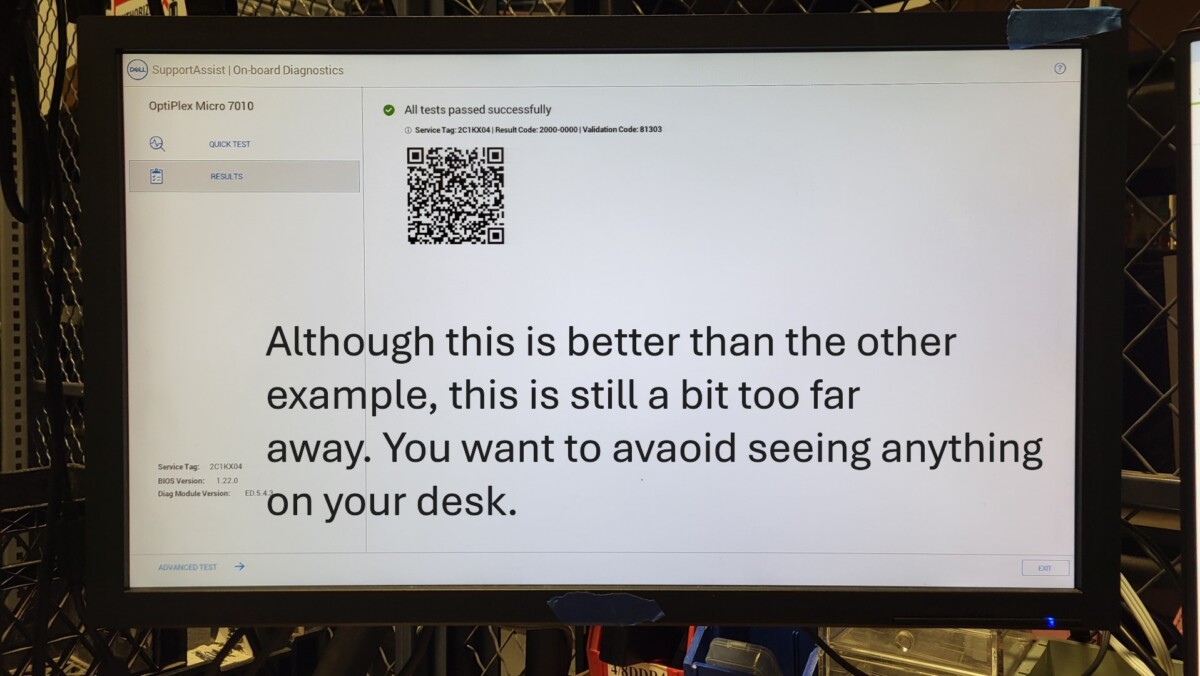
Here are examples of photos taken too far away. Do you best to typically get the entire screen with just the slightest amount of spillover space around the LCD panel. be sure it is in focus and not blurry/foggy/smeared/illegible (check photo after you take them).
How to install Windows through PXE boot and check Autopilot status for Windows machines https://www.xworx.app/?p=11800 ,
PC Tech Level 3: All Other PC/Server Testing Instructions https://www.xworx.app/?p=4984

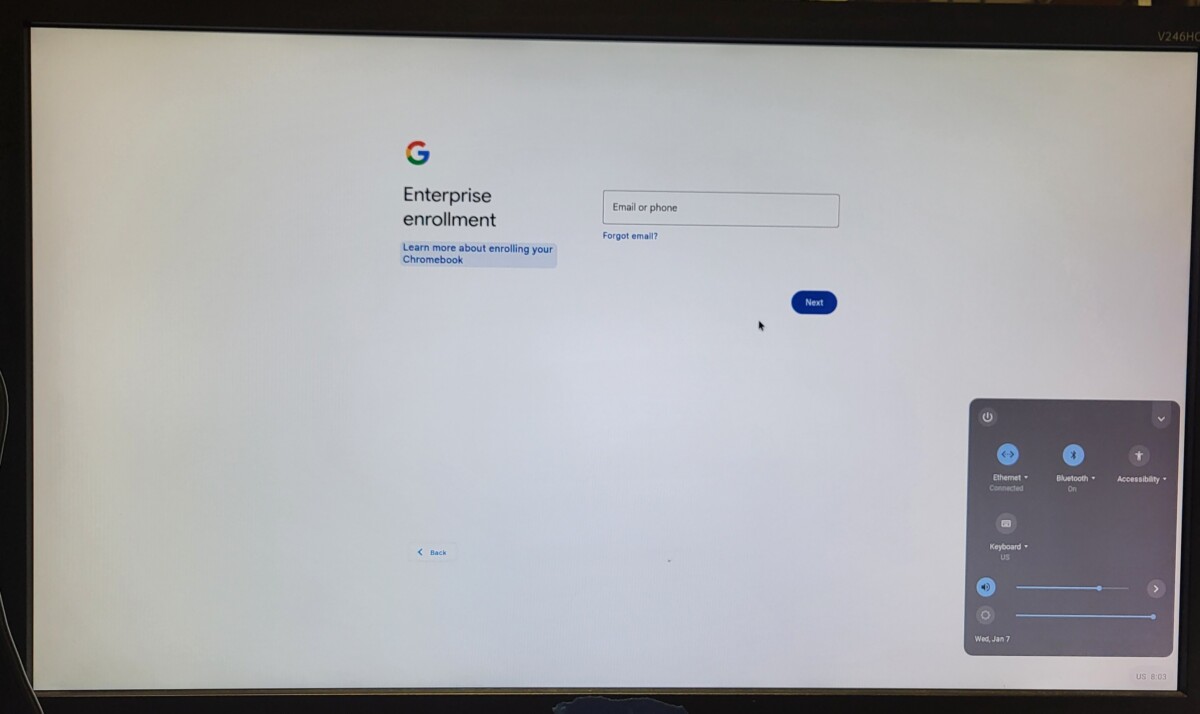
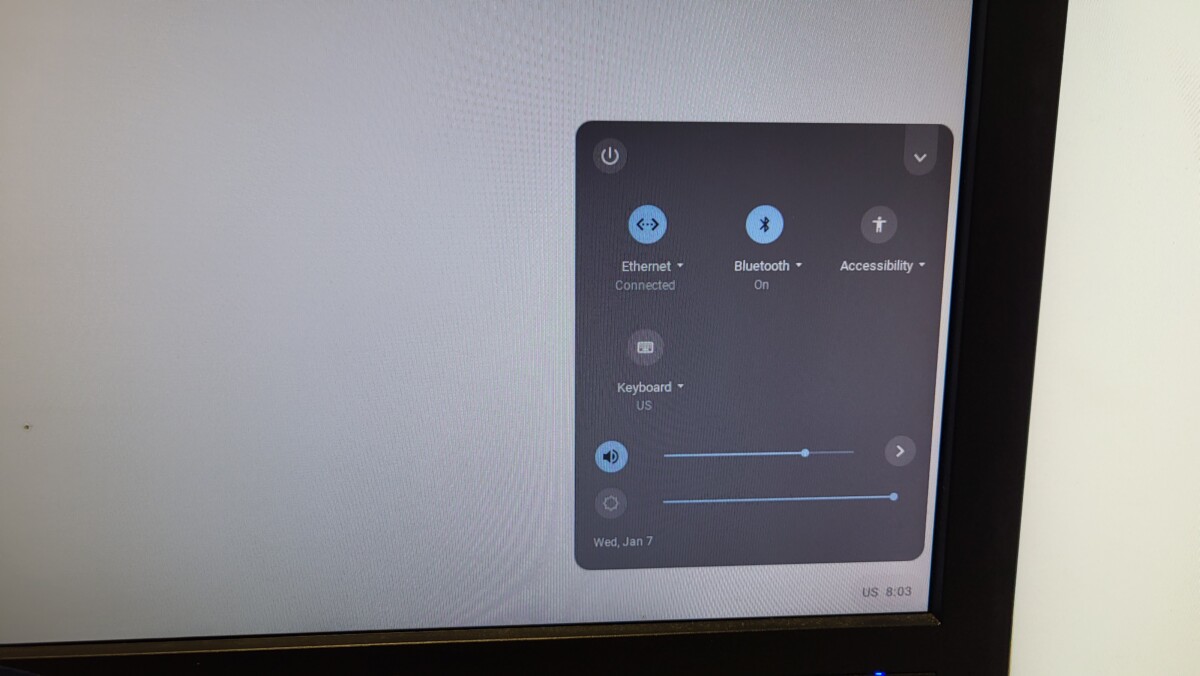
For Google Chrome devices, if you encounter this screen, consider this Google’s equivalent of an Autopilot lock. We unfortunately won’t be able to sell it. You can see additional graphics that represent the same issue at link below:
PC Tech Level 2: How to reset Chromebook https://www.xworx.app/?p=9421
How to Handle a Brownout (Partial Power in the Building)
- Assess the Situation
-
- Are lights functioning?
- Which areas of the building have limited power?
- Are certain outlets or equipment not working?
- Determine whether the issue is limited to your building or affecting nearby buildings.
- Check in with staff throughout the facility.
- Identify any equipment that cannot be safely operated during the brownout.
- Check the Georgia Power Outage Map
- Look for estimated restoration times if they are available.
- Prioritize Safety
- Confirm that exits, aisles, and workspaces remain clear.
- Instruct employees not to attempt electrical troubleshooting unless authorized maintenance personnel are present.
- Shift to Productive Offline Work
Administrative Tasks
Inventory and Warehouse Tasks
- Manual inventory counts
- Verifying asset tags and serial numbers
- Organizing pallets or storage areas
- Labeling equipment and inventory
- Staging equipment for future processing
- Inspecting equipment for damage or missing components
Equipment and Workspace Organization
- Cleaning and organizing workstations
- Sorting cables, adapters, and components
- Consolidating inventory storage areas
- Labeling shelves, bins, and storage zones
- Removing broken or obsolete equipment
- Preparing equipment for future testing or processing
Training and Knowledge Sharing
- Document Activities
Teams should record:
- Inventory counts performed
- Equipment inspected or organized
- Areas cleaned or reorganized
- Operational issues identified
- Communicate with the Team
- Provide updates to employees as information becomes available.
- Clarify which tasks can safely continue.
- Reassign teams to productive activities as needed.
- Prepare for Full Power Restoration
- Post-Incident Review
After power stability returns, managers should conduct a brief review.
Discuss:
- What tasks were successfully completed
- Any safety concerns encountered
- Improvements that could help during future brownouts
May 29, 2026
Use Functional Condition F3 for the REC category any machines that have not been fully tested through diagnostics.
PC Tech Level 3-Micro PC Wiping: Micro/Mini/Tiny PC PXE Boot and Registrations https://www.xworx.app/?p=12082 PC Tech Level 2: Wholesale 6th Gen or newer iSeries PC/Server Testing Instructions https://www.xworx.app/?p=11882
F3 is the default for working condition machines unless we have the test records to prove that all functions are working, which is generally not something we will do for wholesale products.
For future PC wholesale testing, you can scrap the machine if the cosmetic condition is C2 (used poor).
PC Tech Level 3-Micro PC Wiping: Micro/Mini/Tiny PC PXE Boot and Registrations https://www.xworx.app/?p=12082 PC Tech Level 2: Wholesale 6th Gen or newer iSeries PC/Server Testing Instructions https://www.xworx.app/?p=11882
Ze let us know that moving forward, such as with Micro PCs or Desktop iSeries PCs, we can scrap “used poor” C2 condition PCs This would NOT apply to laptops.
Here are some examples of micro PCs from our latest wholesale that Ze prefers we scrap next time, most likely because the perception of the quality of the wholesale might drag the price down overall more than the individual machines are worth.

Beginning to test and create records for all individually sold components like CPUs before putting them away
Ze just began rolling this change out today so he is currently the best source of information for any questions surrounding this process.
When scrapping a desktop with a valuable CPU (6th gen and above), we will first need to put the CPU in a working machine and test to see that it turns on normally. In time, we’ll set up machines for the required CPU sockets. This has not been set up yet.
The page where these test records will be recorded is the “All Other Device Test Record” page: https://www.ops.xworx.app/?p=263
There are currently many untested CPUs within the warehouse, so we will want to put any newly tested CPUs into a marked-as-tested tray as to not mix in any of the older and untested CPUs with the newly-added-and-tested ones.
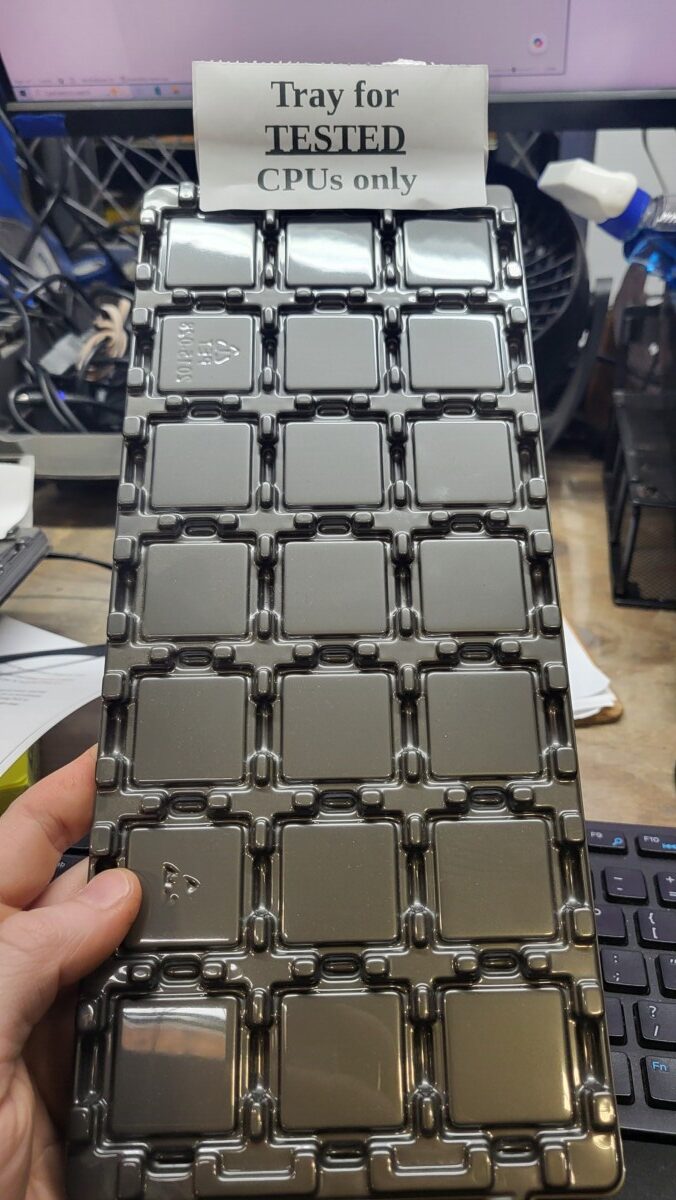
As a small side note, Ze has asked that when we inspect the CPUs, if the CPU has scratches on the lid, the wholesale purchaser will not want it, so it can go straight into the scrap CPUs. However, pressure marks on the CPU lid are fine, just not scratches.

Helpful reminders for current Thales iSeries testing assignment.
★ Please DO NOT begin any test records for machines that do not power on and post. Test to see that they power on and post first before beginning any database form entry. This will help prevent us from having the incorrect number of PCs in the database when we account for all the machines in the end.
★ Please set all RAM amounts uniform to 1 stick of 8GB. If we run out of the required sticks to do this, let me know and we will address what to do next at that time.
★ If there is a machine that will not power on and is likely scrap, please put them aside in the area we have designated for those so we can keep them to harvest parts for any machine that may have broken fan or whatever until we get down to the very end of all the pallets, and only at that point do we plan to scrap whatever remains.
• Please be sure to check the DVD drive for any DVDs using a paper clip. Occasionally we find data.
How to test speakers for wholesale laptops.
PC Tech Level 3-Laptop Wiping: Laptop PXE Boot and Registration https://www.xworx.app/?p=8128, How to install Windows through PXE boot and check Autopilot status for Windows machines https://www.xworx.app/?p=11800
The following information is in regard to wholesale laptops only. The laptops designated for eBay still do not require us to conduct the following speaker test.
Once the decision was made that wholesale laptops should not utilize the WipeOS diagnostic, we needed an efficient method of testing that speakers worked in laptops.
This solution is mostly straight forward but comes with exceptions:
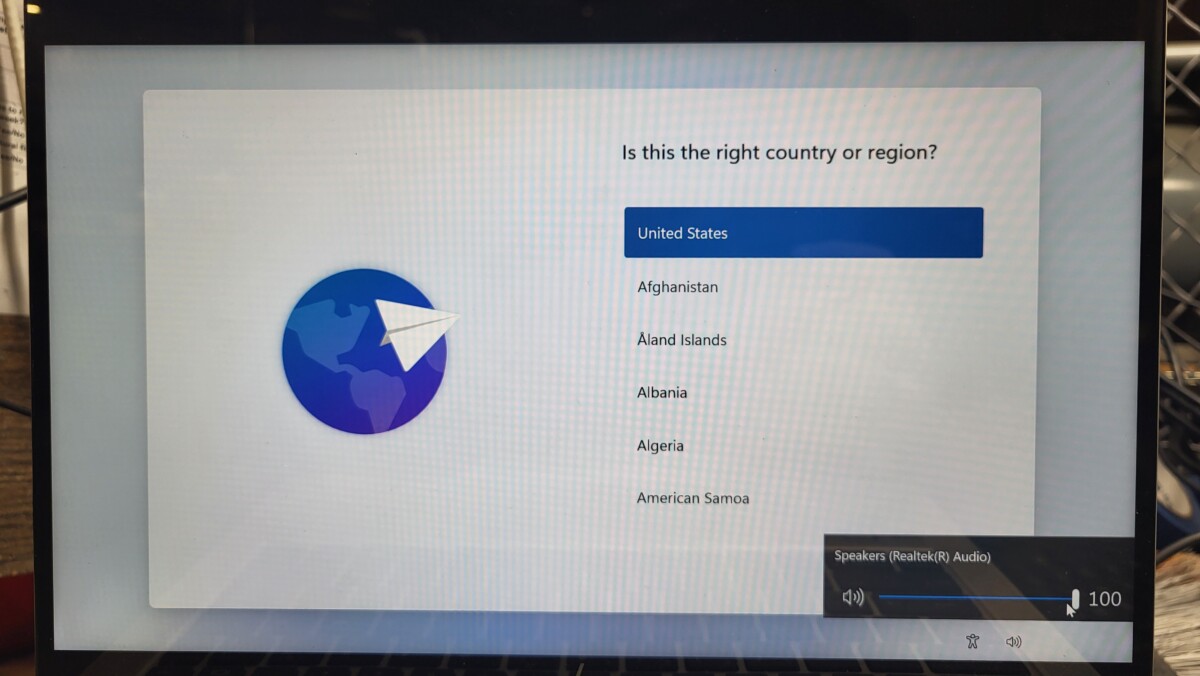
In the bottom right corner of the OOBE Windows setup, there is a speaker volume toggle that will make noise. If the speaker makes noise that is not obviously super distorted or damaged, the speaker passes. If no noise comes out, we will attempt to have the BIOS make noise for brands of laptops that do that.
By hitting Escape in a HP BIOS, a beep should occur. If the speakers beep, that is sufficient proof they work.
For Dell, there is a speaker test option that can be activated solo from within a Dell diagnostic where you can skip all the other tests.

For Lenovo machines, there isn’t a convenient way to do this, however, there is a cumbersome way, and that is to temporarily remove the ram sticks and get it to announce an audio error code.
If none of these options work or you are working on a different brand machine where there is no way to make the speaker beep within the BIOS, go ahead a leave a note that the speakers are bad.
If the speakers do emit sound, the bar for when to mark speakers as being damaged is very low. As long as you can hear the speaker even if they aren’t super loud, and as long as the speakers don’t sound obviously mega-distorted or ripped, you are good to consider them as working.
Regarding what to do about 6th gen laptops because they won’t have windows installed, the easiest method for conducting a speaker test would be getting the machine to beep in the BIOS or diagnostic or to run Hiren’s from a USB. Usually Hiren’s plays a welcome noise when it boots up. But if you miss the welcome noise or it seems like that welcome noise did not occur, then try running the speaker_test.mp3 file or test the speakers in a different way from within Hyrins.
May 28, 2026
Process for creating vessel labels on the PC by the large scale
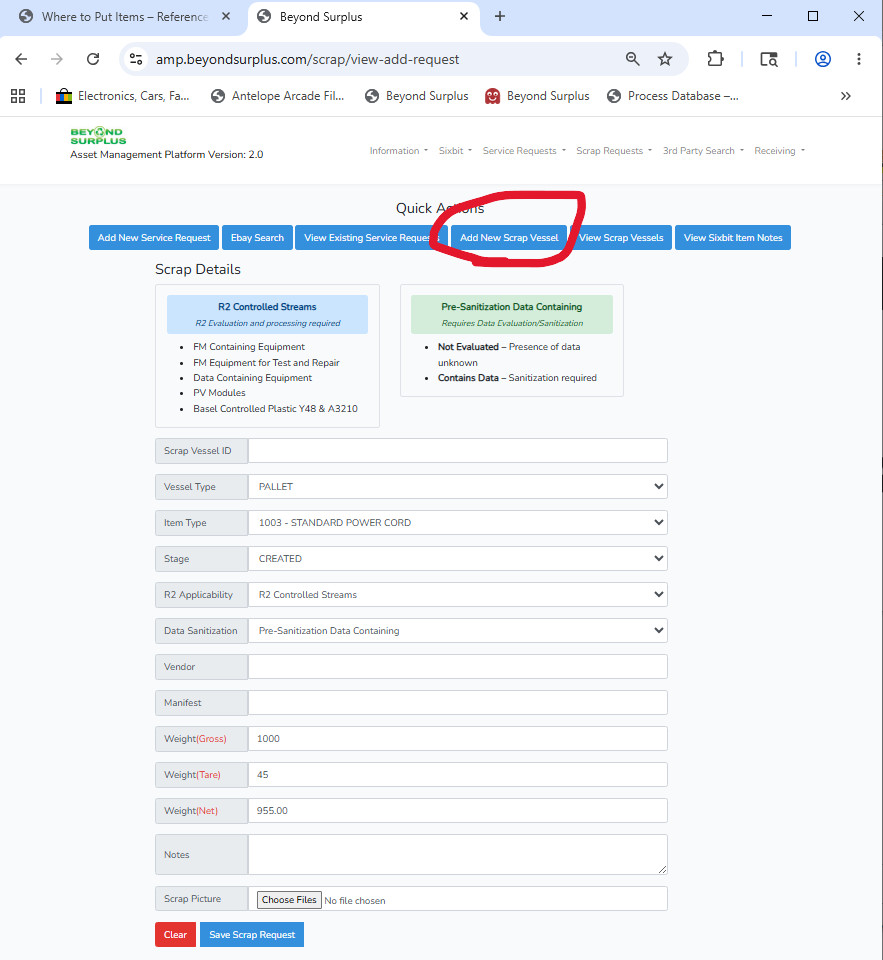
You’ll find the page you need to create a vessel label for pallets on the PC by the large scale with the “AMP” system.
You’ll actually select “Add New Scrap Vessel” in order to reach this form regardless of whether or not your vessel is intended for scrap.
REMINDER: always be sure to get the tare weight when you are starting a new pallet in case that is needed later unless you are positive it will not be needed.
Once you’ve filled up the vessel with the a particular object, for example, building a tower of iSeries PCs on a pallet, you will once again return to this page and fill out the total weight of the vessel and upload a photo of the filled vessel in field at the bottom of the screenshot below.
Since at this time this is a generally new process for PC Techs, please do not hesitate to ask your supervisor for guidance as you have questions to make sure this is all done correctly. Thanks!
May 27, 2026
New Autopilot lock/fail graphic has arrived in Windows 11.
How to install Windows through PXE boot and check Autopilot status for Windows machines https://www.xworx.app/?p=11800
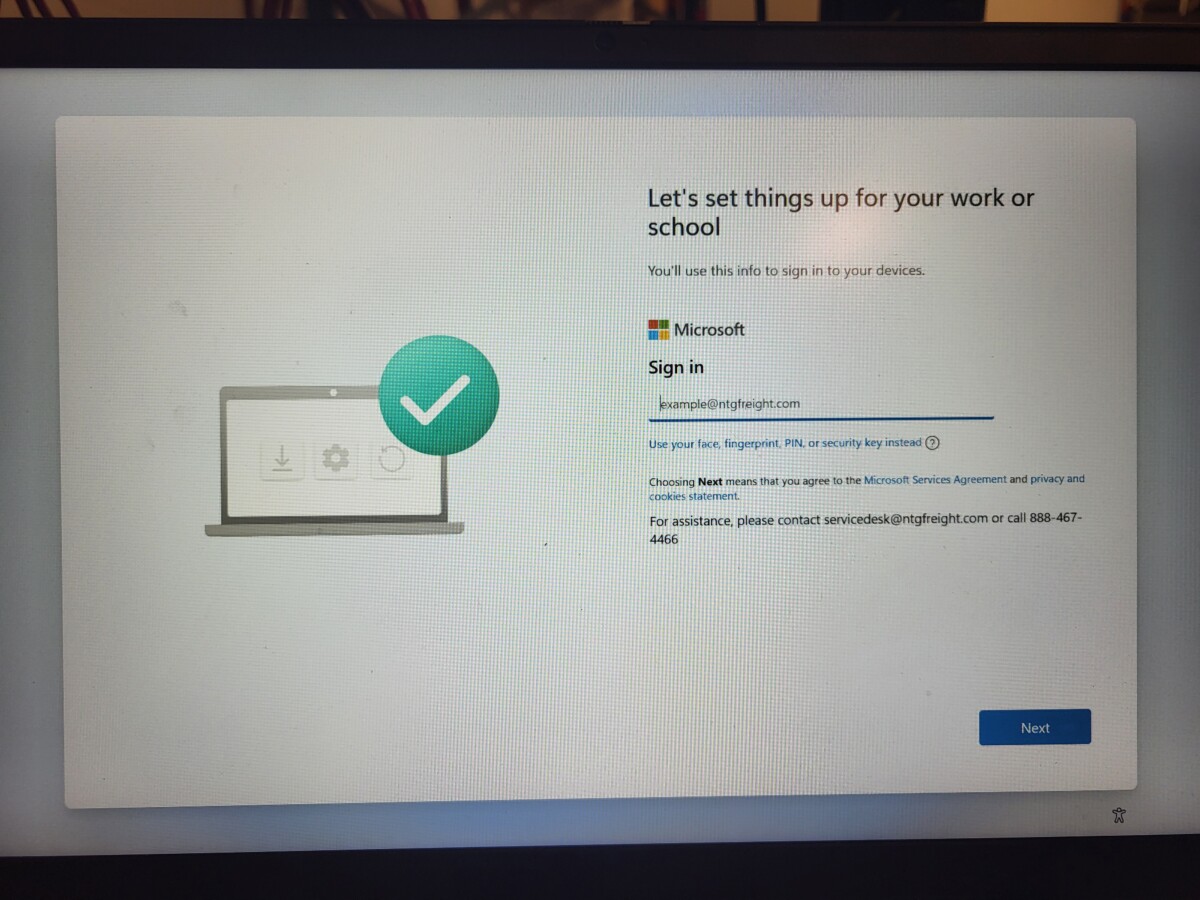
Today we encountered a new graphic for autopilot locked/failed machines, and unfortunately, it now looks a lot like the graphic you would see for an autopilot unlocked/passed machine. What we observed in this case was that after Windows began updating, Windows then bypassed the “name your device” screen to and the machine directly to this page in the photo below. As you can see, this is a “work or school” page with a new graphic of a green checkmark asking us to sign into a cooperate email account.
Please inspect this pages closely to avoid overlooking any autopilot locks. You would need to run the autopilot script either way, so you would have been notified in the script that this machine is locked, but still please remember that a green checkmark no longer is an early indicator that autopilot is likely clear.
And also this is what an autopilot lock looks like inside the script results:

May 26, 2026
All machines must have a maximum of only one storage drive unless a special circumstance is established, and this includes the need to remove all Optane drives.
PC Tech Level 3-Laptop Wiping: Laptop PXE Boot and Registration https://www.xworx.app/?p=8128,
PC Tech Level 3: All Other PC/Server Testing Instructions https://www.xworx.app/?p=4984
PC Tech Level 3-Micro PC Wiping: Micro/Mini/Tiny PC PXE Boot and Registrations https://www.xworx.app/?p=12082
All machines should be resold with a maximum of one storage drive. Please remove any secondary drives before wiping. We absolutely do not want to send a machine to eCommerce with two or more drives, as it will be considered a serious error. Consider yourself in the PC Tech department as always the last stop when it comes to removing extra drives, even if those extra drives already wiped. Please always take the time to remove a second immediately drive whenever you notice it so that you don’t forget about it later or the next person to touch the machine is unaware.
In regards to what this means for Optane drives in systems, yes, please remove any Optane drives from the system, and please also do not utilize any SSD that has an Optane volume built into it. It is possible to recover information from Optane drives using recovery tools and Killdisk has had very mixed results attempting to wipe Optane volumes. We are taking the safe route by choosing not to include them in any machine.
WordPress page for Apple process steps – most still accurate with some info that may need to be added/updated.
PC Tech Level 3: Apple Machine Wiping and Testing https://www.xworx.app/?p=7530
Ze wanted to bring to the PC Tech’s attention this Apple page ↑. He noted that some of the content uses old photos and refers to older diagnostic tools for example, but by-and-large the process is still the same. We’ll review this page and make updates to it as needed soon.
May 22, 2026
New documentation for Mac Laptop wiping and remote management check
Mac laptop wiping and remote management check helpful notes https://www.xworx.app/?p=14120
Lee has put together helpful notes based on his process of wiping and checking our latest round of MacBook Pros, filling in our process pages with some new helpful information.
For example:
The official phrases for “remote management” in Mac ecosystem is called DEP/ADE.
DEP stands for Device Enrollment Program: this is it’s old name which you may still see on occasion.
ADE stands for Automatic Device Enrollment: this is the new name of the same feature.
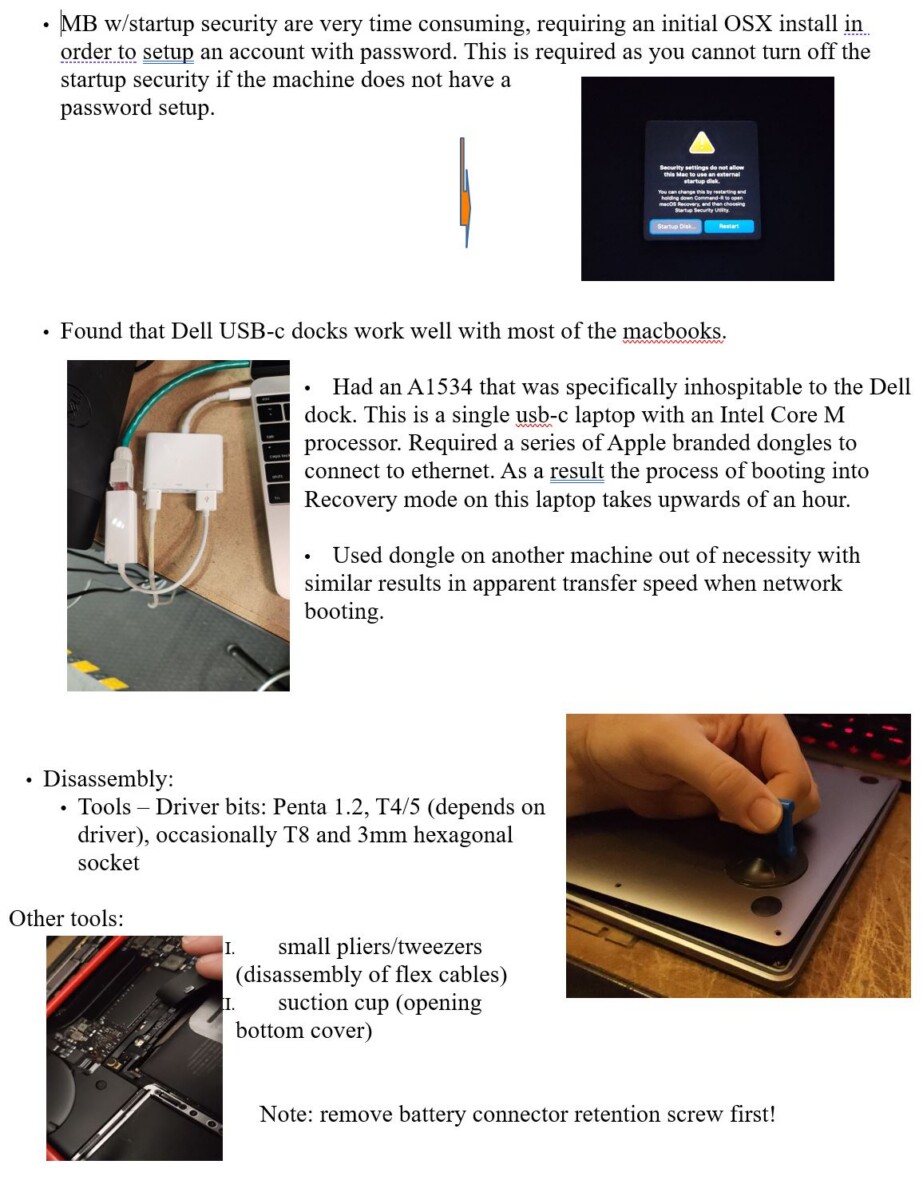
Please see Lee’s complete set of notes below for a full breakdown of the issues and solutions he encountered during his most recent Mac laptop wiping session. Thanks! If you have trouble viewing the two large images below, here is a link to the same information as a PDF: link: https://www.xworx.app/wp-content/uploads/2025/12/Lees-notes-on-MacBook-Pro-wiping.pdf

Note standardization suggestions for Micro PCs
PC Tech Level 3-Micro PC Wiping: Micro/Mini/Tiny PC PXE Boot and Registrations https://www.xworx.app/?p=12082
Blake has been working on Micro PC database entries and had suggestions for how our note descriptions can look as uniform as possible. Here are his notes. Please follow them when applicable as best you can. Thanks! :
1. Wifi card not included
2. wifi card and antenna hardware not included
3. external wifi antenna damaged
4. front bezel damage
5. internal wifi antenna damage
6. Splash screen shows asset tag of indecipherable numbers above the HP logo
Please do not use speech-to-text as a typing solution on phones due to the somewhat unreliable nature of the tech. Please stick with barcode scanning or manually typing:
If you are having trouble with using scanner, please speech with a supervisor to help you troubleshoot to make scanning hopefully easier to use. Please not you can directly connect one of the high quality barcode scanners directly to a phone with a USBC adapter like in the following photo:

More process changes coming soon for servers heading to eBay. Temporary measured put in place regarding labeling system. Please read below:
The new server labeling system is still actively being decided upon. For now, if you run a diagnostic on a server, capture the photo, and upload it, please just leave a 1×1 label on machine that says:
“Diagnostic ran by {initials]
& photo uploaded on
[today’s date]”
That will visually indicate and keep basic records of which servers we have tested until a new more detailed labeling system is put in place.
Ultimately, the labels we make for these servers in the future will likely contain information such as the asset number, the record number tracking the location of where the photo can be found in a repository, and a QR code system, but those future changes if they happen are not ready yet.
May 20, 2026
We are returning back to the method of allowing Windows to check for updates before running the autopilot script, but instead of stopping at the “name your device” screen to then run the script, please skip the naming of your device, and proceed to the next screen, then select “let’s set up things for your work on school.” Please reach this page and utilize this as the background of your autopilot check photos. Thank you!


Please leave this work area by the fire escape door as standing room only. Putting chairs here may accidentally block the path of the fire exit. Thanks!

May 19, 2026
WipeOS diagnostic will no longer be used to test wholesale laptops of any kind.
Effectively we won’t be using WipeOS diagnostics on any machines for any processes at this time unless requested.
For wholesale machines, “The quick brown fox jumps over the lazy dog `1234567890-=[]\;’,./” will be a sufficient keyboard test in command line and we can load a speaker_test.mp3 from the command line, too. We no longer need to test wholesale systems for their microphone and webcam.
More information to come soon.
Printable QR Codes for your PC Tech bench name/address
Feel free to print these out as needed to use these with your scanner!
Here is a PDF file of these QR codes if you are unable to print these out as .jpg images: LINK: https://www.xworx.app/wp-content/uploads/2025/12/Binder1-PC-Tech-Department-QR-Code.pdf


WipeOS: need to begin including asset numbers in software along with pickup numbers
How to Use WipeOS https://www.xworx.app/?p=12781
PC Techs, please begin including both the pickup number AND the asset number when using WipeOS.

Link to label “initial labels” and “final labels” creation page.
PC Tech Level 3-Laptop Wiping: Laptop PXE Boot and Registration https://www.xworx.app/?p=8128, PC Tech Level 3-Micro PC Wiping: Micro/Mini/Tiny PC PXE Boot and Registrations https://www.xworx.app/?p=12082
In effort to track machines all throughout their processing within the warehouse, there is now a new wiping label that we’ll create from within a form. This form will capture important info from their machines into out database much earlier in the process, now.
You’ll use this new form twice during your process, the first time entering the most basic information such as pickup number, asset number, and serial number before you begin the wiping process. Then, once the wiping process, diagnostic test, OS install, and autopilot check are all complete and you’ve hand-written-collected additional information on your existing label, you’ll type up that added info into this new QR form again one more time.
The first label is called creating the “Initial Label”
The second label is called creating the “Final Label/Test Record”
Here is where you will find the new form!
https://fs30.formsite.com/beyondsurplus/fqxya7vffe/index
The end resulting label will now look like this:

Autopilot process update: reach the “Name Your Device” screen before running autopilot check script.
How to install Windows through PXE boot and check Autopilot status for Windows machines https://www.xworx.app/?p=11800
After finding examples of machines where the autopilot check script had not correctly detected an autopilot locked system, the plan is to fallback to our previous policy of reaching the “Name Your Device” screen before running the powershell script and considering it fully checked. Please read below for more information:
v
While performing autopilot checks, please reach the name your device or set up for personal use screen before running the powershell script (which you will read about more below). If the screen goes all white temporarily, click around the screen until the graphic returns before taking the photos.
So far we have run the autopilot check on the name your device screen (or alternately the set up device for personal use screen) because Windows has for sure reached out to Microsoft’s servers once this screen is reached. At this point Windows would indicate if it needed to be set up for an organization.
The white screen is an example of the type of photo I’ve seen where there is no background at all temporarily caused by an update where you have to click around to get the normal screen to come back. Please do not take photos with the all white background. Click around the screen until the graphic returns. Try clicking near the center left of the screen a few times in the few places. That usually works.


May 14, 2026
Ze added instructions to WipeOS process page for wiping Intel-based Macs 2016 and newer.
How to Use WipeOS https://www.xworx.app/?p=12781
Please check out the latest instructions Ze added in the new section titled “Set the 2016+ Intel-based Apple laptop to wipe,” located as the third main section from the top of the page. Please let us know if you found the information understandable or if any details or photos or descriptions would be helpful to be added to this process page for clarity. Thanks!
May 11, 2026
Bulk hard drive wiping – HD Sentinel software 100% health or scrap for mechanical hard drives.
Wholesale Hard Drive Wiping and Packing https://www.xworx.app/?p=7495
We will need to include one more new quick software chheck in our hard drive wiping process. Please open up the Hard Drive Sentinel software (HD Sentinel) to check mechanical hard drive for 100% health status. If it is les than 100%, please scrap the drive. See in the example below, there is a drive with 99% health that we should scrap.
Keep in mind, this only applies for mechanical hard drives. We use a different set of rules and processes for solid state drives which you can find out the link above.

New official parking spot for cart at eCommerce wiping station to not block path traffic
Since the eCommerce wipe station is near an loading/unloading dock that comes alive very little forewarning, we will need to keep the traffic lane totally clear during out work. Even though it does create a bit of a tight squeeze area near the wall, please park your carts at this new official parking spot. Thank you!


Air conditioning units
These portable air condition units are a super-helpful relief to the heat inside the warehouse during the hot summer months. There are a few things you will need to know about the A/C units to damaging them. Please read below:
-When the AC is running, we will need to remove and dump the condensation collection in the sink twice a day, even if it doesn’t seem like it needs it twice a day, once before or after lunch, and one more time at the end of the day. The condensation may need seem like it is going to fully fill up the tank in a single day some days, but other days, it can nearly fill it up twice in a day, so we need to always dump in twice because you will never know.
-If we don’t dump out the water in time, there is no auto-stop feature on this tank, so the condensation will and has in the past overflowed. This can cause damage or an electrical hazard.
-When you shut the air conditioning to empty out the tank or at the end of the day, at least for the unit by PC Tech area, it requires 3 minutes of being shut down before restarting to avoid damaging the machine.
-Once a month or so, take a look at the filter so see if we need to clean any dust or gunk off.
-Take breaks as needed to stand in front of AC unit to cool off if not blowing close enough to your desk. Having it blow cold air directly into your shirt or directly on your head are both effective methods to cool off quickly.


May 7, 2026
How to use Crystal Disk within Killdisk to check NVME and 2.5″ SSD detailed health status before wiping
PC Tech Level 3-Laptop Wiping: Laptop PXE Boot and Registration https://www.xworx.app/?p=8128, PC Tech Level 3-Micro PC Wiping: Micro/Mini/Tiny PC PXE Boot and Registrations https://www.xworx.app/?p=12082
In effort to better identify bad NVMEs and 2.5″ SSD before we include them in our laptops and PC for resale, we are implementing a new process within KIlldisk! Crystal Disk drive testing software is an .EXE application that can run from within Killdisk. Each wipe station now how two USBs with Crystal Disk ready to go to start using. You can create more of these as needed.

Before we get into more details, the idea here is that we want to review the health of the drive before we choose to actually wipe the drive in Killdisk. So if you see something in Crystal Disk that would make it scrap-worthy, we’ll need to swap it out with a new drive from our stash until we find one that is healthy. Once we find a good one and start the Killdisk wipe, as long as the Killdisk wipe completes with no errors, it is a done deal and we don’t need to check the drive again in Crystal after the wipe. Just one time before.
A quick note about Crystal Disk, it appears to be the most accurate drive S.M.A.R.T. status reading software we use. There are none deficiencies in the other software we use when it comes to wiping NVMEs and other SSDs specifically: Killdisk sometimes cannot always read all of the different S.M.A.R.T. attributes that Crystal Disk has no problem seeing. And WipeOS claims to find drives that fail tests, but no other software sees any issues and WipeOS fails to give any details as to why it declares a drive has failed its diagnostic.
↑
So for this reason, please ignore any WipeOS drive results moving forward, and just go with this Killdisk + Crystal Disk Strategy. If Killdisk + Crystal Disk says it is good, we believe is good.
To access Crystal Disk from within Killdisk, navigate to the utilities folder within Killdisk’s start menu, and then click on “Explore My Computer,” which is the file browser.

From there, locate the Crystal Disk application within the folder of the USB drive. The .exe filename is DiskInfo64.exe.

Crystal Disk should launch!
Depending on whether or not you are looking at NVME SSDs or 2.5″ SATA SSDs, the S.M.A.R.T. information you see in this software will very. Take a look at the difference in the two photos below.
This is a photo of what the output of an NVME looks like.
↓

There are no “thresholds” information like in the next photo taken of a 2.5″ SATA SSD. With this NVME, you only have “raw values” to read. These digits won’t make much sense, so here is all you need to know. We have five main things to consider here:
- Is there a “critical errors” attribute and is that value above zero? If so, scrap the drive.
- Is there a “media and data integrity errors” attribute and is that value above zero? If so, scrap the drive.
- Is the drive health indicator in the upper left hand corner have a number lower than 85%? If so, scrap the drive.
- Does the drive health indicator in the upper left hand corner not have a number at all and just say “good”? If so, you can consider that field ok despite not knowing the number.
- Are there any other fields you read that look like they could cause trouble for the customer down the line? If so and you want to check with your supervisor, please do so, but otherwise the 4 points above are what we are mainly concerned with unless something unforeseen and obviously a problem arises.
Here is what Crystal Disk looks like for 2.5″ SATA SSDs.

As you can see, there is a lot more decipherable data.
There are even more things to consider when it comes to SATA SSDs. Here is the quickish rundown of what you need to know for determining which drives are no good and should be replaced instead of wiping:
Each SSD vendor, and even from SSD to SSD from the same vendor, has a different list of SMART attributes. Each SMART list is laid out in a different order from each other. The tricky part is that some of the same attributes are named differently, but they essentially all mean the same thing.
A great example of this is Health Status of the drive.
When the box at the top left just says “good” and does not give you a percentage of life left, you need to investigate the smart status list and find the actual percentage hidden in the list somewhere.
The health status could be one of the following titles or perhaps a new name similar to these options:
- normalized media wear out
- wear leveling count
- SSD life left
- life left
Other examples of this include the SMART status “reallocated event” which can also be referred to as “retired blocks.”
For any SMART attribute that looks potentially scrap-worth, if you feel confident, go ahead and scrap it. If the SMART attribute looks like somewhat benign and you would like to ask your supervisor first so you don’t scrap something unnecessarily, please do so.
This Crystal Disk check for every Killdisk wipe is a brand new addition to our process. For that reason, since these are new standards that we hadn’t been checking before, there is a somewhat high likelihood of a large number of NVMEs being scrapped.
The increase in drives to scrap may slow down output somewhat, so please keep track of how many drives they are scrapping in case we need to make changes to the policy for what constitutes when we should scrap drives or possibly adjusting the weighting of how scrapping drives should impact our productive points tracking.
May 6, 2026
Another instance of Autopilot reappearing on a laptop after being confirmed clear – please look out for Lenovo laptops and micro PCs with 104877 pickup number.
After having checked a laptop for autopilot and we photographed it confirmed clear, autopilot later returned and locked out a customer. This has only happened once before and we are still considering this an isolated incident. We believe what may be causing this is an I.T. department of the previous owner reuploading laptop/hash information to Microsoft accidentally for the laptops they have already disposed of with us. As far as we know, there is nothing we can do to 100% eliminate this possibility, but now that we know that the laptop in question was one of the Lenovos we recently worked on with the splash screen Ze cleared for us, the plan to re-autopilot check any laptops and micro PCs with the 104877 (which should all be Lenovos). When working with Lenovos, please check to see if your laptop is one with the 104877 pickup number, and it we will treat it special and run a second autopilot check before we resell it.
2.5″ SSDs health status: if health percentage is not listed next to the “Good” indicator in Crystal Disk, see if there are is any indication within the following SMART attribute fields:
A 2.5″ drive’s health status could be one of the following titles, or perhaps a new name similar to these options:
- Normalized media wear out
- Wear leveling count
- SSD life left
- Life left
If you believe you have found another SMART status attribute name for drive health status, please let your supervisor know so it can be added to this list.
May 5, 2026
Rollout of new “REC Categories” system begins
We will gradually begin shifting towards a new classification system for items to an R2 compliant standardization method referred to as “REC categories.” Please review some documentation below paying special attention to categorizes C2, C3, C4, C5, F3, and F4 categories as these will likely be the categories we are using on a daily basis.
For now, the our wholesale categorization process will remain roughly the same other than the naming system of how we categorize these machines. ↓
- C2 Used Poor – Heavy Use and Age + F3 Key Functions Working = For Repair
- C3 Used Fair – Moderate Use and Age + C4 Used Good + F3 Key Functions Working = Cosmetic Wholesale
- C5 Used Very Good + C6 Used Excellent + F4 Hardware Functional = Wholesale Good Condition


Keep in mind that you may have to make judgement calls between what you consider to belong in C3 or C4. Make your best judgements, and if adjustments to the tolerances of what belongs in what categories need to be made, that those adjustments will be made and discussed over time, so in the meantime, just focus on doing your best. Thanks!
Micro PCs notetaking and process guidance
PC Tech Level 3-Micro PC Wiping: Micro/Mini/Tiny PC PXE Boot and Registrations https://www.xworx.app/?p=12082
To dos:
- If your unit still has an antenna attached, remove the antenna.
- If half of the casing is missing or if you feel like the case is in very bad shape where it isn’t appropriate for wholesale, flag me down and we can scrap it on the spot.
Things to check and notate:
- Check and notate no/missing wifi card
- Check and notate if the internal wifi antenna cabling is damaged.
- Check and notate if the external wifi antenna base is damaged.
- As long as the unit has an NVME storage slot, we do not need to mention if there is no 2.5” drive caddy, however, if there is a caddy, please utilize the 2.5” SSDs we have first in order for us to use them and get rid of them.
- Notate front bezel damage, and check with your thumb if the bezel has broken plastic that is actually coming off the casing
- Highlight on the label if it is bios locked.
- Check the ports and notate any damage, even if small.
May 1, 2026
New daily procedure: checking to see if network printing failed to save a copy of wipe certificate in database caused by unknown error
We retain all the records of wiped drives as proof that the machines we resell are indeed previous-owner-data-free, and the way we best accomplish this is through us always network printing. However, a new error has been occurring where at a random a wipe certificate will print through the print server but will not save a permanent copy in the database as intended. The permanent copy get saved erroneously as 0KB and is unable to be opened. So now we need to check this database on a daily basis ideally before the process of matching wipe papers to machines in the morning to see if this error has occurred, and if it has then the Team Lead will need to photograph and upload a copy of the wipe certificate to this database before proceeding. Please see the photo below for examples of the 0KB error, and the page for this database is located here: http://192.168.6.165/wipe.certs/Printed.Certificates/

If you encounter any power adapters or other types of cables with frayed ends, please scrap these units to maintain our safety standards for fires and electrical hazards, Please scrap anything you think would qualify, erring on the side of caution:


Please write the phrase “Autopilot clear, ran script –(your initials)” immediately after you confirm that autopilot is clear on your machine.
How to install Windows through PXE boot and check Autopilot status for Windows machines https://www.xworx.app/?p=11800

April 30, 2026
QR code Initial label and Finalized label – explaining purpose of two-part system:
There are two major reasons as to why the “initial label” + “final label” method has been implemented: 1) Handwritten notes may not be readable by the eCommerce team or fellow PC Techs, especially when one of your co-workers needs to unexpectedly complete a particularly finished assignment from other co-workers. The legibility issue has been a big problem in the past. 2) The “final label” both documents the process of work so auditing can be done if there are customer complaints later. Also there are some fields that are recorded within our QR code “final label” system that serve as a check for confirmation that a task was done, a good example being Computrace/Absolute removal, and after this confirmation there is no mention of Computrace/Absolute in any other process page because the check in the “final label” should ensure no machines have this condition past that point.
-It is true that this process slows down efficiency somewhat, but for now, let’s keep the process in place as is for the reasons above.
Putting tools on your desk in there designated place before breaks, lunch, and the end of day.
A new safety requirement that needs to be upheld is simply before heading out on a break, heading to lunch, and before you leave work, please put your active tools in whatever specific been or filing cabinet that you have designated for that tool. You can still leave your machines and other active work out, but tools such as drills, blades, etc., which can be dangerous if accident knocked off a desk, need to be put up whichever bag, bin, toolbox, filing cabinet, or mini drawer that you have designated for it on your desk. If there is a valid reason why a tool is necessary to stay out, let your Team Lead know and make sure it is OK before assuming. If there is a reason why it doesn’t make sense to follow this rule, it should be fine, just make sure it is approved and default to putting things away every time. Thank you!
Here are more example photos of what liquid damage looks like within a laptop. Be sure to notate this for WHOLESALE laptops if you see signs of liquid damage during your work or if you are conducting the final inspection.
PC Tech Level 3-Laptop Wiping: Laptop PXE Boot and Registration https://www.xworx.app/?p=8128


Here is a list of conditions that should be checked during the final inspection for any WHOLESALE laptops, as they have not be thoroughly inspected for these flaws prior to final inspection. If you are conducting final inspection, you are the last stop, so check for these conditions carefully!
PC Tech Level 3-Laptop Wiping: Laptop PXE Boot and Registration https://www.xworx.app/?p=8128
-Laptop housing condition
-Ports condition
-Presence of a battery
-Signs of liquid damage
-Missing or damaged internal components like cables, internal plastic, or if an SSD needs to be taped down instead using properly mounting hardware
-Presence of a SIM card
-Recording issues with the keyboard, trackpad, or touchscreen outside of marking a test as failed within the WipeOS diagnostic?
-Recording the power adapter type and wattage used during processing
-Screen condition
-If USB Killdisk or a USB Windows installer was needed to be used due to PXE issues or a BIOS lock.
Reminder of everyone’s name in case you forget
Farai, Ze, Paul (eCommerce), Joseph, Jacob (eCommerce), Zach, Andy, Janna, Lee, Blake, Joseph J., Ed, Josh (driver), Darius (unsure of spelling at this time and pronounced Da-rye-us, eCommerce), Chris, Chloe (eCommerce), Tristan, and Noah.
April 29, 2026
Updated map of warehouse

When notating damage for WHOLESALE laptops, please note when you see wear on the trackpad and keyboard like this photo where the trackpad/keyboard shines and the shine cannot be wiped off. This would be considered significant enough to notate as having a worn trackpad.
PC Tech Level 3-Laptop Wiping: Laptop PXE Boot and Registration https://www.xworx.app/?p=8128

April 28, 2026
-Please make sure to check if the door on the PC Tech side fully latches when going to and from breaktime.
-If you volunteer to join the truck-driving pickup team on trip, you will need to bring several items.
Travel trip items needed:
-vest
-back brace
-tools: screw driver, wire cutters, box cutter
-gloves
-water bottle/sncks
Can be brought in a cardboard box.
^
Note the truck-driver will have a toolbox, so what you need to bring depends on the job type. Check with the truck driver before the trip begins and he should lety ou know what tools are needed.
Whenever we do autopilot checks, no matter what machine you are testing, always take photos and add them to the autopilot repository.
How to install Windows through PXE boot and check Autopilot status for Windows machines https://www.xworx.app/?p=11800
We need to have all the wipe certificates printed via the print server so that we have a permanent record of the wipe. If you have a problem with your machine that is unable to network print, please reach out to the Team Lead who will ensure that a copy of the certificate is saved on the server and will provide you with your wipe certificate printout.
PC Tech Level 3-Laptop Wiping: Laptop PXE Boot and Registration https://www.xworx.app/?p=8128
PC Tech Level 3: All Other PC/Server Testing Instructions https://www.xworx.app/?p=4984
WipeOS will stop working if the ethernet is disconnected or accidentally comes loose. It must be always connected to the server to proceed through its processes including the diagnostic testing. If diagnostic tests load extremely slowly, try using a different ethernet cable and/or network adapter to see if speed improves, as it has in the past.
How to Use WipeOS https://www.xworx.app/?p=12781
Another sneaky server micro SD card found. Assume all modern servers have at least one hidden somewhere. Notate if the SD card is required to be present to boot.
PC Tech Level 3: All Other PC/Server Testing Instructions https://www.xworx.app/?p=4984


Remove or overlap label over any A.R. QC labels you encountered before completing testing. We don’t want these types labels to make it to the eBay team. They were supposed to be temporary stickers for internal use. Please remove them or overlap these labels with your new one (if the AR label is already placed appropriately).
PC Tech Level 3: All Other PC/Server Testing Instructions https://www.xworx.app/?p=4984


April 27, 2026
New simplified process for value checking and testing servers.
PC Tech Level 3: All Other PC/Server Testing Instructions https://www.xworx.app/?p=4984
– Value check the server. The server needs to be sold for $200 minimum. During the value checking process, the machine’s model and CPU count need to match, but it does not need to be the exact same CPU, just whatever the closest match is. (When value checking servers, if only refurbished listings for servers exist on eBay, you would cut that sold price in half.)
– We will create a QR label for the servers. Start with the initial label, of course. Here is a link to that page: https://www.ops.xworx.app/?p=386
– You don’t need to add any notes whatsoever to the machines. The eBay team wants the notes section as a totally clean slate.
– Check the machine carefully for any asset tags / non manufacturer stickers that the AR team may have missed. Remove anything that could be considered non-manufacturer. Err on the side of caution.
– Carefully inspect the inside of the case for hidden SD cards or other hidden storage.
– Check for swollen CMOS and RAID battery packs and remove any that are swollen.
– Take the time to blow out dust if you deem the inside of the case to be dusty. Use the handheld air blower or the air compressor blower by the eCommerce garage door in more extreme cases.
– Run the server’s diagnostic test, photograph the test results being sure to show the full screen when you take the photograph with not too much unnecessary space around the boarder of the screen. Upload the photo here: https://www.xworx.app/?p=12223
– Once you are done, return to the QR code label form and create the final label to stick onto the machine. https://www.ops.xworx.app/?p=386
– You are done! Stack your server onto a tested server pallet destined for the eCommerce team.
April 24, 2026
In situations where you need to stack machines at your wipe station, use these labels to indicate if a drive failed and a machine is not ready for inspection within your stack.
PC Tech Level 3: All Other PC/Server Testing Instructions https://www.xworx.app/?p=4984
Keeping in mind that we did already received approval from Ze to temporarily dog-tag our labels onto PCs – so we generally should no longer need to stack machines, there still may be situations and reasons where we may need to stack PCs on top of each other like in the photo below while we are working on them. If you find yourself in this situation and a drive fails during wiping, you do not need to immediately pull the machine out of the stack. That would risk it either toppling over or cablings coming loose from the other machines within the stack.
The solution is to leave a red dot and label like in the photo below. Later on after all of your other machines are inspected, you can take care swapping out the drive and wiping any failed PCs and try re-wiping them in the next day’s batch of machines.

April 23, 2026
New eCommerce preselected laptops instructions – include absolutely no notes other than burn-in.
PC Tech Level 3-Laptop Wiping: Laptop PXE Boot and Registration https://www.xworx.app/?p=8128
Please keep in mind that the following instructions are for eCommerce pre-selected laptops only:
★ The only note we will leave on laptops being sent to the eCommerce team is if we observe stationary/permanent burn-in during our wiping process. Please do not include any other notes besides that. So do not even mention if it is BIOS locked or if you had PXE issues.
• We will still check that the battery is not inflated
• We will also still check for the presence of active absolute persistence/computrace.


Reminder: for servers, eCommerce team only wants us to upload a photo of the diagnostic results, and that is all!
PC Tech Level 3: All Other PC/Server Testing Instructions https://www.xworx.app/?p=4984
Run the server diagnostic test, uploading the results of the diagnostic test to the “Anything eBay” page: https://www.xworx.app/?p=12223
Nothing else is required at this time!
Laptop and general label placement rules updates
PC Tech Level 3-Laptop Wiping: Laptop PXE Boot and Registration https://www.xworx.app/?p=8128
- The laptop should only display only 1 label, so either overlap the existing label or remove the existing label before applying a new one.
- If a label has a value $ dollar amount on it, we need to remove that label from the machine, not simply cross out that information. We are doing away from having those value amount labels machines. We don’t want to cover them up with other labels. Please remove them entirely. Apologies in advance for the extra time it will take. Please do your best to remove any leftover sticker residue, or be sure to place your new label over the residue.
- Place you label either on the upper left corner of the screen lid or the bottom right corner using the same location as it was delivered to us from AR. This will avoid us creating unnecessary sticker residue marks.
- If you need to not follow this guidance for some reason, please talk to your supervisor first to make sure you are ok to diverge from this procedure. There may be a different solution if it seems like you need to do this differently.
Here is an example photo Farai sent. We are trying to avoid 2 labels, especially in 2 different locations.

Temporarily dog-tagging labels to the back of desktops during wiping for physical accessibility is an acceptable practice, just make sure they don’t blow away!
All wholesale and most modern computers should have a minimum of 8GB of RAM now. 4GB is no longer enough.
At 4:30PM each day, please take a moment to match any already printed wipe certificates with your machines so Ze can do wipe verifications at end of day.
April 22, 2026
Using Pro Photo mode on Samsung phones to ensure photos are blurry
How to install Windows through PXE boot and check Autopilot status for Windows machines https://www.xworx.app/?p=11800
PC Tech Level 3: All Other PC/Server Testing Instructions https://www.xworx.app/?p=4984
Here are the instructions for using the Pro Photo mode to make sure your shots aren’t coming out blurry! The main issue is that the automatic camera has sometimes kept the shutter speed of the camera open too long resulting in blurry photos despite trying to keep your hand steady. This can be fixed by switching that manually in the Pro Photo mode. Please see the photos below for guidance on where to find the shutter controls.
For my recommendations for the specific controls, I suggest setting the shutter speed at 1/750, and that will make it nearly impossible to take a blurry photo. If the shot looks too dark to read as a result of changing the shutter speed to be this fast, go to the ISO setting and raise that a number as high is needed. The ISO that I used in testing was 3200, and that resulted in good looking photos.


April 20, 2026
Table of common SSD sizes with wipe paper reported size conversion
PC Tech Level 3-Laptop Wiping: Laptop PXE Boot and Registration https://www.xworx.app/?p=8128
Common wipe paper size conversions:
• 477GB is equivalent to 512GB
• 466GB is equivalent to 500GB
• 238GB is equivalent to 256GB
• 232GB is equivalent to 250GB
• 224GB is equivalent to 240GB
• 119GB is equivalent to 128GB
It is to my understanding the reason why this happens is how the drive stores index data.
Newly raised value threshold for eCommerce team: $150
-The eCommerce team has a newly set threshold of the machine needing to be worth at least $150, otherwise it should be sent to wholesale. Lately even 11th gen machines with various functional flaws have not met this threshold, so be sure to check the value of even 11th and 12th gen machines and don’t just assume.
April 16, 2026
If you have written a note to indicate that there is a company asset tag/splash screen, please fully remove that label, don’t just cross it out and overlap it with a new label. Need to make sure we don’t create a new asset tag with our notes.
If you end up writing down what company is being displayed in a splash screen or as an asset tag somewhere in the notes, not a problem and thank you for catching and notating that issue, however, please be sure that you rip off the portion of the label before overlapping it with any new stickers. It is possible to unpeel these multiple layers of labels, so we don’t want to create new asset tags with our own notes. You can leave any other notes about the machine’s flaws or condition in place, but any company names needed to by physically ripped off, not just crossed out.
Here is an example of a label that would need to be removed before proceeding. Do leave this layer underneath other new labels in this condition with a company name written on it. Thanks!

Here is the link to the QR scan put away form in case you want to set it up on a company sell phone with the attachable bluetooth scanner.
https://fs30.formsite.com/beyondsurplus/68oc2rstbm/index
April 14, 2026
If you are asked to wipe and keep hard drives inside 6th gen machines for wholesale, you do not need to install Windows or autopilot check 6th gens. Just selling the hardware.
We recently had a batch of micro PCs that included several 6th gen Intels, and we were asked to include an SSD with all of the micro PCs we were preparing including these 6th gens. As a reminder, the company’s policy is to only checking autopilot for machines 7th gen and above. So in future, when you are asked to include a drive with 6th gen machines, by default we will not need to install an OS or check for autopilot. We would just be selling a machine with a wiped drive that the customer could install windows 11 onto themselves. This will save us time not needing to install OSes and autopilot check these machines unnecessary. It would be a good idea to ask your supervisor in each case if indeed we plan to not include an OS with systems, but as a default policy, 6th gen machines don’t need a OS installed or autopilot check across the board, and in normal circumstances, we wouldn’t even include a storage drive at all with 6th gen machines, relying on the customer to do that.
Reminder of everyone’s name in case you forget
Farai, Ze, Paul (eCommerce), Joseph, Jacob (eCommerce), Zach, Andy, Janna, Lee, Blake, Joseph J., Ed, Josh, Darius (unsure of spelling at this time and pronounced Da-rye-us, eCommerce)
While performing autopilot checks, please reach the name your device or set up for personal use screen before running the script. If the screen goes all white temporarily, click around the screen until the graphic returns before taking the photos.
How to install Windows through PXE boot and check Autopilot status for Windows machines https://www.xworx.app/?p=11800
So far we have run the autopilot check on the name your device screen (or alternately the set up device for personal use screen) because Windows has for sure reached out to Microsoft’s servers once this screen is reached. At this point Windows would indicate if it needed to be set up for an organization. Ze is currently in the process of seeing if checking to see if reaching this screen/sometimes allowing to update it is absolutely necessary, but so far we have been doing this to ensure that we don’t get any missed autopilot active machines from the server not actually reaching out and giving us false results. This is a concern because it is possible to run the script when the ethernet is unplugged and it will still give a result.
The white screen is an example of the type of photo I’ve seen where there is no background at all temporarily caused by an update where you have to click around to get the normal screen to come back. Please do not take photos with the all white background. Click around the screen until the graphic returns. Try clicking near the center left of the screen a few times in the few places. That usually works.


April 13, 2026
WipeOS diagnostic tests to perform + notating failed tests.
How to Use WipeOS https://www.xworx.app/?p=12781
Depending on what you are working on, if you reach the step in the process where you are required to do diagnostic testing in WipeOS, you’ll have the option to select and deselect certain tests. In general, laptops and all-in-ones have many more features to test than PCs. The image below is breakdown of what tests to select and deselect, which should hopefully be seen as intuitive. PCs with no screens or webcams etc. built in won’t need or be able to conduct all the possible tests.

As a related note, keep in mind that sometimes a diagnostic test such as a webcam, microphone, speakers, and even USB ports may seemingly not initiate correctly. So in other words, the webcam might not be broken, but WIpeOS cannot test it correctly. That is ok. Mark it as a fail and mark in your notes that the webcam or whatever other feature failed the WipeOS diagnostic. For example your note could say “webcam failed diagnostic.” The choice will be made later if it is worth a follow up investigation to see if that component actually works. Until that time, just proceed with and document the results wipeOS gives you.
Significant update: new workflow for wholesale laptops
We have now change how we will be handling the deep inspection of laptops heading to wholesale. Rather than doing a deep inspection for flaws with the device upfront before the the wiping process, now one person will be performing a deep inspection on laptops for flaws at the very end of the process once the the
- disk wipe,
- wipeOS diagnostic,
- Win11 deployment,
- and autopilot check
have already taken place.
^
Here are the only notes you will be asked to take now during your new workflow. The deep inspector will be tasked with finding any and all other notes to add at the end of the process. Here is what you will be responsible for in-process:
1) Notating stationary or permanent screen burn-in after the laptops sit on the wipe stations overnight.
2) Notating any failed WipeOS diagnostic tests
3) Any flaws you observe along the way that you think would be helpful to notate for the deep inspector that might otherwise be overlooked. So for instance, if you see liquid damage while you are inspecting the battery, notice a missing wifi card, or see some subtle light spot, there is not harm in adding a note for the benefit of the deep inspector. It is not a requirement, however, so please only add notes in the manner passively and don’t spend time trying to find and notate every issue, so in other words, just feel free to notate whatever you naturally come across without investing extra time into it.
Checking in Crystal Disk before beginning Killdisk wiping process if drive is acceptably healthy
Just recently after a customer complaint, we began inspecting the health of the drives we are including with laptops and desktops closer, and lately we have found a larger amount of drives than expected failed our newly set criteria, and worse yet, it seems Killdisk is having problems detecting the issues with the drives. Then they later fail the Killdisk wipe or come up as a failed drive in a WipeOS diagnostic.
So, it is possible to launch Crystal disk from directly within Killdisk without having to restart into Hiren’s Boot CD. Please quickly inspect each drive for unacceptable SMART attributes before begin your wipe. If you have not yet been trained in this, have your supervisor show you how to do this and what to look for the next time you are asked to wipe a drive in Killdisk.
All drives need to have 85% health remaining or better with no other smart warnings or other defects.
April 10, 2026
Introducing a new QR code based wipe labeling system
In effort to track machines all throughout their processing within the warehouse, there is now a new wiping label that we’ll create from within a form. This form will capture important info from their machines into out database much earlier in the process, now.
You’ll use this new form twice during your process, the first time entering the most basic information such as pickup number, asset number, and serial number before you begin the wiping process. Then, once the wiping process, diagnostic test, OS install, and autopilot check are all complete and you’ve hand-written-collected additional information on your existing label, you’ll type up that added info into this new QR form again one more time.
The first label is called creating the “Initial Label”
The second label is called creating the “Final Label/Test Record”
Here is where you will find the new form!
https://fs30.formsite.com/beyondsurplus/fqxya7vffe/index
The end resulting label will now look like this:
April 8, 2026
Need to enter the pickup number before beginning deploy of Win 11 in WipeOS. The software does not require you to do enter P.U.# before you can deploy, but we still need to do it for each machine.
How to Use WipeOS https://www.xworx.app/?p=12781
WipeOS will require you to enter the pickup number before wiping a drive or running diagnostics, however, it doesn’t prevent you from deploying Windows 11 before entering a pickup number. This means that in situations where we are only deploying Windows 11 and not doing any other tasks, you may never be required to enter the pickup number before being allowed to proceed. We need to remember to enter the pickup number when doing exclusively deploys in WipeOS since the software will not remind us.
We’ll continue to use the SMART status tools we have in Killdisk and WipeOS, and that should be a sufficient enough inspection for now
The recent communication I had with Paul regarding the expectations for checking SMART status metrics in drives we are wiping in laptops was very helpful. Here are the latest notes and policies decided on how we plan to move forward inspecting SMART statuses in laptops/desktops:
- First, the likelihood of getting reliable SMART information from a laptop seems very low.
- This is because of the following reasons: roughly 49 of the 50 latest we wiped resulted in the data on the following photo where the paper just reads “SMART parameters are not supported.” The only drive that did print its SMART status was the 1 laptop where we had a 2.5” SSD installed instead of an NVME. WipeOS also doesn’t display enough SMART information.
- If we have an additional technique to get SMART status that only adds a minute to the testing time, then by all means please provide that information. But if it’s going to be 10 or more minutes to perform a check that doesn’t have concrete data, then skip it.
- This is because of the following reasons: we have other options that will take a good amount more time but would possibly result in more SMART data being readable such as Crystal Disk Info from within Hiren’s Boot CD as well as the other available software within Hiren’s. We could install additional software not already on Hiren’s boot CD if we use bypassNRO to load into Windows for each machine to install possibly better software such as DriveDx or Hard Disk Sentinel, but the time it would take to do this on each machine would likely not be worth it.
- If the customer spends an hour testing the drive they may find errors that our testing didn’t find, that’s okay.
- Paul notes that there are going to be more critical SMART parameters to watch out for, giving an example of “Media and Data Integrity Errors.” We will just need to use our best judgement in Killdisk and WipeOS to scrap drives that have suspicious metrics.
- This note came as a response to a question I posed to him. When I shared the info about which parameters Crystal Disk could not see within the sample NVME we tested, I explained that we could see raw values but no thresholds or other context. The example question I asked Pau was “does the metric ‘logged errors’ with a raw value above zero make the drive scrap-worthy without knowing the threshold info?”
- If there is a particularly expensive computer where we have installed a 2TB or larger NVME drive then it’s worth testing with Crystal Disk to see what information can be found, but outside of that I’d skip the extra testing.
- These rules and guidelines are subject to change in the future
Additionally, since only one of the laptops we’ve wiped recently has been able to display its SMART status on the wipe certificate, we no longer need to select and include that smart status option on the wipe certifcate anymore. Returning to a single page wipe certificate will make it easier for the PC Techs to keep the correct wipe papers attached to the correct laptop/computer.
April 7, 2026
Network wipe certificate printing only. Don’t put cert on USB to print. Speak with supervisor about issues.
PC Tech Level 3-Laptop Wiping: Laptop PXE Boot and Registration https://www.xworx.app/?p=8128
We recently have had no instances of being unable to print from built-in ethernet ports or network dongles, whether or not the machines is BIOS locked. But, in the very rare circumstances that you cannot get your machine to network print after attempting the use of a dongle if the built in ethernet port isn’t working either, please let your supervisor know. We need to keep a record copy of every wipe certificate now, so please DO NOT simply USB-thumbdrive print the certificate. Please talk to your supervisor first to develop a plan of action together, as we will need to create a clearly defined plan as to how and where the wipe certificate will be saved for our long-term records.
Even if you are just using WipeOS to deploy Win11, please also check for the “unlock” button for bitlocker.
How to Use WipeOS https://www.xworx.app/?p=12781
We lately have been using the combination of Killdisk for wiping drives and WipeOS for OS deployments. But, WipeOS has a helpful feature that will be useful to us that we can check just prior to initiating a deployment. Before heading over to the imaging tab, first look in the Disks tab and the NVME tab and see if the unlock button featured in the photo below is present. If so, please click this button before you launch your deployment. This will remove bitlocker features that still might be active in the drive’s firmware, even after it has already been wiped.

April 1, 2026
Additional process documentation added to hard drive wholesale packing process:
Wholesale Hard Drive Packing Manifest https://www.xworx.app/?p=4948
It ends up that the updated content I added to the HDD packing process page did not update in wordpress by this morning when many of you may have read that page. So if you noticed that connect was missing or outdated, once the page updates, all of the new content should be in there. I’ll keep an eye on it.
This morning, Joseph informed me of common asset tags on the packing material for us to find and remove. I’ll add the following information to the HDD packing process page, too.
Newly added content:
There are asset tags and on the plastic clamshells and on the boxes we are using from previously packed HDDs to remove
Assets tags from previously packed HDDs are going to be on the boxes and plastic clamshells that we will need to remove. The stickers on the plastic clamshell can be challenging to remove: if you use a blade you may accidentally cut into the plastic – that shouldn’t be a problem, but do your best to keep the plastic as undamaged as you can. Here are photos of assets tags to lookout for and remove:
Please look on all side of the boxes for asset tags.
There could be very many assets tags on the box.

There could be just one asset tag, too.

And here is what you are looking out for on the plastic clamshell:

March 31, 2026
Significant update: eCommerce team’s new rules for reduced computer testing
In effort to get more machines over to the eCommerce team to sell on eBay faster, the PC Techs are no longer required to perform several tasks before we send over the unit. Here is a summary of the new requirements before submitting to the eCommerce team, who themselves will fill out the eBay testing form and perform any additional steps to get it to get the machine the finish line and then sold.
This means we won’t be using laptop/PC checklists anymore because the eCommerce team plans to do that entire inspection. Here is the list of the only of the information they will need, which we can easily fit onto 4×2 label.
- Pickup Number:
- Serial Number:
- Slash Screen: Y // N
- BIOS Password: Y // N
- Absolute/Computrace: Removed // Locked (also write in notes field if absolute was removed)
- Wipe Result: Success // Failed
- O/S Installed: WIN 11 // Other // None
- AutoPilot: Clear // Locked
- Any abnormalities during processing or any WipeOS diagnostic test fail to initialize?
Here is the current working draft of this new label:
Link to PDF you can type in: https://www.xworx.app/wp-content/uploads/2025/12/Check-list.pdf
Keep in mind, you can notate observations in the notes field that may be helpful to you or the ebay team later, like if you notice case damages or a light spot or liquid damage during your processing, however PC Tech are no longer required to find all the flaws for the eCommerce team since they will be doing that themselves, but any additional notes you leave of issues you encounter should not hurt.
Here are all of the things we will no longer be recording and eCommerce will instead:
- -Laptop housing condition
- -Ports condition
- -Presence of a battery
- -Signs of liquid damage
- -Missing or damaged internal components like cables, internal plastic, or if an SSD needs to be taped down instead using properly mounting hardware
- -Presence of a SIM card
- -Presence of a wifi card and its condition including antennae.
- -Recording issues with the keyboard, trackpad, or touchscreen
- -Recording the power adapter type and wattage used during processing
- -Screen condition
- -Aqua’s key test.
- -Heaven benchmark
(Keep in mind, we will still have to conduct an inspection and documenting the flaws of a machine being sold in wholesale -excluding Aqua’s key test and the Heaven benchmark which we flatout no longer need to do- so this change applies to items being sent to ebay. But across the board we will use this new label for both laptops and PCs and all additional notes can be left in the notes field)
So here is what the processes will look like now for laptops, PCs of all kinds, and servers:
For laptops:
Perform a wipe and get a wipe certificate
WipeOS diagnostic and Win 11 installation
Autopilot check pass + other photos:
Submit a photo of the autopilot check while also spelling out “The quick brown fox jumps over the lazy dog. `1234567890-=[]\;’,./+-*/7894561230. (any other typeable number or symbol)” Be sure to write the word “jumps” not “jumped” to make sure the S key is tested. Only run and photograph a diagnostic test if the laptop is worth more than $500.
Submit all of this to what was formerly the “autopilot repository” to what is now the “Anything eBay” page https://www.xworx.app/?p=12223 – when you submit first be sure to triple check that your serial number is 100% correct, otherwise you photos will be impossible to find!
Be sure your label is fully filled out, and you are confident all your responses on the label are accurate. That is it!
Desktop / Mini PCs:
Perform a wipe and get a wipe certificate
WipeOS diagnostic and Win 11 installation
Autopilot check pass
Only run and photograph a diagnostic test if the machine is worth at least $500.
Submit all of this to what was formerly the “autopilot repository” to what is now the “Anything eBay” page https://www.xworx.app/?p=12223 – when you submit first be sure to triple check that your serial number is 100% correct, otherwise you photos will be impossible to find!
Be sure your label is fully filled out, and you are confident all your responses on the label are accurate. That is it!
Servers:
Run the server diagnostic test, uploading the results of the diagnostic test to the “Anything eBay” page https://www.xworx.app/?p=12223.
Nothing else is required at this time!
This is a major change to what we’ve been doing for months, so please ask any question you may have. Thank you!
A new version of the Absolute Persistence/Computrace removal tool is not working as well as the old tool – recommend reverting back to version 2.3
Absolute Persistence/Computrace removal tool instructions https://www.xworx.app/?p=12933
After doing some work yesterday doing Absolute Persistence removal processing, I discovered that the new version 2.4 (released just a few days ago) only partially works. It reaches the point where it lets the user know if Absolute is active or not, but it appears to not fully complete its process, getting stuck in the command prompt, and does not give a “Absolute Persistence successfully removed” confirmation. Fortunately, version 2.3 still works correctly, and I checked that it still makes it all the way to the verification message. For now, I recommending to the PC Techs that we use version 2.3 to ensure Absolute is actually removed successfully. Here is a zip file containing version 2.3:
Link to zip file: AbtRefurb_2.3
I just tested version 2.4 again today, and I got it to work this time for whatever reason. It could have been an issue isolated to yesterday, some of the specific laptops I was working with where only 2.3 was working, or the wipe station I was using. However, here is a photo of what the command line success page should look like.

I’ll continue to investigate what happened in the coming days.
Hard drive wholesale packing manifest process updates:
Wholesale Hard Drive Packing Manifest https://www.xworx.app/?p=4948
After speaking with Ze about the process of packing and creating a manifest for HDDs, I have notes of several additional important instructions.
If you are working on Wholesale Hard Drive Packing, please click the link above and please read all the instructions carefully.
Newly added content:
Start with 3.5” drives first before moving onto 2.5”
When beginning this process: start with 3.5 inch drives first because their packing process is easier, maxing at 20 a box. Plan to do the 2.5 inch drives only after completing the 3.5 inch because they packed differently. To clarify, you can pack 180 2.5” HDDs into a box. Ze or Joseph will provide further instruction at that time.
Regarding the pallet:
For the sake of international shipping, pack layers of boxes no higher than 5 feet absolute max height. It is OK if the pallets are shorter, just the any taller. Be sure to leave a 2 inch boarder on each side of the pallet since HDDs are fragile. There are more than one variants of the box we use to pack these drives, so inspect the options for boxes and are start with all the same size box so that the layers stay even for as long as possible
There is a known glitch In our process with a workaround.
- There is a portion of the form where you will get stuck, the photo upload section, because you won’t have the photos you need until later in the process. So feel free to put in placeholder photos in this field in order to proceed, then you can go back and swap in the correct photos once you have actually taken the photos required.
- The physical condition of the drive needs to be virtually perfect. Do a care inspection on all drives.
Check that interface is 100% good condition. Any questionable flaw: scrap it.
- Manufacture label must be totally good. No tears. No marker markings. Also the serial barcodes on the end-spine needs to be there and cannot be damaged. If there are damages to the label, then remove the drive from the wholesale, and we can now only use this drive for internal use. Give it to Andy or your supervisor because we have a small collection of drives already collected for internal use only.
- No physical damage at all other than teeny-tiny scratches, but if it dented or questionable at all, scrap it.
Regarding the scanning, boxing, photo taking process:
You’ll need to barcode scan all serial numbers and be careful that there are no duplicates serial scans or bad scans. The easiest and best way to do this is by scanning the serial labels on all the end-spines, not from the larger-front facing labels. You can wholesale drives even if they don’t reach 20 total, but they should be close to 20. 17 or more should be fine. You’ll take photos of 5 drives in 4 stacks. Be sure not to get other objects in the background of the photos: set up cardboard or put these drives on a cart or on the floor to avoid objects in the background of the photos and crop out stuff if necessary.
Just pertaining to this current wholesale we are doing now:
Joseph has already started the process and has complete 4 boxes, so we will start on box #5 (verify with Joseph first please before starting). Don’t whole anything larger than 4TB drives at this time. Need to verify the accuracy of the existing labeled HDDs in the wholesale box near Joseph’s desk. Check labels for any inaccuracies or bad label placement. Please verify with Ze before doing this, but since we are no longer collecting 1TB and 1.5TB drives, we might be including those in this wholesale despite not have near 20 of either of those two sizes.
March 28, 2026
Laptop inspection sheet updated to include wifi section
PC Tech Level 3-Laptop Wiping: Laptop PXE Boot and Registration https://www.xworx.app/?p=8128
Just to make sure it is not overlooked, I’ve added back a field to verify if a wifi card is included in the laptop inspection sheet. You can find this updated document here and on the laptop wiping process page.
Use this link ➜ to a PDF to easily print a two-sided copy: https://www.xworx.app/wp-content/uploads/2025/12/Laptop-checklist-updated-March-26-2026.pdf


March 26, 2026
Several examples of what liquid damage and corrosion looks like in laptops
PC Tech Level 3-Laptop Wiping: Laptop PXE Boot and Registration https://www.xworx.app/?p=8128, PC Tech Level 3: All Other Laptops Testing (Non Wholesale) instruction https://www.xworx.app/?p=11798
I


March 24, 2026
All machines on wipe stations must receive two PC Tech initials before being taken off station.
PC Tech Level 3-Laptop Wiping: Laptop PXE Boot and Registration https://www.xworx.app/?p=8128
PC Tech Level 3-Micro PC Wiping: Micro/Mini/Tiny PC PXE Boot and Registrations https://www.xworx.app/?p=12082
PC Tech Level 3: All Other PC/Server Testing Instructions https://www.xworx.app/?p=4984
How to install Windows through PXE boot and check Autopilot status for Windows machines https://www.xworx.app/?p=11800
In effort to avoid backlogs of unQCed items piling up in bins, moving forward we cannot remove any machine from a wiping station until it receives two PC Tech initials. This policy will undoubtedly cause throttling of work that can be done on a wipe station because there will be limited space, but this is to be anticipated and the solution is that we will find alternate work to be done until Andy or Ze or anyone else authorized to QC reaches and clears the machine. A notable good outcome of this policy will be that you will received basically immediate feedback on your work instead of us discovering errors much later.
8th gen laptops no longer valuable enough for eBay: needs to go to wholesale, cosmetic, or for-repair only
PC Tech Level 3-Laptop Wiping: Laptop PXE Boot and Registration https://www.xworx.app/?p=8128
PC Tech Level 3: All Other Laptops Testing (Non Wholesale) instruction https://www.xworx.app/?p=11798
As time has passed, now 8th gen laptops in general are not selling at a high enough value for us to send to eBay. For any machines that are too damaged to go to cosmetic, they will default be sent to for-repair due to their lower value. That means for-repair now always received all damaged-beyond-cosmetic laptops that 6th, 7th, and 8th gens.
A new version of the Absolute Persistence/Computrace removal tool has been released
Absolute Persistence/Computrace removal tool instructions https://www.xworx.app/?p=12933
Absolute emailed us their latest Absolute Persistence removal tool version 2.4 (updated from 2.3). It should work the same. Andy has the latest version available to share with you on his thumbdrive whenever the time comes in the future for you to work on Absolute Persistence/Computrace removals.
Bulk drive wiping: additional SMART stats that now cause a drive to be scrapped
Wholesale Hard Drive Wiping and Packing https://www.xworx.app/?p=7495
We’ve just added two additional SMART stat to the list of conditions that would cause a drive to be scrapped. These two conditions are:
- Drives that have any value greater than zero in Read Error Rate
- Drives that have any value greater than zero in Seek Error Rate
The one exception is for Seagate drives, where these two SMART metrics are calculated differently. We believe that as long as the Seagate drives don’t have these two metrics with stated SMART warnings, they should be OK to still sell, however, eBay does not want Seagate drives, so they can only go to wholesale.
As a general heads up, both read and seek error rates are pretty common flaws in drives, so we should mentally prepare to scrap a lot of drives. If this happens to cause all of the drives in your batch to be scrapped, please let your supervisor know as it might require us to re-evaluate this change in policy.

Bulk drive wiping: Now also check health stats in Crystal Disk for all HDDs as well as all SSDs
Wholesale Hard Drive Wiping and Packing https://www.xworx.app/?p=7495
In addition to checking HDD SMART health stats in Killdisk, we now need to review stats for HDDs in Crystal Disk as well in case there are any additional stats that Crystal Disk can see that Killdisk cannot. Crystal Disk may also mark certain SMART attributes with warnings that Killdisk neglects marking with a warning of any kind.
If there are any worrying looking attributes in either of these software, scrap the drive. Any attribute (other than drive temperature Celsius) that looks like damage, whether already mentioned in the HDD process page or otherwise, is enough justification for an eBay customer to initiate a return. We are better off scrapping the drive then sending it through with any questionable SMART stats.
The glossary created to share all possible notes for defects on machines is now on WordPress here:
Possible Conditions Glossary for PC Techs https://www.xworx.app/?p=13902
March 19, 2026
Powershell codes for safely restarting your machine, rather than shutting it down.
There are a few reasons to why you might want to restart your machine rather than a shutdown. One example as to why your would do this is when your machine has a dead CMOS battery and a full shutdown may risk the machine not turning back on in a timely manner. Restarting, in other words, could speed up your process.
In the case you want to restart instead of shutdown here are two powershell codes that should work:
- Restart-Computer
- Shutdown /r /t 0
March 18, 2026
Hard drive bulk wiping: please remove non-manufacture stickers other than your 1×1 wipe verification label.
Wholesale Hard Drive Wiping and Packing https://www.xworx.app/?p=7495
Here is an example photo of a HDD with a non-manufacturer sticker left on the drive and then overlapped withed with a 1×1 wipe verification sticker. Please be sure to remove stickers like this before we put them away for sale or wholesale. Thanks!

Hard drive bulk wiping: Seagate drives will no longer be sold individually on eBay due to SMART concern.
Wholesale Hard Drive Wiping and Packing https://www.xworx.app/?p=7495
Moving forward, we will only be wholesaling Seagate drives, not sending them to eBay. This is because Seagate calculates some SMART status conditions in their drives differently than other manufactures, and it makes it appear that Seagate drives have many errors that make them appear to the unknowing customers as damaged even if they are not. So to avoid confusion from the eBay customers and the chance of returned items, we will only be sell Seagate drives as part of wholesales.
Additional new instructions for if you are asked to prepare RAM for wholesale
Memory (RAM) Packing Manifest https://www.xworx.app/?p=8578
- Revision number information not important if all other specs are the same
- In the past, AI reponsese on google have suggestion that revision number could indicate a different/updated architecture, but as far as we can tell, this actually ia not true and this AI generated answer is probably incorrect.
- Always have the goldfinger portion of the stick facing the cardboard backing for max protection.
- If the RAM rank is not known, only get that information from the manufacturer’s website, not Google. If you cannot determine, leave as unknown.
For machines and boards that we are unable to test, please clarify why you were unable to test in ARIS notes field.
PC Tech Level 3: All Other PC/Server Testing Instructions https://www.xworx.app/?p=4984
For servers/workstations/PCs/motherboards being passed through to be sold on eBay untested, the eCommerce team has asked the PC Techs to start leaving a reason as to why they were unable to test the machine within the ARIS label notes field. This is because it is not always clear if we were unable to test it because we didn’t have the right power supply or it just maybe wasn’t posting. Please specify so they know the status of the machines and the difficulties we have already faced trying to get it tested.
Repository for documents pertaining to our upcoming R2 certification audit
https://www.ops.xworx.app/?p=372
March 17, 2026
Wipe OS: ethernet cable must remained plugged in through entire wiping process
How to Use WipeOS https://www.xworx.app/?p=12781
Be sure to leave the network cable plugged in until 100% verification is reached during the WipeOS wiping process. If unplugged early or if the cable accidentally falls out of a loose port, the wipe will not fully complete.
March 16, 2026
Changing Killdisk wiping procedure now to NIST800-88 3-Pass w/ 100% Verification
Farai has asked that we begin using NIST800-88 3 pass as the wiping method of choice in Killdisk for all drives. We will also need this to be set to 100% wipe verification. Farai ultimately plans to update the default settings in Killdisk for this change, but updating the PXE Killdisk image is a lengthy process, and he asked that we manually switch over to NIST ourselves in the meantime until he can get the default settings updated. Thanks! This change will need to be updated in many process instruction pages, so I appreciate your patience as we get those WordPress pages correctly updated.
Do your best to photograph the best angle of internally damaged components.
PC Tech Level 3: All Other Laptops Testing (Non Wholesale) instruction https://www.xworx.app/?p=11798 , PC Tech Level 3: All Other PC/Server Testing Instructions https://www.xworx.app/?p=4984
For photos of internal damage, do your best to show the details of the damage in the photo, not simply the location. Try to get an angle with your camera that best captures the issue as obviously as you can whenever possible.
Best practices when notating that keyboards require extra force to register keys.
PC Tech Level 3: All Other Laptops Testing (Non Wholesale) instruction https://www.xworx.app/?p=11798
If any keyboard keys require extra force, don’t specify which specific keys in your notes, just say “some keys require extra pressure that normal to register.” That way if we miss a key being hard to register, an eBay customer can’t use that as a gotcha for a return.
March 13, 2026
A quick note from Paul about photographing and notating deep scratches on laptop screens that show only white:
PC Tech Level 3: All Other Laptops Testing (Non Wholesale) instruction https://www.xworx.app/?p=11798
Paul said: Pictures of laptop screens with deep scratches [showing white light instead of color] would be nice, but in general the note about the screen condition is more important.
It is good for us to grab these photos during our testing because it is easier for us to capture this particular screen condition while the laptop is already powered on.
How to notate the number of HDD slots are on a server when the not all the available slots have drive backplanes:
PC Tech Level 3: All Other PC/Server Testing Instructions https://www.xworx.app/?p=4984
Based on an example where an HP server had 12 HDD slots on the front but only 4 of them had a drive backplane installed, Paul suggested we describe the drive bay count as “4x 3.5” bay connect to backplane.”
Helpful instructions for if you are asked to prepare RAM for wholesale
Memory (RAM) Packing Manifest https://www.xworx.app/?p=8578
This process involves barcode scanning each stick of RAM before putting it away into bags based on brand, model, size, rank, and speed. You’ll find specific instructions for this process on the page at the link above under the form area. Please read the full process page, but also here are a few specific things to be aware of especially.
- Ze said that an 4GB DDR3 sticks we are going to scrap, and the only work to do at that point to separate out the heat shield from not shield sticks since there are currently some mixed together in the same bags.
- We’ll bag up each type of RAM into pink antistatic bags with cardboard floors for support. The labels that get placed on the bags will have dates on them, but Ze has also asked that we ultimately put these bags in handleboxes until they fill up and add a start date to each handlebox so help him locate specific bags later.
- During the process, whenever you see “RAM trays,” trays are currently is referring the pink antistatic bags. We have stopped including trays, so if you come across trays in your sorted RAM, please keep them and we’ll use them for internal purposes instead selling them with the RAM.
- Ze has asked that we keep the pink antistatic bags to 50 sticks of RAM unless in makes since to have slightly more. That seems to be the right amount to not stretch out the pink antistatic bags weird and we can tape them shut tightly. Please see the photos on the WordPress page as examples.
- You will occasionally encounter RAM that have two sticker labels:
• If there is a label that has a known RAM stick manufacturer plus a sticker for a random-obscure-brand company, you can remove the obscure brand’s sticker and just leave the well known brand’s sticker.
• Micron + Crucial is OK to keep both stickers together since they are the same company.
• OK to leave on OEM sticks like for HP and Dell, just don’t use those barcodes/info on those stickers while scanning - Please be sure to take a photo of all the RAM outside the bag before putting them in.
- When you scan in the barcode to get the model number, often the barcode will give you extraneous letters and numbers that are not part of the model number. So while working on this assignment, you will need to use google a lot to determine the accurate model numbers and what extraneous information to avoid including.
- Some RAM sticks, especially from Kingston, have very difficult and confusing labels, some of which do not list all of the information requested for this process form. Often some of the information missing will be the RAM’s rank. So if this information is not available, please use Google, but apparently sometimes this information also won’t be available online. In that case, please leave that information as unknown.
- The names available within the RAM form have not been updated. If your name is not available when you start this process, please use AR bench.01.
- The “vessel number” refers to all the individual bags you bag up. So each bag gets its own form number. Start from vessel 001. Apparently, it goes up to 100, and occasionally we have more types to sell than 100 all at once, so in that case, once you get to 100 then roll back over to 001 again.
- Also, please indicate on your handle boxes not just the start date, but also the range of bagged up vessel #s that are within the handle box once it is full. This will help us find specific bagged vessels later if needed.
- We are looking for noticeable scratches or missing chips on the RAM sticks, so just a quick inspection will do for anything that catches your eye.
- One of the photo fields “RAM Packed Pictures in Tray” at the end of the process has a 1MB size limit, so please feel free to compress the photo to make it work. Ze said it totally fine that we don’t have a full resolution photo of the RAM bagged up in the pink antistatic bags.
March 12, 2026
New request from eCommerce team regarding laptops with motherboards we can’t take photos of easily
PC Tech Level 3: All Other Laptops Testing (Non Wholesale) instruction https://www.xworx.app/?p=11798
There are several laptops such as some of the Dell Rugged, Lenovo P52, and a few other models where we know that it is very difficult to view the entire motherboard for a photo.
The request from the eCommerce team is that we leave a note explaining why we didn’t take a photo of the motherboard so they know we did that intentionally. Here is the specific request from Paul:
“For laptops where the motherboard can’t easily be photograph; a simply note of “unable to get photo of mobo” would be fine. Or something short and to the point. When we look at some of these laptops its not apparent that removing the bottom panel is easier said then done. Some note letting us know about the situation would be good. Otherwise it seems someone forgot or skipped the motherboard picture.”
Updated map of warehouse

March 11, 2026
Feedback from eCommerce team regarding servers/PCs/laptops
PC Tech Level 3: All Other Laptops Testing (Non Wholesale) instruction https://www.xworx.app/?p=11798 , PC Tech Level 3: All Other PC/Server Testing Instructions https://www.xworx.app/?p=4984
The eCommerce team has requested that if we encounter checksum errors in our testing that we INSTEAD of “checksum error” in our notes, it is preferred we describe the condition as “CMOS battery needs to be replaced” or “CMOS battery bad.”
For the diagnostics tests we run, please no longer mention what brand of diagnostics has been used, so for example we no longer want to write “passed Dell diagnostics,” and instead we should now just write just write “passed diagnostics.” Unfortunately, there have been cases of accidentally calling the Dell diagnostics “Lenovo” diagnostics and other similar errors. So removing the brand will solve the problem.
Always include the photo of a locked BIOS screen even if you are able to bypass it into the BIOS anyway. If you ever see a password entry screen on a motherboard or a lock symbol and you are not able to remove this lock meaning this screen is a permanent feature of device, take a photo of the lock screen.
If you have a PC of any size going to ebay, always mention if there are no drive caddies included. This is specific to only PCs and not servers.
We have a new request to mention whether or not ebay tested desktops have included wifi cards. They were particularly interested in if SFF and micro PCs had wifi cards, but for simplicity’s sake, lets just mention for all PCs tested for ebay if there is a wifi card installed or not. So if there is a wifi card installed you can notate “Has wifi.” If there is no wifi card installed or does not have a setup for it, you can notate simply “no wifi card included.”
For all servers and PCs, just use the mini airblower inside of them for 20 seconds and also wipe down the case for 60 seconds with the screen cleaner fluid. That will probably eliminate most of the feedback we have been receiving about dirty cases. Use the big air blower on the ebay side and harder chemicals on the case if what I described still leaves room to be desired.
The eCommerce team asked for us to notate the situation of no onboard graphics differently to clarify if it just that the CPU does not support onboard graphics or if the port is broken. If a CPU that does not have integrated graphics it need to be notated as “CPU does not have integrated graphics.” This means if you have a machine that only works with a discrete graphics card, you will need to lookup if the CPU installed in that machine is capable of onboard graphics. Please do not simply put “onboard video has no output.” because that could imply that the port is broken instead of it being a non-existent CPU feature.
If you encounter a wifi setup where the antennae connectors are damaged and won’t fully connect to the wifi card despite your best efforts, please take note of Paul’s suggestions for what to do:
“If the cables are damaged, it needs to be noted that the cables are damaged, but the card can stay. If the card is damaged, but the cables are good, then the card should be removed as the only reason the listing would be AS-IS, is the damaged Wi-Fi card. If both the Wi-Fi card and antennas are damaged, leave in PC, but noted the condition.”
For clarification, this note is referring to the internal antenna cables, NOT the external antennae prong/bump that may or may not be damaged on the back of the device. Lee suggested describing the two antennae cables inside the machine in a note like this: “damaged antenna internal coaxial cables, cannot connect to wifi card.”
Batch of micro PCs without a pickup number
If you encounter micro PCs that have no pickup number and only a barcode, check if the data on the label has a date in early January 2026. If so, the pickup number is 104713. Please see the example label below.

March 10, 2026
Absolute/Computrace in Dells: please check carefully & what to do
I recently found 2 absolute active laptops while ebay laptop QCing that still had Absolute active and hadn’t ran through the removal process yet. The process to remove them is easy, and I’ll teach it to you as soon as I can. In the meantime if you see any machines that are locked-active in the BIOS even if it is because it is BIOS locked, please make a note on the machine and put them aside for me to inspect. Once we confirm removing Absolute from a machine, we’ll include the line in the notes section “Absolute Persistence confirmed disabled despite what is listed in BIOS – could not change in BIOS.”
March 9, 2026
Hidden value in vintage cases
Be sure that you are value checking custom cases, especially vintage custom cases because they often have a fan-base. Antec and Lian Li cases almost always sell for good value. Anything that looks like a custom case is worth value checking. Check all beige cases that are not extremely yellow. If they are yellow enough to where they look somewhat burnt, no one will buy them.
March 6, 2026
Lee got a Dell server to read SAS drive SMART status in HD Sentinel software!
Lee researched a clever method to get one of our Dell server towers with its default RAID cards to become compatible with HD Sentinel. Here is the process he took to accomplish this. Great job, Lee!
Crossflash Dell RAID adapter for JBOD
Goal: Setup Dell tower server for SAS wiping station.
-Needs to be hotswappable
-Needs to read health attributes
Started with Dell PowerEdge T320, including a PERC H710P RAID adapter. Initially swapped RAID card for an H730P, which has an HBA mode for accessing drives directly. This HBA mode however is not compatible with reading SMART (health) attributes. After some research found that a common solution to this problem is crossflashing firmware from a storage controller to the RAID card and tricking it to run as a JBOD array.
After some trial and error I found a method using a combination of FreeDOS and a Debian live to erase, flash, and reprogram the RAID card and make it think it is an LSi 9207-8i HBA.


March 5, 2026
Importance of reporting a data breach
Employees should not fear being written up for reporting a data breach concern. It is key that we report all incidents as we will always need to investigate and do everything to make sure the mistakes that would lead to a data breach cannot occur in the future.
Please review the this guide on how to use the manual lift table
Please read through the page at this link to know how to safely operate the manual lift table: https://www.xworx.app/?p=12710
Lower value items going up for wholesale
If there are some items not valuable enough to sell on their own, but there are 10 or more of them, we might be able to wholesale them. If you encounter this situation, please speak with Ze about their potential value.
Pallet banding – consider what you are banding and tighten accordingly
Be sure to not band too tightly on items for sale so that you might damage the items. For items that are scrap, feel free to tighten the bands pretty tightly.
Use of server backplanes – consider what you are banding and tighten accordingly
Be sure to not band too tightly on items for sale so that you might damage the items. For items that are scrap, feel free to tighten the bands pretty tightly.
General update on SAS drive SMART status reading ability
At this time, we do not have the gear needed to perform SMART status checks on our SAS drives, but Lee has researched the solution, and are aware of the expansion card that we are missing. We would appreciate everyone being on the lookout for the following gear if you see it in the warehouse in the future:
LSI 9300 / Dell HBA330 is what we are looking for or something similar. This due to the limited hardware compatibly of the Sentinel HD software, the only software that can read SAS SMART status. We need a compatible storage controller that is not a raid card which will facilitate us with using JBOD mode. Lee has tried many alternate solutions and workarounds, but nothing has yet been successful. We are going to move on to avoid going down rabbit holes that may not lead to results, and we will be on the lookout for the hardware we need that will hopefully arrive in the not-too-distant future.
Dell cards do not support “initiator target” (IT) operation. Lee attempted to cross-flash the firmware needed on an LSI 9217-8i with the IT firmware, but the system failed to recognize the RAID card after clearing it. This was likely due to an OEM flag, as the flash utility that was used will not flash to a chip from an OEM card. Lee is currently doing some passive research during load times other possible solutions involving flashing cards, but if we go that route, we plan to proceed cautiously as to not damage any RAID cards and products that we can otherwise sell, to the best of our abilities.
March 3, 2026
In light of 2026 RAM prices, how much RAM should we put in these machines?
PC Tech Level 3: All Other PC/Server Testing Instructions https://www.xworx.app/?p=4984
The amount of RAM to put into a machine needs to be treated on a case-by-case basis. Here is the guiding philosophy:
If additional RAM does not make the value of the server go up, put in less RAM.
32GB per CPU is the current default, so the total for a two CPU server would be 64. But if it makes sense value-wise to lower the amount to 16GB per CPU, that is also acceptable, too. Use the lowest size sticks, especially 4GB sticks available, since those don’t sell for much on their own. As a reminder, if we have multiple of the same server, please keep the RAM amount between the servers consistent/uniform to make the eCommerce team’s listing job easier.
Important reminder: no use of personal cell phones to take photos. Only use work phones.
It is critical that we only use work phones to take photos because we have NDAs with some of the companies we work with. Even if it slows you down a bit to go fetch a company phone instead of the one in the your pocket, it critical that we all abide to this rule. It will be taken as a very serious offense that will lead to an immediate write up on the first offense and a termination on the second.
Please begin using 1×1 size successful wipe stickers on all wiped devices moving forward, but not retroactively.
We got confirmation that the 1×1 wipe stickers just need to be applied to newly wiped machines moving forward, and we don’t need to apply them to existing machines already in-process.
Reminder, you can easily print these labels at the new label printing station in the PC Tech area of the warehouse where we have a 1×1 printer set up. Ask for guidance if you need assistance!
https://www.xworx.app/wp-content/uploads/2025/12/1×1-label.pdf

Pallet banding instructions demonstration
How to Use the Banding Tool to Band a Pallet https://www.xworx.app/?p=12714
Here is a video where Joseph gives a hand-on demonstration of the banding process. Please use this to review the process if you ever get foggy on the steps. Thanks!
Printable label for network address for drive wiping certificates to print
It is very important for our upcoming R2 certification that we keep records of all wiped drives, and the best way for us to do that is to only print wipe certificates automatically from the server so that we know the certificate is saved permanently in our records in the right place.
Please use this QR code that you can drag to your desktop and print out on 4×2 labels to have the IP address around every place you wipe drives, and you can us your barcode scanner to instantly enter this IP address without typos. Thanks!

February 27, 2026
Observed issues and considerations with WipeOS: let’s continue to investigate and document.
How to Use WipeOS https://www.xworx.app/?p=12781
So far most of the deployment process has gone well on the majority of machines. Here are issues we have noticed so far to take into consideration. Please continue to inform me of other things you are seeing I can keep building out this list and we can investigate these issues:
^
Known general issues:
Sometimes WipeOS wants to automatically load into the Beta version on startup or the Mac version on startup rather than the standard version. It is unclear why at this time.
Using a Dell dock has prevented a successful start up at least once and required the use of a single-purpose USB dongle.
Currently the deployment image we are using for Windows 11 in wipe OS seems to require very long Windows updates specifically for 8th gen Intel micro PCs we have been testing. We are still investigating this, but in the meantime we ask that you note if an 8th gen you are testing takes a very long time to get to the later stages of the autopilot check process due to updates, or feel free to put aside 8th gen machines for now and we can test a larger batch for this issue all at once. Thanks!
We are investigating if WD drives are consistently having issues with this WipeOS method of deployment. It is currently unclear if that is an issue related to WipeOS or the micro PCs we are testing or just a coincidence. More info to come. Please let us know what you observe.
^
Known diagnostic issues:
Mic, audio, and webcam testing may depend on drivers, so just take note if they fail and proceed with your testing. They may not actually be defective. If we note any observations of these issues during this diagnostic process, we can test potential issues with these components at a later time if necessary.
The USB test and Wifi card detection both have worked inconsistently so far, so if these tests show any failed results, take note, but they are likely false positives. Later try plugging in a mouse into all the USBA/USBC ports during the autopilot check, and also during the autopilot check, see if the wifi card is detecting any of the networks in the warehouse.
Reminders and summary of instructions for bulk-wiping HDDs specifically in the drive cage
Wholesale Hard Drive Wiping and Packing https://www.xworx.app/?p=7495
The following are the fields to look out for while wiping HDDs to determine whether or not the drive should be passed or failed/scrapped. These instructions DO NOT apply to SSDs, where there are more parameters to consider. I’ll share more information on that at a later time.
FOR HDDS (not ssds)
Scrap the drive if any of the values in the smart status are above zero.
[005] Reallocated sectors count
[010] Spin-up retries
[187] Reported Uncorrectable Errors
[196] Reallocated Event Count
[197] Current Pending Sectors
[198] Off-line Uncorrectable
And if any other errors are marked in yellow text OTHER THAN ONE EXCEPTION, the drive will be scrapped.
The one exception is [190] Airflow Temperature Celsius. It is ok if that one field creates a smart warning with yellow text, and the drive can still be marked as passed wiping.
Please see the photo below for more details.

February 26, 2026
New policies to reduce ebay testing time-length
- The Dell, Lenovo, and HP branded diagnostics test will only be needed for high value items worth $500 or more, or laptops being sent to eBay that are in otherwise virtually pristine condition. The purpose of an extra Dell, Lenovo, or HP diagnostic test at this point would be simply to prove to the customer that the machine has a completely clean bill of health. Between the wiping process, leaving the laptop on overnight, and the WipeOS diagnostics, we should already be accomplishing an adequate amount of testing normal value laptops.
- The “Quick Brown Fox Jumped Over The Lazy Dog” sentence plus typing out the entire autopilot script process is a good and practical typing test. It is also superior to the less-than natural methods that perhaps are taking place during an Aqua’s keytest. We will continue typing out those phrases for this reason. To test the other keys not included within that sentence, however, we’ll run Aqua’s keytest still, but we will load it up via command line in Windows OOBE during the autopilot check process rather than loading up Hyrin’s Boot CD separately later during the eBay laptop testing process.
- Based on the success we’ve had not finding any additional autopilot machines where the activation reappeared later, Ze is comfortable with us no longer needing to perform a second autopilot check during ebay testing. So moving forward, we will be using the preexisting photos already within the autopilot check repository database assuming the photos meet to our new standards, saving us additional time.
February 19, 2026
Key takeaways from meeting with eBay team about value checking accuracy
PC Tech Level 3: All Other Laptops Testing (Non Wholesale) instruction https://www.xworx.app/?p=11798 , PC Tech Level 3: All Other PC/Server Testing Instructions https://www.xworx.app/?p=4984
- Please stick to eBay for all pricing. Many websites selling things not on ebay are often “fake listings” where the seller is just going to buy the product off ebay themselves and resell it to you.
- Using listings from other countries are all fine. Even somewhat suspicious of unusual looking listings where multiple users are uploading the same image should be ok, but obviously only use those types of listings if necessary.
- Paul requested that we don’t add phrases such as “cracked screen” to our ebay searches as a time saving method because we will likely only have limited success with this method.
- Photos of damage inside server and PC cases are not necessary; we just need a quality notation where the ebay team can find the damage themselves so they can take a photo on our behalf. Only take photos of damage like this if you feel like it is necessary for you to take a photo yourself for some reason.
- PC Techs should NOT consider the dynamic of if there are very many active listings and only 1 or 2 sold listings, as that is outside the scope of what the PC Techs should be focused on. Leave that to the ebay team to decide.
- We should no longer factor shipping prices into our value checks, even with servers, even if they are heavy.
- Reach out to Paul if you see that Beyond Surplus (404Store) is the only seller is the only seller of a machine. He may still want it anyways if it is a medical machine or vintage machine. Just ask your supervisor to ask Paul or ask Paul directly if you see him for a decision.
- Regarding value assessment, liquid damage can be treated the same way we treat a cracked screen or broken hinge, the laptop needs to have sold for $150 to send it to eBay, otherwise we should send it to for-repair.
- Lightweight items that are borderline value, meaning if it weighs just a few pounds or less, feel free to send it to eBay. Question the value more as the items get heavier.
- You can add “scratches and scuffs on casing” for pretty much every ebay item in general unless it is in pristine condition. We need to only notate physical damage further than that if you deem whatever damage to be significant enough where it should be called out specifically to the ebay customer.
- If a normal, modern computer (a newish Dell or Lenovo laptop for example) has no sold listings and all active listings are 6 months or older, essentially no one wants it, and you can consider that in your value check. Let your supervisor know, and we can reach out to Paul and see if he wants it or if we should try to wholesale it instead. HOWEVER, if you are value checking any sort of vintage, medical, or special machine, operate as though there is no limit on their shelf life, and you can use a listening that has been active with no limitations on the timespan.
- Paul suggested that we use certain phrase to describe some specific objects on a laptop. The Lenovo center nub can be called a mouse nub or trackpoint. The screen lid can also be described as the top panel, clam shell, or LCD lid. The expansion port on some Lenovos should ideally be described as a dock port.
If you encounter a physically locked HP server, Lee has a universal key at his desk
PC Tech Level 3: All Other PC/Server Testing Instructions https://www.xworx.app/?p=4984
-A recent server pallet contained servers with locked cases/front bezels. If you encounter one of these, don’t force it open! Let your supervisor know or ask Lee directly. He has the universal key at his desk (as of Feb 19 2026) and the key is currently behind a label sticker that he as pasted to the wall behind his desk.
February 17, 2026
Best practices for notating light spots and keyboard damage.
PC Tech Level 3: All Other Laptops Testing (Non Wholesale) instruction https://www.xworx.app/?p=11798
Keyboard question: Do we need to count the number of keys on the keyboard missing or notate which keys? Or is simply saying “missing key” or “missing keys” sufficient?
Keyboard answer: If a keyboard is missing key(s) or has bad key(s) just need to say missing key(s) or bad key(s) do not need to know the number or which key is the problem.
Light spots question: -Do we need to count the number of light spots or notate where they are positioned? Or is simply saying “light spot” or “light spots” sufficient?
Light spots answer: Light spot count also isn’t very important, though if there is a lot of lot spots, 10 or more, notate that. Or if there is more then 10 light spots, leave a note that says, more then 10 light spots. Don’t need a total count, just need a phase that gets the point across that there are a lot of light spots.
February 16, 2026
Grab a photo of the CMOS startup warning if it appears
PC Tech Level 3: All Other Laptops Testing (Non Wholesale) instruction https://www.xworx.app/?p=11798
A somewhat common message that you will encounter with Lenovo laptops is a CMOS error warning. If you see this message during your testing, please be sure to grab a photo of this error in case the eBay team wants to include it with there listing. Thanks!

Laptop checklists: do not need to create a new checklist for ebay testing if it was not already created during wiping process
PC Tech Level 3: All Other Laptops Testing (Non Wholesale) instruction https://www.xworx.app/?p=11798
I received instructions from Ze that in order to improve our ebay laptop times further, he says that it is not necessary to create a new laptop checklist to send alongside the laptop to the ebay team. You can, however, and should, use a checklist for yourself to remind and ensure that all relevant testing areas are being addressed, but this can be a checklist strictly for your own personal use and it does not need to be typed up and 100% legible.
In the future, laptops will have this checklist constructed during the wiping phase, so in future ebay tests you won’t have to start from scratch. All of the existing laptops from the existing previously wiped batch, you do not need to create a checklist for them. If you choose to do so to ensure your process is accurate, that is your decision and totally fine, just try not to let it eat up too much additional time. Thanks!
February 13, 2026
Solution for taking laptop photos w/ no extra objects: cardboard background
Blake created this cardboard set-up at this desk for avoiding capturing extraneous objects in the background. His simple cardboard cutout solution is something we that all of us can implement at our desks. Please give it a try!

February 11, 2026
Significant update to eBay laptop testing process for the purpose of reducing the testing time
A big update to the testing process was implemented today in effort to reduce the amount of time it takes to test each laptop. Please read this update carefully to
1: Photos we no longer need to take in effort to save time:
★ We have been asked to stop taking photos of external physical case damage of all types and ★ no longer take photos of scratched screens.
The idea is the eBay will begin taking these photos on our behalf. So the only important thing to be sure to describe the location of the damage well enough for the ebay team to find the damage WITHOUT being overly precise, just enough for the eBay team to find and not any further. eBay scammers can take advantage of us being overly precise in written descriptions and claim our item is not as describe if our overly-precise description can be considered debatably inaccurate. Vague, but still just descriptive enough for the ebay team to find the damage.
★ We also no longer will be taking photos of the wipe certificates, however, we still need to physically include these certificates with our laptops.
2: Photos we need to take and need to continue to take:
★ We need to take photos of the CRACKED SCREEN DAMAGE of the screen. We can unplug the screen, but we need to get a photo of the LCD plugged in with the very damaged screen before leaving it unplugged for the customer.
★ We will continue to take photos of the motherboards, and we need to now always get CLOSE UPS of the liquid damage or physical damage on the motherboard.
★ We will continue to upload photos of LIGHT SPOTS and OTHER SCREEN DEFECTS BESIDES SCRATCHES
★ We will continue to upload photos of the diagnostic results, BIOS, keyboard test, motherboard overview, and autopilot pass, (+ graphics card information photo and Heaven benchmark photo when applicable)
So, to summarize:
NO wipe photo photos
NO physical damage photos
NO screen scratches photos
DO TAKE photos of cracked screen damage
DO TAKE photos of close up of any type of liquid or physical damage on the board
DO TAKE photos of light spots and other screen defects other than scratches
DO TAKE photos of the diag, bios, keyboard, motherboard, autopilot, and graphics card info
This information needs to updated in several places. I am in the process of updating it on other wordpress pages.


 ✅
✅  ✅
✅
February 10, 2026
Latest eCommerce team server feedback takeaways
PC Tech Level 3: All Other PC/Server Testing Instructions https://www.xworx.app/?p=4984
-When listening multiple of the same server, attempt to put the same GPU in each server of that same kind of possible to make the ebay listing process easier for Paul and Jacob. It is easier if otherwise identical machines all have the same specs if we have the same hardware to install.
-If a diagnostic test is not installed, check with you supervisor to see if it should be installed. If we have an easy opportunity to get it on the system, we should upgrade it, but it will be a case-by-case basis.
-The only feedback we got on physical condition was missing dents, so it seems we understand how to consider scratches correctly as wear-and-tear on servers, but be sure to always document dents.
-If we conduct an autopilot check on a server and then remove the drive, we need to leave a note that we removed the drive and why, explaining that we checked it for autopilot so there is no confusion. For example, we checked the Dell i9 workstation system for autopilot because we just weren’t sure.
-Be sure that when we are sending untestable systems to eBay that we still test the power supply for several minutes and leave a note that we tested it for however long we tested it. If we cannot test the power supply, leave a note as to why.
-Our photo taking as been improving, but we still have a bit more progress to make. As a reminder, it is no longer necessary to resize photos smaller. Change camera photo setting to 16×9 if possible to match with our screens’ aspect ratios. Try to crop the best you can by moving closer to the screen rather that using crop tools when possible. Software cropping tools should be used for minor clean ups rather than your main solution for making the photos look right.
Isolated situation where Autopilot reactivated. Please do an additional autopilot check while eBay testing!
How to install Windows through PXE boot and check Autopilot status for Windows machine https://www.xworx.app/?p=11800, PC Tech Level 3: All Other Laptops Testing (Non Wholesale) instruction https://www.xworx.app/?p=11798
There was a recent incident where we believe a company did not correctly remove autopilot from Microsoft’s servers for that reason an autopilot lock reappeared on a laptop that we had already checked and cleared it. For now moving forward, when we are eBay testing laptops, please boot into the Windows OOBE and rerun the autopilot check script just to double check and see if this is occurring anywhere else. Also, be on the lookout for any laptops with the pickup 104222. We are treating this an isolated issue for now, because so far that business and has had only one than 1 laptop with this issue.
The eBay “hot pallet” is being discontinued
If you were not already familiar with the hot pallet, you can disregard this message. If you have in fact placed items on the hot pallet before, it is simply being combined with the regular pallet. One additional note: the new request is that if you encounter any items valued above $800, inform your supervisor so that item can be expedited to eBay. Thanks!
Using the UV light to identify potential liquid damage: what to expect + limitations
We now all have UV lights to inspect internal components for liquid damage! But note that we should NOT use UV shininess as definitive evidence that there is liquid damage. Please only use this light as an additional tool to help potential damage stick here.
Please see these photos as an example:
This coffee stain on the ribbon cable does NOT stand out more with the UV light:


The corrosion in this photo stands out more, but mostly because it is the color white:


The sticky substance on these keys jump out a lot.


So as you see, it works well in some cases but not others, and the keyboard is not necessary even a sign of liquid damage. So please just think of this light as a supplementary tool for what you are already doing in your normal visual inspection.
February 5, 2026
Notating missing 2.5″ drive caddies in micro PCs
PC Tech Level 3: All Other PC/Server Testing Instructions https://www.xworx.app/?p=4984, PC Tech Level 3-Micro PC Wiping: Micro/Mini/Tiny PC PXE Boot and Registrations https://www.xworx.app/?p=12082
You may encounter newer units that have both an m.2 nvme slot and a 2.5″ sata slot, however, the caddy for the sata slot is missing.
Regardless of whether it is unclear if the machine originally came with a caddy since 2.5″ SSDs are less common than m.2 drives these days, we need to mention in the notes that the caddy is missing if there is a SATA slot that is unusable without a caddy. According to Paul, we do not need to be overly descriptive when describing what caddy is missing. Simply writing “missing caddy” in the notes will be sufficient.

A few quick a reminders and examples for micro PCs:
1) Please be sure not to cover up defects with labels.
2) Be sure to notate subtle dents in meshing.
3) Look out for asset tags that blend in with the other manufacturer stickers.
PC Tech Level 3: All Other PC/Server Testing Instructions https://www.xworx.app/?p=4984, PC Tech Level 3-Micro PC Wiping: Micro/Mini/Tiny PC PXE Boot and Registrations https://www.xworx.app/?p=12082
Below is a photo of a machine that has dents on the metal meshing. These dents are significant enough where they need to be notated. But also, because this is a mini PC, it tech label was placed overtop of this dents. So please be sure to be on the lookout for these types of dents in machines and whenever you identify a flaw, be careful not to place a label over it so that other team members can inspect and verify the flaws as well.

Also, remember that not all asset tags jump out at you and often they are placed somewhat hidden or they look a bit like other manufacturer stickers. So identify these asset tags by their company names, and also be sure to scan QR codes that do not identify themselves because we’ve seen asset tags that are simply unmarked QR codes that link back to the original purchaser’s company website.

February 3, 2026
An important and somewhat tricky distinction: full, extensive notes for eBay testing vs. intentionally highly reduced notes for for-repair-label and cosmetic-label laptops.
You should capture all the flaws possible in your notes during your inspection of a laptop, as it is critical we include 100% of that data with any of the laptops we send to eBay. However, once that information has been captured, we may end up discarding some of it during some of our processes such as for-repair and cosmetic laptop labels.
^
The reason for this is because the platforms that we sell these wholesale pallets of for-repair or cosmetically damaged laptops (such as GovDeals) not only have very different standards than eBay, but also it is important on these platforms that we conform to what other sellers are doing. Sellers on these platforms include drastically less notes, and we need to do the same.
Here is an example of a list of notes included with a laptop tested for eBay, then the photo below shows an example list captured from GovDeals. As you can see, our notes will need to be more in-line with this style (categorizing a ton of issues as typical wear-and-tear). So if you are asked to reduce and eliminate notes during the process of wholesale for-repair or cosmetic label creation, know that the original extensive notetaking was still important and not a waste of time. We our adapting our notes to the needs of the type of customer on each platform.
eBay notes example for one laptop:
• Sticky ESC key possibly liquid damage. • Dell diagnostic error: fan: processor failed to respond correctly. • Noisy fan. • Missing Wi-Fi card. • Missing one bottom panel screw. • Damaged side vent plastic and hairline crack on bottom vent. • Key caps has paint damage. • Heavy stuff scratches and paint damage right side of palm rest. • Panel has dents on each bottom front corner, paint damage all around brim. • Windows 11 installed. • No drivers included.
vs.
Example list of defects for a wholesale deal on GovDeals:
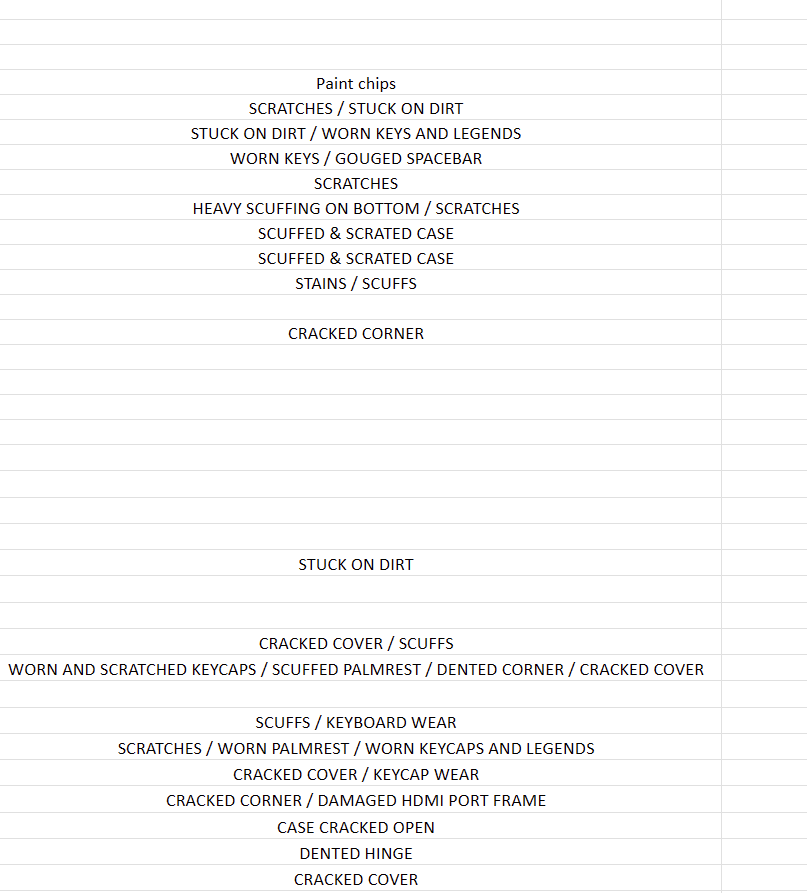
As you can see, minimal notes are preferred for the wholesale marketplace.
CPU stickers are sometimes wrong when case or MB has been swapped out. Rip off stickers that are inaccurate.
PC Tech Level 3: All Other PC/Server Testing Instructions https://www.xworx.app/?p=4984,
Always remember to double check the CPU in the BIOS and two not rely on CPU badges for accuracy. Cases and motherboards are swapped out randomly, and it happens more than you’d think!

February 2, 2026
When calling in late, be sure to wait until the you hear the voicemail message complete before you begin talking
Beyond Surplus recently got a call on the running-late hotline where it appeared someone left a message while the call was still ringing before the recording actually began. The running-late hotline has an unusual ringing sound, so please be sure you wait until the leave-a-voicemail message completes before you begin talking. Also, it is preferred that you leave a voicemail rather than a text message, but know that the hotline also receives text messages. Just be sure if you do send a text message instead of a phone call for some reason, do it only safely and legally. Thank you!
Please begin using the disposable large screen-wiping napkins now that we’ve used up all the rags.
We have a huge box of these screen-wiping napkins that should last a while. They are located exactly where the rags box was previously.

A few more specifics for testing laptops
PC Tech Level 3: All Other Laptops Testing (Non Wholesale) instruction https://www.xworx.app/?p=11798
We do not need to take photos of the motherboard of these type of rugged laptops. It would take a very, very long time for us to reach the motherboard and it would increase the chances that we would accidently damage the laptop during the disassembly. The photo of this one rugged laptop below is not the only machine that applies to the policy. If you have a laptop that has a deeply concealed motherboard where it would be abnormally difficult to get a photo of it, please speak with your supervisor about potentially skipping the motherboard photo and they will advise you from there.

If you see a laptop with a green circle sticker, please remove the sticker before testing. This sticker was from a special batch where we needed to keep track of where the laptops came from but none of the laptops had a pickup number. Please notate if by removing the sticker it causes damage to the paint. Thank you.
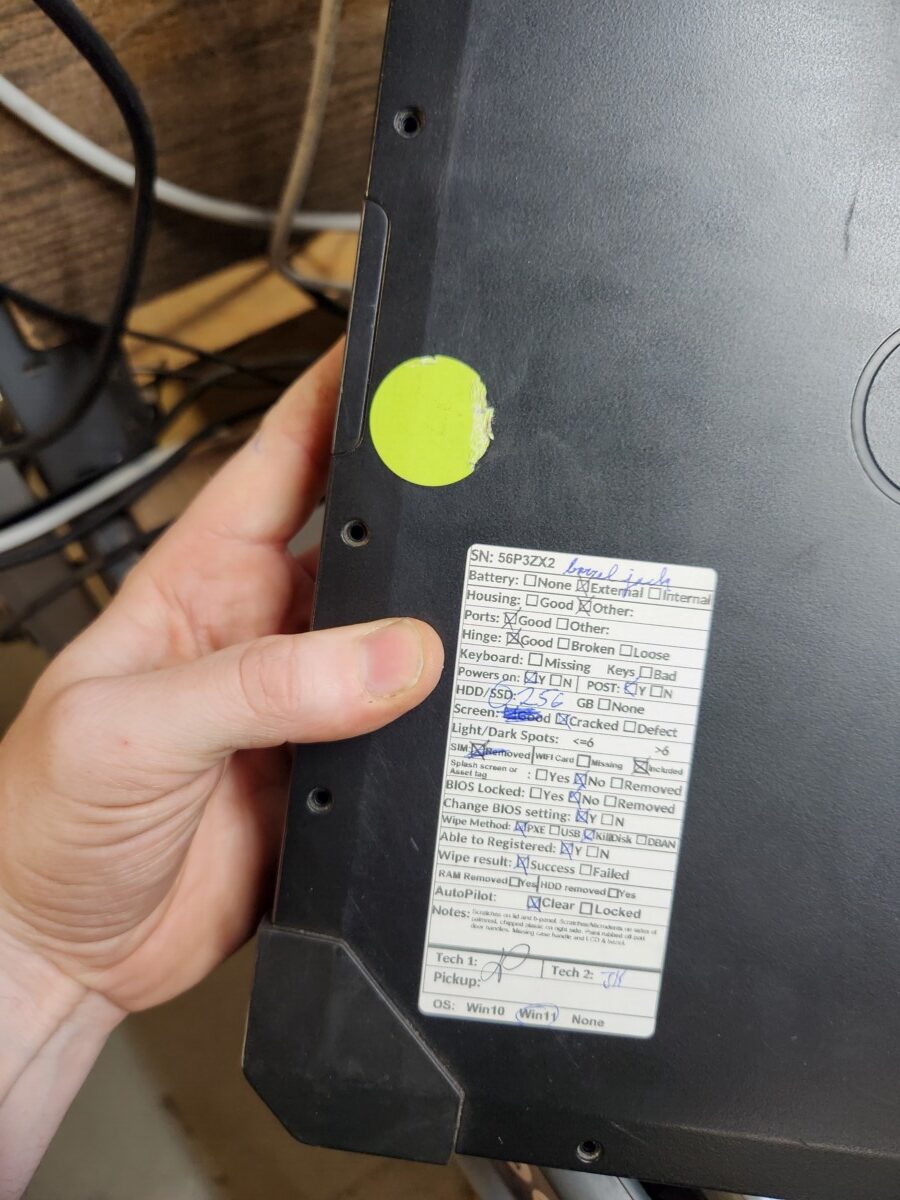
The earliest Ryzen 7s do not officially support Windows 11, and you may need to install Windows 10 instead.
How to install Windows through PXE boot and check Autopilot status for Windows machine https://www.xworx.app/?p=11800
- Unsupported Desktop Models: Ryzen 7 1700, 1700X, 1800X.
- Unsupported Laptop/Mobile Models: Ryzen 7 2700U, 2600H, 2800H.
- Reasoning: These CPUs lack native, integrated TPM 2.0 support and were deemed incompatible by Microsoft due to security and reliability standards.
If you photos of strange glare/darkness, please retake attempting to resolve the issue
PC Tech Level 3: All Other Laptops Testing (Non Wholesale) instruction https://www.xworx.app/?p=11798, How to install Windows through PXE boot and check Autopilot status for Windows machine https://www.xworx.app/?p=11800, PC Tech Level 3: All Other PC/Server Testing Instructions https://www.xworx.app/?p=4984, PC Tech Level 3: Dell 12th Gen and New Server Testing https://www.xworx.app/?p=8508
Here is an example of a photo that is readable, however, it still may result in complaints about it being difficult to read or that it appears that there is something wrong with the image. If your photo comes out unusual due to glare and a bit of bad luck, please go ahead and retake it so that it isn’t an issue.

Be sure not to put your labels over the brand logo. Strategy for mini PCs:
PC Tech Level 3: All Other PC/Server Testing Instructions https://www.xworx.app/?p=4984,
Please be sure to move label stickers so that they don’t cover the brand logo. If the label sticker needs to hang off a tiny bit like this, that is ok. Ze said if placing the label somewhat over the logo is totally unavoidable, instead put it on the bottom of the PC covering the least important info as possible.

January 30, 2026
New server testing instructions: add number of riser card included
PC Tech Level 3: All Other PC/Server Testing Instructions https://www.xworx.app/?p=4984 PC Tech Level 3: Dell 12th Gen and New Server Testing https://www.xworx.app/?p=8508
We are going to begin listing in our notes the number of riser cards included in our rack-mount servers. This will be notated similar to how we notate how many external/add-in drive bays are featured within our server chassis.
So moving forward please include the following line your notes using the following as an example:
-Damage/issues list. Examples: DIMM1 is not functional. A lot of scratches on the case.
-Passed Dell Diagnostics. (or whatever Brand of diagnostic test)
-Included 8 x 2.5″ HDD bays (Do not mention the number of caddies. Just the external and add-in HDD bays that have functional backplanes only)
-Number of riser cards
(and if applicable) -The iDRAC Firmware version is 1.65.65 (or ILO firmware version if it is HP)
The photo below is an example of a riser card you might see in a rackmount server:

Take-aways & new policies from eBay team feedback on servers
Policies for untestable items – ARIS – power supply testing
- When sending an untestable machine to ebay, please check to see if the machine powers on with its power supply. If it does, leave it on for a few minutes, then when creating an ARIS label for the machines include in the notes field a message such as “Machine powers on. Power supply was tested for several minutes.”
- Untestable items should be sent through ARIS, however, we still need to carefully inspect and notate any damage and compare the item to a google search to check if there are any noticeably missing components. We have unfortunately overlooked damages on untestable item that should have been notated before sending it over to the ebay team. Make sure all notes are included in the ARIS notes field. If your category of item does not provide a notes field in ARIS, still record notes on a custom printed label and check with your supervisor to make sure that you are indeed using the preferred item category.
- To clarify, all non-testable items will get sent to ebay through ARIS labels, but if we are planning to scrap a workstation/server, we still create the scrap label through the PC/server testing page.
RAID controllers and batteries
- We need to document not just external RAID cards and onboard RAID cards, but also onboard RAID controllers of any kind. So any evidence of RAID anywhere within the BIOS needs to be mentioned, so please look around through the machine’s BIOS and read through the POST messages and photograph any screens that have RAID mentioned.
- If you get an error message about a RAID battery, we need to double check closely that we have accounted for all known RAID controllers and their batteries, because some machines have two RAID controllers and should have two included batteries. This is important because we need to notate if a RAID battery is missing, so it is crucial to remember that there may be more than one raid component, so even if one battery is visibly present, another battery might be missing, and that missing battery needs to be notated. Remember, if an error message indicates that a “battery has discharged,” be sure to find the battery within the server to ensure that the battery isn’t actually just missing. I recommend grabbing a supervisor to give a look over your machine if you get an error about the battery out of extra precaution.
Checking USB ports closer
- Use a USB keyboard or thumb drive to pop a device into each port for just a moment to make sure the port allows for easy, normal insertion and you don’t experience any signs of damage during the act of inserting the device plug. There was an example where the USB ports were somewhat loose and screws needed to be tightened, but that would have been hard to detect without plugging in a device to the ports. So quickly try out each port physically for just a moment as part of your inspection.
Asset Tags
- We ended up leaving a few small asset tags on some of the servers that all of us overlooked. The reminder is that all non-manufacturer tags need to be removed, so even if it is small labels including the labeling ports such as “ethernet 1” “ethernet 2” labels etc. that a previous customer added themselves.
- Be sure to check all surfaces of machines you are testing for asset tags, even if the machine is heavy. Please ask you co-workers for help. A company asset tag made it through to ebay that all of us missed that was on the bottom of the case, not otherwise hidden.
Too much detail can lead to problems and errors
- Avoid being overly specific in your written description of where physical damage is located and instead use photos to describe exactly where you see damage . The reason why this is preferred is because your detailed description may make you more likely to be technically incorrect in your description. An example was I described a slot as PCI slot 1, but technically according to the motherboard manual, that slot was officially slot 6. The photo I took showed the damage, but my written description made me incorrect in my description technically. So avoid trapping yourself in written descriptions whenever possible.
- When possible, we want to try to not upload an overwhelming amount of photos for tested servers. This will avoid specs getting lost/overlooked during the QC and listing process. HP systems, for example, often have system summary pages that capture almost all the important information on one page. When trying to minimize the number of pages included in your testing, the minimum important pages you’ll need for HP servers will include:
- System summary page
- System configuration page that shows all the RAID devices and NIC ports
- The diagnostic test
- Any error messages
So you don’t need to enter individual spec pages for each individual processor when there are two processors, for example. If you have a summary page that shows that processor name and speed of each of the 2 processors, that should be all we need.
Conducting eBay tests on our desktops rather than from phones
We are going to experiment with shifting away from using cell phone to fill out the eBay laptop testing form.
So moving forward, just like with PC/Server testing, we’ll download the photos we take onto our desktops and fill out the testing forms there as well.
Here is a link to the eBay laptop testing form:
All Other Laptops Testing (Non Wholesale) – https://www.xworx.app/?p=4715
Please let me know if you encounter issues with this new process.
Saving copies of your photos onto the network drive as backup
PC Tech Level 3: All Other Laptops Testing (Non Wholesale) instruction https://www.xworx.app/?p=11798
There is a network drive where we would like everyone to begin saving copies of their photos. This is because occasionally errors in our web forms cause photos to disappear from our database, and having a backup copy on this network drive would resolve this problem and prevent future data loss.
The network drive location is:
\\WIN-SIXBIT\Inventory.Lists\Bios.Pictures
Please follow the naming mechanisms. Create subfolders based on the serial numbers of your device, or you can rename your photos to contain that serial number, or both. Please ensure that this network drive continues to stay orderly. Thanks!



January 29, 2026
Clock-out reminder automatic text messages
If you find yourself sometimes forgetting to clock out at the end of the day, there is a feature in your profile section within the timeclock page that will allow you to set up text message reminders for yourself. Feel free to use this tool if you find it helpful.


January 28, 2026
Checking with Paul about potential unknown vintage value – new policy
Yesterday we had an unexpected outcome where a vintage IBM machine that was value checked and didn’t have the right cards to output video was picked out from the scrap and able to be sold very quickly after all. This was a situation where Paul saw potential in a machine that he saw on the scrap pile that we were unable to identify as valuable through our normal value checking process.
So, let’s move forward with this new policy: when you have abnormal or vintage machine that doesn’t meet value, let’s take a photo of it, and let’s send that photo and whatever know specs to Paul before we put it on the scrap pallet so he can give it a second opinion. Thanks!
Updated laptop wiping checklist to add in note about taped down SSDs/HDDs
PC Tech Level 3-Laptop Wiping: Laptop PXE Boot and Registration https://www.xworx.app/?p=8128
Please use this link to load up the wipe paper as a PDF so you can use one of the color printers to print on both sides of 1 sheet of paper: https://www.xworx.app/wp-content/uploads/2025/12/laptop-checklist-update-January-28-2026.pdf


I have attempted to remove outdated versions of this checklist from wordpress so hopefully all your new prints will be of this latest edition.
Resolving a glitch with HP diagnostic USB software
While running HP diagnostics, we have encountered an error where even though the hardware passes the test, we get a software error that shows up in the diagnostic result. Please see the image below.

We have found a method that corrects this error so that our diagnostic results have a clean bill of health.
Please use the following steps:
1: Enter into the system tests as normal:

2: Select custom tests:

3: Select non-interactive:

4: Choose memory fast test

5: This test will hopefully run pretty fast a may even abruptly quit and return to the previous menu. So once it succeeds or it abruptly quits, that should mean that this software glitch fix process is working as planned.

6: Once you’ve done this, either press this back button in the top right corner or hit escape to back out of the custom menu, and then run the typical fast test as you normally would. We have seen good results where the software error goes away.


January 27, 2026
General value checking rules to follow when using ARIS
PC Techs recently did some work value checking items in ARIS, and we got feedback for A.R. regarding not following all of the normal directions and processes. For those who are not super familiar and practiced with value checking in ARIS, here is some helpful guidance that will hopefully make your next attempt easier.
^
• If you aren’t 100% certain which category to should use then please ask the AR Team Lead Joseph.
^
• Before Processing any Item make sure to select the corresponding category and opening the index for the selected item in order to verify that the Item or brand of the item being process does not have any special instructions. (Source: Before Processing and Item (https://www.xworx.app/?p=6058)) Taking a look at the item examples on the page is a decent reference to if that is the right category. If the item doesn’t have a dedicated category and therefore should have used “all other items,” and there might be additional special notes on that page for your item, as well.
^
• When checking for value remember to inspect properly the items in order to identify the condition of the item and asses its value accordingly. Make sure that the filters are set to the correct ones and to change them according to the index. When no completed items are available, choose the lowest Active. (Source: When checking Value on E-bay (https://www.xworx.app/?p=11849))
^
• While searching for an Item on E-bay remember to look for the naming convention that yields you the best results. Remember that certain items have specific names such as Cisco with the PVID and IBM with the FRU. Try multiple different identifiers on the items in order to find which identifier gives the most accurate results. (Source: Item not Found (https://www.xworx.app/?p=12810))
^
• When you are bagging an item remember that the quantity of all items and all models must be listed in the notes if there is more then one, needs to be listed on the notes. The items must be bag as per the index instructions. Smaller items must be bagged and boards must be bagged separately in an appropriate size anti static bag. (Source: Bagging and item (https://www.xworx.app/?p=12359))
January 23, 2026
eBay laptop testing takes place entirely on a phone.
If you are new to eBay laptop testing or you haven’t done it in a while, keep in mind that this testing process is conducted entirely on a cell phone. Please utilize a phone and do not attempt to complete the process on your desktop. Thank you. Please use the following form on a work cell phone:
https://fs30.formsite.com/beyondsurplus/noxpttowpt/index
No longer removing heat syncs from CPUs unless we are scrapping the system. Please see details.
PC Tech Level 3: All Other PC/Server Testing Instructions https://www.xworx.app/?p=4984 PC Tech Level 2: Wholesale 6th Gen or newer iSeries PC/Server Testing Instructions https://www.xworx.app/?p=11882
Moving forward, we’ve been asked not to remove CPU heat sync for computers we are wiping or testing for any reason, and the only valid reason now would be to scrap the machine. So the solution for CPUs you can’t identify within the BIOS or POST screen if you can’t access either of those is to leave it in as unknown in the form. Also, if there is no photographable evidence that your 2 socket motherboard actually has 2 CPUS installed without removing the heat sync, just leave the heat syncs on, explain the situation in the notes field, and show your supervisor for additional guidance and possible other solutions.

Where to fill out emergency contact form in Workforce system:
https://workforce.intuit.com/app/payroll-employee-portal-ui/portal/profile
How to sign up to receive text messages about warehouse closures: Employee Notification System (Facility Closings & Bad Weather Notification):
https://www.xworx.app/?p=11960
January 22, 2026
New SuperMicro diagnostics tool
PC Tech Level 3: All Other PC/Server Testing Instructions https://www.xworx.app/?p=4984
We now have a SuperMicro motherboard diagnostics tool.

The photo below is what the output should look like.
Please leave an internet ethernet cable plugged in during the test so that we can get a good result from the RJ45 jack test.
You will likely also need to disable PCIE tests.
The output of the test should generate a report onto the USB itself. If you have questions, please ask Ze for now as he as already used this tool.

Update to notetaking hierarchy: “Passed Diagnostics” comes before “OS Installed”
PC Tech Level 3: All Other Laptops Testing (Non Wholesale) instruction https://www.xworx.app/?p=11798
We’ve been asked when preparing notes to place “Passed Dell Diagnostics (or whatever brand diagnostics)” before the two notes “Windows 11 installed” and “No drivers include.” The idea is that the passed diagnostic test is more important information to an eBay customer than the other two, so it should be placed higher up in the order of notes for that reason. Please implement this moving forward!
I am going to attempt this in all the other WordPress pages where the notes hierarchy is featured, but in case I miss one, please be advised of this change!
January 20, 2026
Additional considerations for server testing
PC Tech Level 3: All Other PC/Server Testing Instructions https://www.xworx.app/?p=4984
1) Please only use the names of machines as described within the BIOS of your or on the case itself. If you see eBay listings of the machine and it is referred to as a different name, for example, If your Dell EMC server is listed on ebay as “Powervolt,” however “Powervolt” is not listed somewhere on the case or within the machine’s bios, don’t take on these special names you might be seeing on ebay. Only stick with what we can completely confirm. For example, product nicknames such as Cheese-grater Mac or Trashcan Mac would refer to several different models and definitely aren’t official names.
2) In the newest servers, be advised that there may be drive bays INSIDE the case that we need to notate. An example of a system like this is a Dell NX3240. If you think you see an potentially notable HDD bay within a server, please grab your supervisor to verify, and you will want to include this in the notes section as part of counting the total number of hard drive bays.
Ze would like us to notate a drive bay set up like this similar to following example.
-3.5″ HDD Bays: 12 at front, 2 at back, and 4 internal bays.

3) If you are testing the video with a graphics card, and ultimately you are not including the graphics card with the machine we are sending to eBay to sell, we still need to select “Discrete video tested good” in the test label form if the card we used did indeed give us a good output at the time of testing.
January 19, 2026
Autopilot fails prevent OOBE\BYPASSNRO, must use Administrative Mode
PC Tech Level 3: All Other PC/Server Testing Instructions https://www.xworx.app/?p=4984
PC Tech Level 3: All Other Laptops Testing (Non Wholesale) instruction https://www.xworx.app/?p=11798
Once you have an autopilot failed machine, you will be unable to run OOBE\BYPASSNRO to get into the Windows desktop. Your only option to enter Windows will be to enter through administrative mode. The keyboard code to Windows administrative mode (Audit Mode) from the Out-Of-Box Experience (OOBE) is Ctrl+Shift+F3, and it will reboot into the built-in Administrator account’s Windows desktop.
January 16, 2026
A tricky place you may find hidden liquid damage: the backside of the computer within the expansion card positioning slots:
PC Tech Level 3: All Other PC/Server Testing Instructions https://www.xworx.app/?p=4984
Please take the time to pop out expansion slot cards. Even though this liquid damage is very well hidden, the customer would eventually find it and this would cause a return and a possible bad review. I know there are many, many little places to look out for on computers for possible damage, and it can be overwhelming to comb through every spot, but consider this a place where we need to take the time to look.


January 14, 2026
New revision on server/desktop ebay testing checklist
PC Tech Level 3: All Other PC/Server Testing Instructions https://www.xworx.app/?p=4984
Please begin using this revised checklist for PCs and Server ebay testing moving forward. Thanks! This morning we added a section about ensuring that the RAID configuration is totally clear.
PDF: Link

Servers need to complete several restarts before fully resetting and clearing out customer data
PC Tech Level 3: All Other PC/Server Testing Instructions https://www.xworx.app/?p=4984
When resetting servers removing all customer data, usually the resetting process in the Dell lifecycle controller or the HP intelligent provisions requires the machine to restart multiple times. Please be sure to allow the machine to fully complete the resetting process before assuming it is done. You can confirm the machine is finished when the iLo/iDrac I.P. address has changed.
January 13, 2026
Inability to set Computrace as deactivated within the BIOS of Dell laptops, but Computrace can be deactivated despite what the BIOS says.
PC Tech Level 3-Laptop Wiping: Laptop PXE Boot and Registration https://www.xworx.app/?p=8128
PC Tech Level 3: All Other Laptops Testing (Non Wholesale) instruction https://www.xworx.app/?p=11798
We spoke with the support team for Computrace, and they informed us that it is not possible to remove Computrace from appearing as active in the BIOS of some Dells, but the actual function of Computrace can be removed using the Absolute Persistence removal tool.
The Dell laptops that contain Computrace, which is also referred to as “Absolute 1.0”, are mostly 6th gen and 7th gen Dells that will be wholesaled. Because we are wholesaling these laptops and not photographing them, we only will need to indicate on the wipe label that Computrace has been deactivated despite what the BIOS says. Please run the Absolute Persistence removal tool yourself to confirm this is true. If there is a newer generation laptop with Computrace enabled that needs to be tested for ebay, in that case we will need to photograph the Absolute persistence removal tool confirming
Here is the message the support team sent us for any additional clarification:
January 9, 2026
Be sure to check over servers for asset tags while testing them. Here is an example of an asset tag we recently missed.


Ze’s newest updates to the server testing instruction page.
PC Tech Level 3: All Other PC/Server Testing Instructions https://www.xworx.app/?p=4984
Ze has added new sections to the server testing instructions page. Here is a summary of the additional content. As a reminder, Ze has requested that we have the server testing instructions page linked above pulled up on our screens as we are working on the machines to have the instructions quickly accessible.
Pictures that are needed:
BIOS picture or POST screen if BIOS is locked.
- Picture with Brand, model, and serial
- Picture with CPU information
- Picture with RAM information
- Picture with Expansion card information.
- BIOS locked picture.
Notes we need to include (Make sure the note left in is from a higher priority to a lower priority):
-
- Notate functional damage.
- Notate physical damage.
- Pulled from which machine (for motherboard)
- Drive Bays(Server) (only external hot swap bays need to be counted/mentioned)
- Diagnostic result. (if it has)
- iDRAC or iLO firmware version.
- OS installed.(if has) password(apple)
Here is an example of the default information to put in the notes field for servers:
-Damage/issues list. Examples: DIMM1 is not functional. A lot of scratches on the case.
-Passed Dell Diagnostics. (or whatever Brand of diagnostic test)
-Included 8 x 2.5″ HDD bays (Do not mention the number of caddies. Just the external and add-in HDD bays that have functional backplanes only)
-Number of riser cards
(and if applicable) -The iDRAC Firmware version is 1.65.65 (or ILO firmware version if it is HP)
Instructions for QCing servers
QC tested PC/Server for eBay or Wholesale https://www.xworx.app/?p=12943
Please review this new page that explains the process of QCing servers. Please let us know if there are areas in this documentation where we should provide more information.
Update: DO NOT pull motherboards out of PC or server cases on your own. Please read.
PC Tech Level 3: All Other PC/Server Testing Instructions https://www.xworx.app/?p=4984
There are nuances as to when to pull motherboards from servers. The new general rule is to NOT pull motherboards out of servers despite their weight. If value of the motherboard on its own exceeds $60, but then the overall weight of the machine makes it not worthwhile, speak with your supervisor for additional instructions. Ze will likely be the main person to determine if we should leave the motherboard in the case, scrap the whole machine, or pull the motherboard out. As an additional note, if the motherboard is pulled out of the server case, the I/O shield also needs to be pulled out and included. Remember to put the I/O shield in its own bag within the bag you are storing the motherboard, so the MB doesn’t accidentally get damaged from the sharp edges of the IO shield.
When you have a BIOS locked machine that shows no specs and has no post screen.
PC Tech Level 3: All Other PC/Server Testing Instructions https://www.xworx.app/?p=4984
Occasionally we encounter machines that are BIOS locked with no POST screen, so in other words, there is no page that shows any system specs. If that is the case, still take a photo of the BIOS locked screen, then all you can do to determine the CPU and motherboard is to look at them physically and get their model numbers that way. When removing the CPU heatsink, try to retain as much existing thermal paste on the CPU/heatsync as possible since he have a limited supply of thermal paste. Ask for a tube of thermal paste for your work desk if you don’t already have one.
How to deal with loose motherboards from medical machines
PC Tech Level 3: All Other PC/Server Testing Instructions https://www.xworx.app/?p=4984
If there is a loose motherboard from a medical machine, we need to mention what machine it came from. This is because it may be custom motherboard/motherboard firmware for that particular medical machine that may prevent customers from updating the firmware, and they may return it for that reason. The customer needs to know if the motherboard originated from a medical machine.
Using the manufacturer brand for medical computers instead of the medical brand
PC Tech Level 3: All Other PC/Server Testing Instructions https://www.xworx.app/?p=4984
QC tested PC/Server for eBay or Wholesale https://www.xworx.app/?p=12943
There are a variety of medical machines that are branded by medical companies, but for these machines we need to use the original computer manufacturer of the machine before the medical companies rebranded the computer in their name. Example companies are Siemens, Philips, and G.E. Please locate somewhere on or within the machine somewhere what computer manufacturer actually made the machine. The reason why this is important is because the medical companies often supply these machines with special software, and if we try to sell the units named after one of these medical companies, it would be implied that there is still the medical software on the machine, which there is not.
An interesting exception to this rule is the Fujitsu Celsius machines. Fujitsu is both the major manufacturer of the computer and they choose to sell it as a medical computer.
January 8, 2026
Hierarchal order of notes for eBay tests
PC Tech Level 3: All Other Laptops Testing (Non Wholesale) instruction https://www.xworx.app/?p=11798
The order in which we present our notes to ebay customers is important. Keeping in mind that the labels we print for our laptop ebay tests only have enough space to contain some of the critical information for customers, we need to make sure the label contain the most critical information instead of less critical information. We want to make sure ebay customers don’t accuse us of burying the most serious issues we’ve found deep within paragraphs of less consequential notes. Please see the example photo below.

Take note of the diagnostics portion. IF the diagnostics had passed, this would be in the correct place, but because the diagnostics failed and indicated memory errors, that note should be have been moved up towards the front of the list. This should have been the second note in this list, right after the liquid damage note. The liquid damage is the most consequential note, and the memory error is the second most consequential note. Keep this frame of mind when writing out your laptop notes.
Here is the general guide of priority notes from top to bottom. This is not a 100% comprehensive list of all situations so please use your best judge with this as a guide.
★★★★Very first★★★★ Notate damage that could potentially cause the machine the fail later
Examples: Signs of liquid damage. Failed diagnostic tests for critical components like RAM and fans. Random restarts: include any Windows or BIOS error codes if they are displayed. Get photos of the error codes if possible, too. If you can’t photograph error codes, include why in the note. Failed GPU Heaven benchmark tests that resulted in a unfixable very bad score or a system crash.
★★★Second★★★ Notate functional damage and configuration issues
Examples: Screen cracked or defective to the point where it cant be used normally, issues with keyboard and trackpad that prevent them from working normally. Motherboard connector broken preventing replacement parts being installed. Broken hinge. BIOS locked (include if it is in AHCI mode or RAID mode).
★★Third★★ Notate major physical damage
Examples: Case has significant chipped plastic or is severely cracked. A case panel or screen bezel will no longer stay sealed in the correct location. Missing keys that can still be pressed. Ports that do not work. Anything that could be be described as major damaged not yet mentioned.
★ Fourth ★ Notate minor physical damage
Examples: Smaller cracked plastic or very minor chipped plastic. Scratches, scuffs, and minor damage to corners, heavy wear on trackpad, paint of keys being worn off but you can still read the letters.
After including the damage listed above, then include the following information in this order.
1) Passed (laptop brand) diagnostic. If it did not pass, this note should be jumped up higher on the list based on severity of the failed test.
2) Win 11 installed.
3) No drivers included.
4) Precise video card name (if applicable).
5) Ran heaven benchmark (if applicable). If it did not pass the test, be sure that all of your drivers (including drivers in the optional updates section) are fully up to date, but if there is no improvement or if the test causes the computer to crash, put this up at the first section of the notes that could cause the computer to fail later.
6) Tested with _(Dell barrel jack, Lenovo square jack, HP barrel jack, Lenovo 65W USBC, Dell 130W USBC, etc.)_ power.
December 24, 2025
New laptop wiping checklist and procedures – please read and use new template with all new laptop wipes
PC Tech Level 3-Laptop Wiping: Laptop PXE Boot and Registration https://www.xworx.app/?p=8128
Please use this link to load up the wipe paper as a PDF so you can use one of the color printers to print on both sides of 1 sheet of paper:
LINK REMOVED FOR BEING AN OUT-OF-DATE VERSION
-Please hand write any issue you observe immediately onto the checklist, and then later replace the handwriting with a printed label for legibility
-Within the new laptop wiping sheet, there are 3 conditions where we will want to use a highlighter in addition to circling with a pin to make sure it is not overlooked. These 3 conditions are if absolute persistence active, autopilot is locked, or if there is a splash screen. Also, we ask that you fix absolute persistence right there at the wipe station if possible, too, once windows is installed of course.
Reminder to test all USBC ports and barrel jack for power/charging. Check all USBA ports with a mouse and check the video ports that you can get to display out. Visually inspect any ports you cannot check within the BIOS. We may expand our port testing later, but this should be adequate for now.
Touch the screen of every laptop to test for touchscreen. If you are not sure if the laptop has a touchscreen, check for its settings in the BIOS. Two other clues there are is a touchscreen is that the screens often have a glass coating (not always), and another clue is when you see an internal touchscreen connector on the motherboard.
Please initial for all fields you have tested. Do not initial if you have not completed your test in full.
We will continue to put wipe labels on the screen lid, but we just need serial and pickup number, and you can leave the rest blank.
December 22, 2025
Take this new quiz for laptop wiping, and please let me know your score once you’ve completed it!
Here is the link to quiz. Let me know if you have any issues accessing it. https://forms.gle/rZQ3ZKp27226pkt46
After receiving test results and feedback, I am going to make revisions to this quiz. If you haven’t taken this quiz yet, there is no need at this time.
December 19, 2025
Minimum size of SSDs to include/wipe in your devices: 128GB
PC Tech Level 3-Laptop Wiping: Laptop PXE Boot and Registration https://www.xworx.app/?p=8128, PC Tech Level 3-Micro PC Wiping: Micro/Mini/Tiny PC PXE Boot and Registrations https://www.xworx.app/?p=12082 , PC Tech Level 2: Wholesale 6th Gen or newer iSeries PC/Server Testing Instructions https://www.xworx.app/?p=11882 , PC Tech Level 3: All Other PC/Server Testing Instructions https://www.xworx.app/?p=4984
Anything SSD storage underneath 128GB should be given to your supervisor to be taken out of normal circulation.
Correct and incorrect label placement for bulk wiped HDDs/SDDs
Wholesale Hard Drive Wiping and Packing https://www.xworx.app/?p=7495
Below are reminders for our bulk SSD and HDD wiping process regarding asset tags and label placements
Remember to remove all customer asset tags such as the example below. Remember, they can be pretty small. Look closely.

Here are two examples of poorly placed labels. It is required that we place labels only in the appropriate, or in the worse-case-scenarios, the least offensive locations possible. Do you very best to not overlap any hard drive branding or serial number or any other product information unless you absolutely must, but even still only overlap the least important product information if you have no other choice.


Here are four examples of correctly placed labels. Please note how they are as out of the way as possible.


December 17, 2025
Please review this page a refresher about identifying model information
Ze has asked that the team review this page today to make sure everyone gets a refresher on the typical way to identify the model numbers of products. Please write your name and the date as a comment at the bottom to let us know you read it! If you name and date doesn’t appear in the comments once you submit, that is OK. It still worked. Here is the link: https://www.xworx.app/?p=4069
Default note for servers
PC Tech Level 3: All Other PC/Server Testing Instructions https://www.xworx.app/?p=4984
Hey PC Techs, it came to my attention that the following information was somewhat buried within our server wordpress pages of instructions:
Use this template as the default note you write in each server, adding or removing points as makes sense:
-Passed Dell Diagnostics. (or whatever Brand of diagnostics test)
-Included X*2.5″ HDD bays (Do not mention number of caddies. Just the number of external or add-in bays that have functional backplanes only)
-Number of riser cards included.
(and if applicable) -The iDRAC Firmware version is 1.65.65 (or ILO firmware version if it is HP)
December 12, 2025
Instructions on removing BIOS password from a Fujitsu Esprimo workstation
PC Tech Level 3: All Other PC/Server Testing Instructions https://www.xworx.app/?p=4984
The following video explains the details of clearing a BIOS password from a Fujitsu Esprimo if you encounter this issue.
Here is a link to the video in case the emdedded link does not work correctly: https://www.youtube.com/watch?v=TP0fXeVF-UA
December 11, 2025
Lookout for pokey components on servers / PC cases that could scratch and damage other machines on pallets.
PC Tech Level 3: All Other PC/Server Testing Instructions https://www.xworx.app/?p=4984
See the pokey bit on the backside of this case? It is on the back of a random Fujitsu case. Take a look:


This component has the potential of rubbing against other servers on the server pallet rack, possibly breaking other cases. What to do in this situation is to make a small pad of foam and tape it around the offending area like the photo below:

This will keep the other machines safe. This is important, so any time you see something like this on a rack mount case, tower case, or even smaller cases, please take the time to help us prevent damage/loss of value!
December 10, 2025
The first PC Tech quiz – topic: general basics.
Please take this test and let me know your score once you complete it! No problem if you miss any questions. Do you best, and missed questions will be a further-training opportunity. Link: https://forms.gle/41vSpoh4DSTXDpfV9
December 9, 2025
Please value-check all Plextor disc drives.
PC Tech Level 3: All Other PC/Server Testing Instructions https://www.xworx.app/?p=4984
If you come across a Plextor disc drive, please value-check it. They can sell for hundreds of dollars. This one was found in a Fujitsu Celsius Workstation that was otherwise likely destined to be scrapped.

December 4, 2025
Look out for damaged RAM sticks in the loose RAM bin. Visually inspect them before using or giving to eBay team.
PC Tech Level 3: All Other PC/Server Testing Instructions https://www.xworx.app/?p=4984
We are never totally sure of the condition of the RAM we receive until we test it, however, there are key give-away signs that some RAM may be damaged. We can sell damaged RAM sticks, but they need to be sold separately. Here are two examples of loose RAM with damage. One example has orange spray paint on it, and the other arrived with stickers pointing to broken tiny chips on the stick. The request is that you take a moment to visually inspect the loose RAM you are about to use so that we can weed out damaged sticks from general circulation.


Another example of a well-hidden SD card within a server
PC Tech Level 3: All Other PC/Server Testing Instructions https://www.xworx.app/?p=4984
Here is a new example of a SD card hidden in the gap between the riser card and the power supply of a Dell server. This is a reminder to comb through all the nooks of a server and to allow it to try to load up normally into an operating system at least once. We were unaware that this SD card existed until VMWare suddenly appeared!


Another example of liquid damage – calcification
PC Tech Level 3-Laptop Wiping: Laptop PXE Boot and Registration https://www.xworx.app/?p=8128
Ze says that you are likely to find this white residue on components more than the motherboard itself. This is liquid damage so be sure to notate any time you see signs of damage like this! Take a few extra seconds during your laptop wiping prep to take an extra close look around the inside of you laptop.

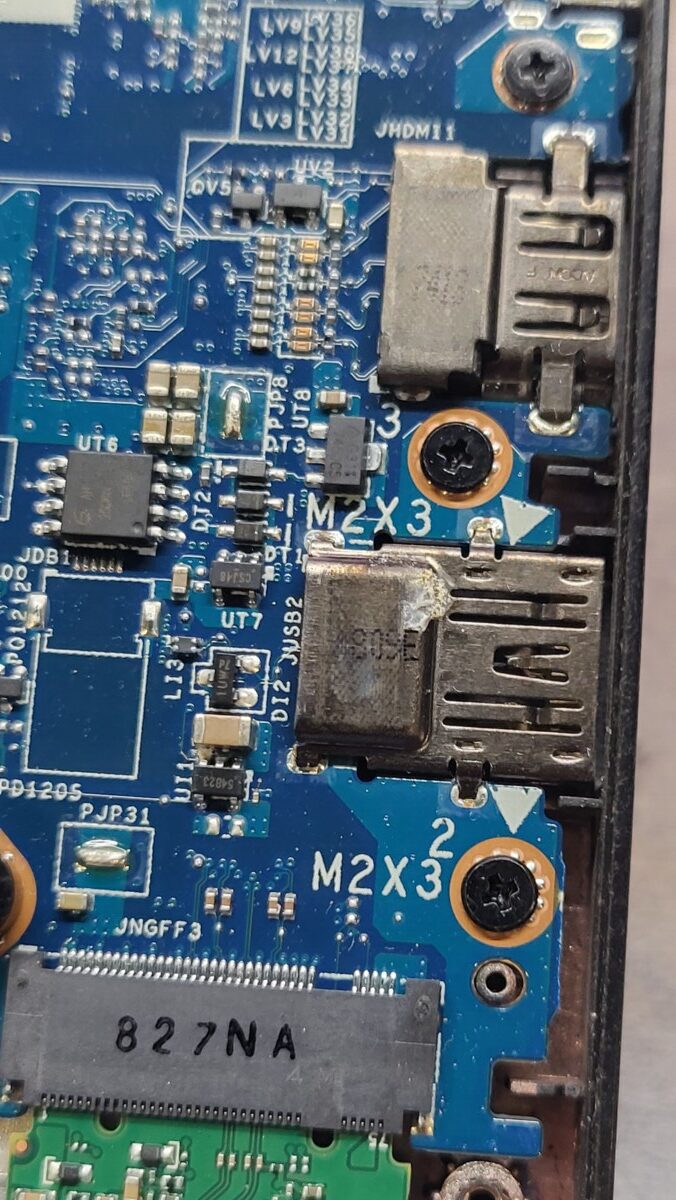
December 3, 2025
Example of a damaged display cable that needs to be documented in notes
PC Tech Level 3-Laptop Wiping: Laptop PXE Boot and Registration https://www.xworx.app/?p=8128
Even though this display cable works, the jacket is ripped away enough from the end and exposing the colorful cables that we will need to leave a note about a cable in this condition. It is something that a customer could point to when asking for a refund.

December 2, 2025
Accessing and clearing the the RAID configuration in Dell Servers – different servers have different methods
PC Tech Level 3: Dell 12th Gen and New Server Testing https://www.xworx.app/?p=8508
We recently updated the Dell Server instructions page to include that pressing “C” during the startup when prompted will not always be the way to enter the RAID configuration. We have also seen Dell servers that ask you to press “Control + R” instead. So be sure to read the splash pages when they appear during startup. The wall of text will probably have information about how to access the RAID. This is an example of what the RAID controller page looks like:

November 24, 2025
Temporarily helping shipping area clean at end of day
We’ll assign one PC Tech each day to help the shipping team keep their part of the warehouse clean. They are currently lower on staff and this would help the company stay on top of keeping the warehouse tidy. Please note some instructions:
- Clean out sections of the floor with Styrofoam bits and trash, but do no remove anything for desks or unplug anything.
- Please move pallets in order to sweep underneath. If there are items on the pallet, Ze asks that you find him and have him inspect the items.
- If the cart is empty, please flip it upside-down in order to clean the bits off of it, as well.


eBay Laptop Testing response for COA should be “NONE”
PC Tech Level 3: All Other Laptops Testing (Non Wholesale) instruction https://www.xworx.app/?p=11798
While doing the eBay laptop testing process, just put your response to the COA as “none.” The actual COA usually will be Windows 10, but we actually install Windows 11 on the machine. Paul deals with confused ebay customers caused by this. “None” is the preferred answer unless you hear otherwise.
November 21, 2025
Quick-access to sites for testing laptops & desktops
Ze put together a new WordPress page that quickly leads you to commonly used testing pages. Please check out and bookmark Ze’s new page: Links to testing pages
Thanks!
November 19, 2025
A potentially helpful productivity feature in Google Chrome
Joseph gave me a heads up on a new split-tab feature in Google Chrome that may be helpful depending on how you typically use computers and your workflow. It is kind of like having two Chrome Windows open side-by-side, but with this feature, you have 1 windows and 1 options bar but with multiple tabs pulled up next to each other. You may already have this feature installed to try out, but if you not, see the how to download it within photos below.


How to download it isn’t already installed:

November 18, 2025
HPs can have Absolute Persistence. Here is where to look:
PC Tech Level 3-Laptop Wiping: Laptop PXE Boot and Registration https://www.xworx.app/?p=8128, PC Tech Level 3-Micro PC Wiping: Micro/Mini/Tiny PC PXE Boot and Registrations https://www.xworx.app/?p=12082 , PC Tech Level 2: Wholesale 6th Gen or newer iSeries PC/Server Testing Instructions https://www.xworx.app/?p=11882 , PC Tech Level 3: All Other PC/Server Testing Instructions https://www.xworx.app/?p=4984
Dell and HPs do not announce if they have Absolute Persistence active when you load into the BIOS. You have to go looking for it. Be sure to look for Absolute Persistence in the BIOS/UEFI of all laptops and computers. There is no way to tell if they have their Absolute Persistence active until you specifically go looking for it.
See the photo below for what it looks like in the HP UEFI.

November 17, 2025
Darkness settings of label printers can be changed. Darker and more visible is better.
The printer settings within each label printer is slightly different, but in settings dialogue boxes of most label printers somewhere are options for darker printing, slower printing (more clear and accurate), or both. Take a moment to check and update your settings within Windows if you have never checked or updated this before. Thanks! Darkest and slowest, please. Ze said this is probably already set up correctly, so checking this is not a high priority unless you are having issues with legibility on your labels.

Not all laptops will have Absolute Persistence as an option. This is normal.
Google says it is embedded into the firmware of “many but not all” laptops. Look for it in the BIOS, but if it is not there as an option, it truly is not there.
November 14, 2025
First step in the laptop wiping process when a keyboard is initially tested
PC Tech Level 3-Laptop Wiping: Laptop PXE Boot and Registration https://www.xworx.app/?p=8128
How to install Windows through PXE boot and check Autopilot status for Windows machine https://www.xworx.app/?p=11800
We do not test laptop keyboards until later in the process during Autopilot checks. If you aren’t sure what Autopilot checking is at this point, no problem, but know that we do eventually we check the keyboard by typing in “The quick brown fox jumped over the lazy dog.” in a command line. You don’t need to do that during the wiping phase, however, if you notice issues with keys during your initial setup such as needing to strike keys harder than normal in order for the keys to register or if there are keys you notice that simply do not work, please make a note of it on your label. The sooner we can notate any issues with keyboards we observe in our overall process, the better.
November 13, 2025
Common issues to avoid found during micro PC QCing
PC Tech Level 3-Micro PC Wiping: Micro/Mini/Tiny PC PXE Boot and Registrations https://www.xworx.app/?p=12082
- Wipe paper placement: try to not put wipe paper or sticker label on top of any manufacturer info. Find a spot on the machine where the wipe paper doesn’t overlap anything.
- We need to begin checking for wifi cards.
- Don’t put painters tape over words on the wipe paper, just carefully tape over the corners.
- Use a minimal amount of painters tape and make the presentation not look sloppy
- remove any serial numbers on case that do not match BIOS (meaning all BIOS and case serial numbers need to be cross-checked against each other every time)
- Use your finger to check the front panels to see if the plastic front clips are busted and the front panel may get ripped off on accident.
- While checking the motherboard, if you notice any busted RAM clips, RAM slots, or other device slots damaged, please add that to the notes.
- Please begin referring to the antennae nub attached to the back of the case as the “antennae port” as the actual antenna would be a device we would attach to this nub, so we want to describe the computer as accurately as possible.
- Don’t forget to also leave a note in the notes section to indicate that the machines is BIOS locked, don’t just put a check mark on the label! They are harder to see, and it is an important detail to the customer that we don’t want to overlook.


November 12, 2025
Inspect ports closely and notate damage even if very minor.
PC Tech Level 3-Laptop Wiping: Laptop PXE Boot and Registration https://www.xworx.app/?p=8128, PC Tech Level 3-Micro PC Wiping: Micro/Mini/Tiny PC PXE Boot and Registrations https://www.xworx.app/?p=12082 , PC Tech Level 2: Wholesale 6th Gen or newer iSeries PC/Server Testing Instructions https://www.xworx.app/?p=11882 , PC Tech Level 3: All Other PC/Server Testing Instructions https://www.xworx.app/?p=4984
Minor damage within ports is still enough damage where we need to mention it to the customer. The concern is that it is in a state that could get worse, like the port pins could break off when a cable is connected which has happened before even to us while working here at the warehouse. There is also a chance the port could be sensitive/finicky or stop working later. So please inspect all ports very closely for this reason to make sure you don’t miss subtle damage. Thanks!

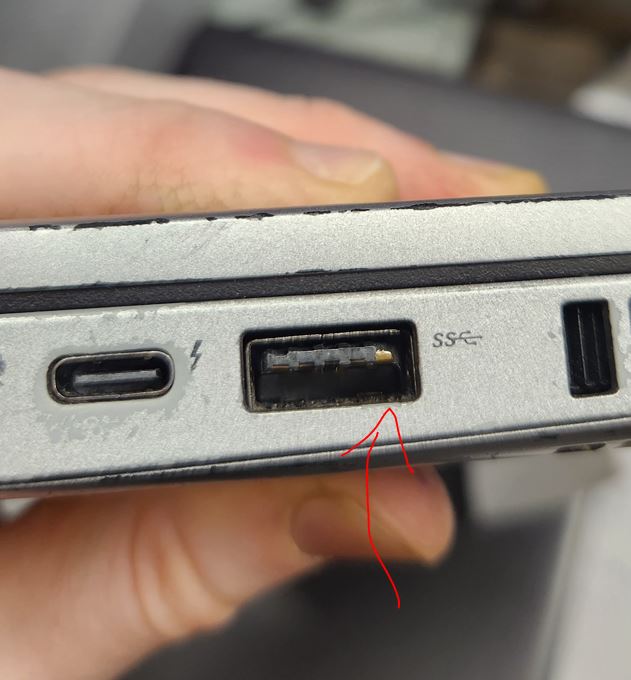
Another example of a tricky asset tag
PC Tech Level 3-Laptop Wiping: Laptop PXE Boot and Registration https://www.xworx.app/?p=8128 , PC Tech Level 3-Micro PC Wiping: Micro/Mini/Tiny PC PXE Boot and Registrations https://www.xworx.app/?p=12082 , PC Tech Level 2: Wholesale 6th Gen or newer iSeries PC/Server Testing Instructions https://www.xworx.app/?p=11882 , PC Tech Level 3: All Other PC/Server Testing Instructions https://www.xworx.app/?p=4984
This looks somewhat like a manufacturer tag at first glance as it only has this machine’s serial number and an QR code. Unfortunately this is a QR link to rhinofamilyofcompanies.samanage.com. So here is a general overarching policy for asset tags: Be very suspicious and remove any sticker that is not 100% conclusively a manufacturer sticker, and in fact, you can remove any label that is deemed removable, meaning it isn’t absolutely necessary to identify the product. Anything that looks out of place compared to similar models or anything that sticker that looks out of place in general, investigate it before assuming it is OK. Scan QR codes to verify them if you plan on leaving them on the machines.

November 11, 2025
When working with PCs, workstations, or servers, be on the lookout for m.2 or other SSD storage PCI-E adapters.
PC Tech Level 2: Wholesale 6th Gen or newer iSeries PC/Server Testing Instructions https://www.xworx.app/?p=11882
PC Tech Level 3: All Other PC/Server Testing Instructions https://www.xworx.app/?p=4984
When recently came across an example of an overlooked SSD that was stored as within a PCIE adapter. Although this is relatively rare, we could come across something like this randomly at any time. Be on the lookout for cards like this. Never sending customer data out is crucial to the success of the business.


Reminder of everyone’s name in case you forget
(Mid November 2025) Ze, Joseph, Paul eCommerce General Manager, Jacob eBay Team Lead, Zach AR/Travel Pickup, Andy, Janna AR, Calvin AR/Travel Pickup, Chris AR, Lee, Sam AR, Huy, Hector, Blake
November 10, 2025
Key takeaways from Joseph’s laptop QCing session
PC Tech Level 3-Laptop Wiping: Laptop PXE Boot and Registration https://www.xworx.app/?p=8128
Following Joseph’s laptop QCing session, here is a summary of takeaways that will improve our laptop notetaking.
OVERALL: Find the right balance between under-reporting and over-reporting in the descriptions of your notes is the goal, writing notes in a way that is precise but also in a way that will not allow trickster ebay customers to use our precise descriptions against us to initiate refunds.
Specific notetaking requests and reminders:
- -Mention why a laptop was unable to be registered or why you were forced to use USB Killdisk
- -Don’t forget to mention any sunken buttons
- -Clarify in your notes if you have copied over written notes from slips of paper left by previous owners.
- -When you have buttons that are no longer springy, be sure to call that our specifically and not leave that implied or bundled into a different note.
- -If you have a bad keyboard, clarify further a reason that made you consider the keyboard bad.
- -If you have scratches on the edges of the casing, mention that if it isn’t already implied through other notes, or feel free to include this as its own note just to be thorough.
- -Reminder to go back and add the appropriate checkmarks higher up in the label when applicable when new issues are discovered.
- -Look out for hinges breaking within the case
- -Cracked screen bezels are a very common problem so look closely
- -Be sure to verify that the wipe paper does not stay Terminated
- -If a key is missing but the key nub remains, mention if you can still activate the key by pressing the key nub without using extra force.
- -Don’t forget to mention if there is a damaged rubber screen bezel liner.
- -Be sure to double check if there is a battery
- -Very small micro-cracks on the plastic case still count so look closely especially around the edges and corners.
- -We should work to clean the screens to a super clean state, as much as possible aside from areas of permanent damage.
- -Mention if any logos are obviously missing or damaged such as a Dell logo or ThinkPad logo.
- -if you see small chips within the plastic within a USBA port, little cracks and damage like that should always be notated.
- -Discolorations of the case including metal caused by stickers should be notated.
- -When bottom panel/case screws are missing, write down how many are missing.
- -Include in your notes the type and wattage of power adapter used to test it.
November 6, 2025
New type of asset tag to look out for! Will require a closer look at labels across all machines.
PC Tech Level 3-Laptop Wiping: Laptop PXE Boot and Registration https://www.xworx.app/?p=11798 , PC Tech Level 3-Micro PC Wiping: Micro/Mini/Tiny PC PXE Boot and Registrations https://www.xworx.app/?p=12082 , PC Tech Level 2: Wholesale 6th Gen or newer iSeries PC/Server Testing Instructions https://www.xworx.app/?p=11882 , PC Tech Level 3: All Other PC/Server Testing Instructions https://www.xworx.app/?p=4984
An asset tag was recently discovered within a manufacturer label itself. We will need to begin visually scanning over manufacturer labels to look out for labels in this in the future. If you see a manufacture label like this, the preferred solution to keep the manufacturer label intact if possible if it contains important product information like the model number, serial number, or other details important for identifying the product, and to use scissors and cut out the offending asset tag portion. If that isn’t possible, then it would be ok to fully remove the label.
It is going to require us to be even more detail oriented, but do not let this destroy your productivity output. Just quickly visually scan over the labels on the machines and look for brand names that should not be there.
Please click on the photo below to see an example.

November 4, 2025
Not all cards that connect to hard drives in servers are RAID cards – Dell HBA330
PC Tech Level 3: All Other PC/Server Testing Instructions https://www.xworx.app/?p=4984
We recently encounter card within Dell servers that are non-RAID cards, specifically the card called the Dell HBA330. It is described on Google as a 12Gbps SAS Host Bus Adapter (HBA) designed for Dell servers providing non-RAID connectivity for SAS and SATA drives. It acts as a pass-through device, allowing the operating system direct control over individual disks without the overhead of RAID.
So what is noteworthy about this is that these types of cards will not have any RAID configuration software options. So noting whether a card is a RAID card or a non-RAID card will let you know if there is any config software you need to dive into to delete old customer data or if in theory no such records will exist.

November 3, 2025
Look-out for address labels on cardboard layers. Please rip these off, treating them as asset tags.
Be sure the UPS/FEDEX/USPS labels with addresses are moved from cardboard layers whenever you encounter these. Since we reuse cardboard, there is a chance that we could accidently send the personal or business address of a customer to some random spot around the world. Please remove these labels whenever you see them.

October 31, 2025
New AIO eBay testing printout checklist
PC Tech Level 3: All Other PC/Server Testing Instructions https://www.xworx.app/?p=4984
Here is a printout form to tape onto tested AIOs being sent to eBay: https://www.xworx.app/wp-content/uploads/2025/02/ebay-aio-testing-checklist.pdf


Do not notate on your labels any asset tags remaining on systems
PC Tech Level 3-Laptop Wiping: Laptop PXE Boot and Registration https://www.xworx.app/?p=11798 , PC Tech Level 3-Micro PC Wiping: Micro/Mini/Tiny PC PXE Boot and Registrations https://www.xworx.app/?p=12082 , PC Tech Level 2: Wholesale 6th Gen or newer iSeries PC/Server Testing Instructions https://www.xworx.app/?p=11882 , PC Tech Level 3: All Other PC/Server Testing Instructions https://www.xworx.app/?p=4984
Depending on what an asset tag says, we may choose to sell systems with asset tags that are non-removable assuming that the asset tag in no way implies or reveals who was the original owner. For the reason of trying to not draw any attention to something the previous owner wrote in the system, please do not mention the asset tags on labels. As an important reminder, the PC Tech Team Lead or any other supervisor needs to review any asset tags being intentionally left in machines, even if you deem it indecipherable yourself.
Value checking laptops for ebay before beginning testing
PC Tech Level 3-Laptop Wiping: Laptop PXE Boot and Registration https://www.xworx.app/?p=11798
The eBay has given us a list of laptops that are 8th gen and above but are still not valuable enough to be sent to ebay. This is an evolving and ever-growing list. There may be laptops that we’ve already wiped and that are ready for ebay testing right now that are not valuable enough to test for ebay and we don’t know it yet. For that reason, we need to value checking laptops ourselves before beginning our ebay testing. The will help prevent us and the company from wasting any time ebay testing machines that ultimately won’t be sold on ebay due to low value.
I quick reminder of the price thresholds: reminded the team of the price thresholds that need to be met for ebay to want a laptop:
- Laptops without a cracked screen or broken hinge: $100 value threshold as of Oct 31, 2025
- Laptops with a cracked screen or broken hinge: $150 value threshold as of Oct 31, 2025
eBay testing laptops that are not cosmetics that do not make the value threshold will become laptops destined for the for-repair wholesale.
You can find the current list of laptops models already marked for being destined for for-repair here, and just scroll down past the testing form: PC tech level 2: Govdeals Wholesale laptop for repair
If you encounter a laptop that does not meet the value threshold, let the PC Tech Team Lead know to add that model to the running list so we don’t have to value check that model again next time.
Instructions received from Absolute company for laptops confirmed Absolute Persistence disabled
Deactivation process for Absolute Persistence https://www.xworx.app/?p=12677
Please ensure the following:
- The device has the latest BIOS firmware installed.
- The device has a supported OS (Windows 10 or higher) installed. Ensure Windows OS is installed on the internal hard disk. DO NOT boot from external media such as USB drives, Windows To Go, or flash storage.
- The device is connected to the internet. Ensure the device is connected to an open internet for 30 mins to an hour to sync up the removal process >> Reboot/ restart (important).
-
After rebooting, login to Windows and open Windows Task Manager to look for a process named ‘rpcnet’:
- If the rpcnet process is not running, the removal is complete.
- If rpcnet is still running, stay connected to the internet for another 15–30 minutes, then reboot and check the Windows Task Manager again.
- Repeat until rpcnet no longer appears.
BIOS module deactivation requires multiple (2 to 3) daily agent calls, so the unenrollment process can take between 48 to 72 hours. You do not need to keep the laptop on for this entire period – connecting it for about 30 minutes a day over the course of two to three days is usually sufficient.
Once this happens, our installed agent will receive the deactivation command from our servers and take care of disabling the Computrace BIOS component automatically. You will also need to reboot the device at least once for the deactivation process to complete.
NOTE: After each reboot, ensure to log in to Windows—the process will not complete if the device remains at the Windows login screen.


October 30, 2025
Ze created a pallet banding page with instructional video
We are sometimes tasked with banding scrap pallets, but generally we are only asked to do this rarely, so it is easy to forget the specific process and instructions. Ze created a page that has all the steps and a helpful instructional video to remind you how to do it: How to Use the Banding Tool to Band a Pallet
Replace the damaged laptop lithium-ion battery bin when full. Print a 1043 label and be sure to write the date on it.
PC Tech Level 3-Laptop Wiping: Laptop PXE Boot and Registration https://www.xworx.app/?p=8128
PC Techs are primarily going to be the people filling up the bins/handle-boxes of damaged laptop batteries, so please replace the bins/handle-boxes when they full. For compliance reasons, print out a 1043 label for the replacement be and write the current date on that label.
October 29, 2025
Updated server checklist printout to use.
PC Tech Level 3: All Other PC/Server Testing Instructions https://www.xworx.app/?p=4984
A Here is the latest eBay server checklist printout with more categories including CPU count and RAID Card/RAID config clear. Please use this latest form, and I will remove links to the old form wherever I can.
FOR SERVERS: https://www.xworx.app/wp-content/uploads/2020/11/Updated-server-checklist.pdf

When laptops have missing screws, use spare screws if you have them, but be extra careful of long-screw damage.
PC Tech Level 3-Laptop Wiping: Laptop PXE Boot and Registration https://www.xworx.app/?p=8128
We should attempt to replace screws when they are missing if you have screws readily available that look like they can fit the hole. That being said, this may require you to spend more time on a occasional basis sorting your spare screws collections so that it isn’t a mess when you are looking for a specific size. Organizing spare screws into something easily searchable is an activity encouraged whenever you have comfortably met your production goal for the day/week. This is a good use of your time that will pay off with ease and improvement of life later on. If it is going to take you several minutes to find the screw you need, just don’t worry about it at this time until you can get more organized.
If you going to attempt to replace screws, be cautious to not use screws that are too long. Long-screw damage is a somewhat common issue. You’ll know long-screw damage generally from strange reverse dents on cases like on the palm rest. The screw that was used on the bottom panel was too long. Be careful not to do this, and if you do this on accident, be sure to include that in your notes.
Specific language to use in notes related to ECC unbuffered RAM – Servers and PCs
PC Tech Level 3: All Other PC/Server Testing Instructions https://www.xworx.app/?p=4984
A quick note on specific verbiage that the eBay team would like to see from us: when referring to unbuffered RAM, please use the full phrase “ECC unbuffered RAM” (as long as that is accurate) to avoid confusion in eBay listing. Without writing out that full phrase, an eBay customer might use that as a gotcha to say something like, “it was never listed needed ECC in the product’s description” to initiate a return.
WordPress page with special pick up instructions
Ze brought this page to my attention where he keeps track of special instructions for certain pick ups. Here is a link to the page that you can bookmark. The latest post about Mauser is the only one that is particularly current, but you may want to quickly read through the others to understand what other types of instructions have been asked in the past: https://www.xworx.app/?p=8696 (Pickup special instructions)
Looking for the clock speed of 12th gen Intels and above? Use this table!
Here are the official max speeds of 12th gen and above Intels. Ze said these numbers came from somewhere on Intel’s website: https://www.xworx.app/?p=12109
October 28, 2025
Absolute Persistence in Dells – important BIOS area to now check in every Dell machine.
PC Tech Level 3-Laptop Wiping: Laptop PXE Boot and Registration https://www.xworx.app/?p=8128
PC Tech Level 3-Micro PC Wiping: Micro/Mini/Tiny PC PXE Boot and Registrations https://www.xworx.app/?p=12082
We’ve recently come across and began processing Dell laptops with Absolute Persistence activated. It is now going to require us to check for this being present and active in all the Dell laptops moving forward because it does not reveal itself until very, very late in the process where we need to leave it plugged into the ethernet for several minutes after autopilot checking before the lock-out screen activates itself.
Please take a look at the screenshot below:

Note how the options for Absolute Persistence are greyed out. This means that Absolute Persistence is activated. We cannot set this device as is. Hand it off to the PC Tech Team Lead and it will be recorded and sorted away for now.
There is one extra complication: all the BIOS options will be greyed out when the system is BIOS locked so that means there will be no way to know if Absolute Persistence is active or not, and you will need to let it sit connected to the internet after autopilot checking it. Ze has asked that we let it sit overnight or at least until the lock out screen shows up. If a lock out screen does not show up by morning, it should be all clear to sell.
This is an example of what a lock out message might look like:

The company we picked up from, Mauser, seem to have multiple Dell laptops with this condition. Be on the lookout for laptops with the pick up number of 104387.
10.27.25
New stackable pallet height limit: 5 feet
All stackable pallets must not exceed 5 feet in height. Do not stack items higher than this limit.
October 27, 2025
Sometimes Windows COA stickers are inconsistent
PC Tech Level 2: Wholesale 6th Gen or newer iSeries PC/Server Testing Instructions https://www.xworx.app/?p=11882
You can assume that COA stickers that indicate Windows 10 Home (that stickers that just say WIndows 10 and do not say pro anywhere) actually have a Windows 10 Pro COA for the following business style PCs: Lenovo ThinkCentre, HP ProDesk, HP EliteDesk, and Dell Optiplex.
October 25, 2025
Form to use when helping complete a scrap pallet before putting it away
Inventory Scrap Vessel Weight https://www.xworx.app/?p=7799
Full Or Scrap Vessel Put Away https://www.xworx.app/?p=4477
If you are putting away a pallet of scrap PCs, be aware that it is important to weight the pallet and apply the correct forms. You can find the form you need here: https://www.xworx.app/?p=4477. This is in addition to the standard tare/net/gross weight label that should also be applied. Photos of the pallet will need to be taken, but I am not fully familiar with those instructions, so please ask the AR Team Lead and either he can give you instructions or take the photos on your behalf.

Reminder of everyone’s name in case you forget
(Late October 2025) Ze, Joseph, Paul, Jacob, Zach, Andy, Janna, Calvin, Chandler, Lee, Chris, Sam, Huy, Blake, Hector.
October 23, 2025
Servers: No need to mention hard drive bays for internal drives slots, only for external front panel hot-swap style bays.
PC Tech Level 3: All Other PC/Server Testing Instructions https://www.xworx.app/?p=4984
Even though it is important notate information about the number and size of external hot swappable drive bays for servers, you do not need to mention the number of drive bays that are strictly internal drive bays. So if you have a rack mounted server or a tower server with front panel drive slots accessible from the outside, you can mention those like this for an example: “16×2.5″ front panel drive bays,” but if there are additional drives bays located inside the machine somewhere, you don’t need to notate the internal ones.
Example of how to clear a BIOS lock password using a system’s reset pins.
PC Tech Level 3-Micro PC Wiping: Micro/Mini/Tiny PC PXE Boot and Registrations https://www.xworx.app/?p=12082
This example video is for Lenovo micro PC. Note that machines are different and use different pins. Use Google to learn what pins to use for your particular machine.
October 21, 2025
Servers: using refurbished server listings on ebay if no “used” are listed
PC Tech Level 3: All Other PC/Server Testing Instructions https://www.xworx.app/?p=4984
If only refurbished listings for servers exist on eBay, it is OK to use a refurbished listing, but you need to use that listing as half the price of its stated value.
Servers: how to treat servers with multiple boards
PC Tech Level 3: All Other PC/Server Testing Instructions https://www.xworx.app/?p=4984
If servers have multiple boards, treat each board as a separate computer when testing. Still upload the usual BIOS hardware spec photos for each board, even if all the boards have identical hardware specs. If you feel like these identical looking photos between identically spec’ed boards will be confusing to be the eBay team, then leave a message about the photos you are including the notes section to help clear up any confusion.
October 17, 2025
No need to mention missing expansion slot back plates during i-Series testing
PC Tech Level 2: Wholesale 6th Gen or newer iSeries PC/Server Testing Instructions https://www.xworx.app/?p=11882
iSeries desktop testing has a different set of standards than laptops. Things like minor case scratches on iseries machines are considered normal wear, a much higher tolerance level than with laptops. So with that idea in mind, we don’t need to include a note about missing expansion slot back plates. They are frequently missing, but not considered a big deal and not worth mentioning to the customer.

Use alcohol pads or Goo-gone to remove sharpie marker on machines. Do not cross out / cover up marker with more marker.
PC Tech Level 3-Laptop Wiping: Laptop PXE Boot and Registration https://www.xworx.app/?p=8128
PC Tech Level 2: Wholesale 6th Gen or newer iSeries PC/Server Testing Instructions https://www.xworx.app/?p=11882
We have found it is possible to remove layers of marker and that marker that has been on a machine longer will be more difficult to remove, so for that reason we should not use black marker to hide existing marker-written asset tags of devices. There is a change that a customer could later reveal the hidden asset tag. Instead, use alcohol wipe pads or Goo-gone to remove Sharpie. Try using alcohol pads first before Goo-gone. Goo-gone is stronger so much so that it could damage paint on machines, so use it as more of a last option. If neither of these options work in removing the asset tag, let your supervisor know and alternate next steps can be decided at that point.

October 16, 2025
File path to have wipe certificates auto-printed
PC Tech Level 3-Laptop Wiping: Laptop PXE Boot and Registration https://www.xworx.app/?p=8128
As of October 16, 2025, the current file path to have wipe certificates autoprinted from Killdisk is \\192.168.2.165\wipe.certs\certificates\
October 13, 2025
New max height for pallets (iSeries PCs and in general) is 5 feet to comply with international shipping.
PC Tech Level 2: Wholesale 6th Gen or newer iSeries PC/Server Testing Instructions https://www.xworx.app/?p=11882
In the past, we have stacked PC pallet towers higher, but fortunately we’ve had international buyers recently and it is requiring us to change our standard operating procedure. Please do not stack towers of machines any higher than 5 feet (60 inches) MAX to comply with international shipping standards.

October 10, 2025
Are you joining the AR Team on a travel asset pick-up trip? Please read this first.
Often Please read through the process and policies of travel pick-up trips at this page: https://www.xworx.app/?p=12624 . Please also write your name in the comments the let any supervisor know that you have completely read through the material. Thanks!
When you go, be sure to bring:
- Water and snacks from the breakroom
- Your drill
- Gloves
- A back support brace vest
- And we suggest bringing all that in a handle box for convenience.
When requesting a partial day of time-off, please leave the planned time slot in the notes section of the time-off request form.
The Quickbooks Time request form only shows how many hours you plan to take off in a day, but it does not specify if that is in the morning, mid-day, leaving after lunch, etc. Please specify the range of hours you plan to work in the notes section with your request.

Windows command line suggestion Hanns left us on a piece of paper
I found a print out Hanns left tucked away at his station. I haven’t tried it myself yet, but here is what it says:
“When the BIOS is locked and you are unable to boot into USB and Windows is loaded, activate the command line and enter: shutdown -r -o -t 0 And then you will have the option to load into a Killdisk USB.”
I am not sure if this actually works in all cases or if it is just machines that have USB enabled but it is just lower on the boot priority. Either way, it is an interest bit of command line knowledge that was worth recording on this page.
October 7, 2025
Using painters tape to keep wipe papers in place.
PC Tech Level 3-Laptop Wiping: Laptop PXE Boot and Registration https://www.xworx.app/?p=8128
Often times, especially with the larger sized laptops, wipe papers cant fall out even from the closed lid and get lost. For that reason, please use a small amount of painters tape to keep the wipe paper in place. You are welcome to do this for all laptops, but the ones we are particularly considered with larger laptops or laptops with lids that aren’t closing down with a tight seal you can feel confident about. Please tape down wipe papers based on your best judgement.

Workstation to lookout for: HP Kayak
PC Tech Level 3: All Other PC/Server Testing Instructions https://www.xworx.app/?p=4984

This is a machine that is fetching good money online even if it is not working. If you see this HP Kayak machine, do not scrap it! We’ll send it to eBay in any condition. Test what you can, ideally all of the testing, but if not just note what you were able to accomplish based on the machine’s condition. Leave the RAM and cards in it even if you have one that doesn’t work.
Important note for testing: based on wire color, it does not use a standard ATX power supply. Don’t try to force anything into the motherboard that does not fit.
October 6, 2025
Reminder to get sick-note if you fall ill.
As a reminder since the colder weather is arriving soon, if you fall ill, you are OK to stay home from work if needed. These sick days won’t be counted against your attendance record as long as you bring in a doctors note. If it is possible to give the company a heads up if you start not feeling great at work ahead of actually calling out, that would be ideal so we know to anticipate if you may need to stay home in the near future. If you wake up and unexpectedly feel terrible, it is what it is and there is nothing that can be done, but if possible, try to forewarn the team ahead of time that you may need to call out if you start feeling your body going in that direction. Once again, don’t forget to bring in a doctors note to avoid it being seen as a mark against your attendance.
October 3, 2025
Tips to avoid overlooking already installed SSDs
PC Tech Level 3-Laptop Wiping: Laptop PXE Boot and Registration https://www.xworx.app/?p=8128
Some laptops hide their storage away more than others. Typically, workbook laptops such as Dell XPS, Dell Precision, HP ZBook, The Lenovo P series laptop plus gaming laptops such as the Dell G7 series have multiple storage slots. But that being said, other more standard looking laptops sometimes also have multiple storage slots, whether that is 2 m.2 slots or sometimes a 2.5″ sata bay and also one m.2 slot.
There are 3 opportunities to check for multiple drives.
- First and most importantly, review the internals of the laptop closely and look for drives under shields or tucked away in weird positions.

- Second, the BIOS often will display the drive information. Here is a photo from a BIOS where a second hard drive was discovered. Keep in mind, the drive may not show up here if the drive or slot has failed, but it is still critical you remove the drive to protect customer data.

- Third, as long as the drive and the drive slot are working, the drive should be visible when you go to wipe it within KillDisk. If you see an unexpected drive, remove it right away before your begin you wipe so that you don’t forget to remove it after the fact.


Photos and info needed for wholesale listings
PC Tech Level 3-Laptop Wiping: Laptop PXE Boot and Registration https://www.xworx.app/?p=8128
PC tech level 2: Cosmetic Laptops for Wholesale https://www.xworx.app/?p=12237
PC tech level 2: Govdeals Wholesale laptop for repair https://www.xworx.app/?p=12216
- Photo of bottom layer or multiple layers of speedpak or gaylord.
- Overhead (overview) photo(s) of machines on pallet
- Photos of ports for some machines in the case of AIOs or if requested by Ze
- Photos of example damage on machines (3 example photos usually)
- Info for the speedpak’s weight (tare doesn’t matter) and dimesions of which are usually 40x48x(height variable).
- Any additional requests from Ze/Joseph. Please check with them before considering your work done. It is a good idea to check with them before starting to build above the bottom layer so that you don’t have to take it all apart later.


Reminder of everyone’s name in case you forget
(Early October 2025) Ze, Joseph, Paul, Jacob, Zach, Andy, Janna, Cody, Calvin, Chandler, Mason, Lee, Chris, Sam, Huy.
Existence of HP diagnostics USB for testing
PC Tech Level 3: All Other Laptops Testing (Non Wholesale) instruction https://www.xworx.app/?p=11798
When wanting to conduct diagnostic tests for HP machines, the method Beyond Surplus requires is the use of the HP diagnostic test USB too. This interface has a different look and consolidates the testing information onto two pages rather than running multiple individualized tested as you would with HP’s built-in diagnostic tools.
Keep in mind, this USB takes MULTIPLE MINUTES to LOAD into itself, and that is before even beginning testing. Anticipate the completion of both test stages (from the “fast test” option) to take 1-2 hours depending on how much RAM you have in. Here are the 2 photos required (as an example) from a successful diagnostic test:


Notate a graphics card on your wipe label if you see one
PC Tech Level 3-Laptop Wiping: Laptop PXE Boot and Registration https://www.xworx.app/?p=8128
If you see a double fan or double heat pipe set-up within a laptop, it usually means it has a GPU, and what you are looking at is the additional cooling for that component. If you see this during your wiping notetaking, please “has GPU” in your notes. This will help us from accidentally missing in during testing later. Don’t wait until the testing phase to mention this in notes. Get it somewhere in the notes as soon as possible.


Make sure you are capturing all that is required in the BIOS
PC Tech Level 3: All Other Laptops Testing (Non Wholesale) instruction https://www.xworx.app/?p=11798
Laptops For eBay Bios & Autopilot Check Repository https://www.xworx.app/?p=12223
During autopilot checks, be sure to grab both the screens needed within the BIOS for Dells (Grey and White theme) and HPs. This information is needed by eBay, and sometimes also displays generally helpful information like the GPU and screen resolution. Below are example screens for Dells and HPs. Both need two photos taken each to capture everything. Also, please capture the entire screen to show at least a bit of all 4 edges if possible. This will prevent us from failing to capture the Dell BIOS lock icon which is either at the top left corner or bottom center area of the BIOS screen with the lock icon.


New process to ensure for-repair and cosmetic speedpaks are accurate
PC tech level 2: Cosmetic Laptops for Wholesale https://www.xworx.app/?p=12237
PC tech level 2: Govdeals Wholesale laptop for repair https://www.xworx.app/?p=12216
- Starting from October 2025, the new plan is to verify the database of a cosmetic or for-repair speedpak once each new row is complete and counted. That way, we will have 3 chances in the bottom rows to catch problems before we begin building the second layer. This new process should avoid massive QC endeavors at the very end and should eliminate the issue of the number count being off at the very end.
- Keep Cosmetic and For-Repair speedpaks physically away from each other! Never have them side by side. Putting just one away mistakenly into the wrong speedpak will me a very costly and time consuming QC process.
- Alert the PC Tech Team Lead or Ze immediately if an incomplete form is created accidentally. We will want to correct it immediately before it gets buried under more entries and forgotten.
October 2, 2025
Take extra time to review motherboard / please lookout for already installed drives!
PC Tech Level 3-Laptop Wiping: Laptop PXE Boot and Registration https://www.xworx.app/?p=8128
SSDs that are in unusual places, obscured by shields, or even look and are placed in a way that make them look like wifi cards make getting all of them a challenge, but it is critical that we vigilantly check and be in the mindset of looking out for tricky ones. Please take several extra seconds with each laptop when you are looking at the motherboard to identify/verify the actual wifi card and if there are extra cards that could be storage as well as checking under shielded areas that could possibly hide one.

October 1, 2025
Latest updates to list of laptops that go to for-repair, not eBay:
PC tech level 2: Govdeals Wholesale laptop for repair https://www.xworx.app/?p=12216
To add to yesterdays newly included models: here is the latest additions to the list of laptops that will go to for-repair instead of being sent to eBay due to their low resale value:
-
- Dell Latitude 5501 if it has a cracked screen
- Dell Latitude 5511 (i5)
- Dell Inspiron 15 3511 if it has a 10th gen CPU
- Dell Latitude 7300 (i5)
Screen cleaning checklist form:
PC Tech Level 3-Laptop Wiping: Laptop PXE Boot and Registration https://www.xworx.app/?p=8128
CIf you would like to print screen wiping checklists for yourself you can find it at this URL or by clicking the image thumbnail: https://www.xworx.app/wp-content/uploads/2025/02/Screen-cleaning-form.pdf

Example photos for ebay test requirements:
PC Tech Level 3: All Other Laptops Testing (Non Wholesale) instruction https://www.xworx.app/?p=11798
Here are examples of what the eBay laptop test photos of should look like. Please reach out if you have any additional questions about what is required in these photos. Thanks!
A) The wipe paper


B) BIOS (multiple photos as needed)


C) Diagnostic test

D) Keyboard test (also remember to test touchscreen and trackpad while testing) If the keyboard shows keys that are darker than the rest, press the key again until the color turns normal yellow.


E) Autopilot script ideally in front of the name your device screen


F) Motherboard


And if there is a graphics card:
G) Heaven benchmark (needs a score above 300. Change settings as needed and try updating Windows and downloading drivers – check the “advanced: optional updates” section)


H) Pull up the About PC settings page and the Device Manager side by side. – Include the Processors, disk, graphics, and computer name open in the photo of the device manager.


September 30, 2025
Watch out for physically damaged hard drives. Examples:
Wholesale Hard Drive Wiping and Packing https://www.xworx.app/?p=7495
We recently had hard drives returned because of damaged pins. Be on the lookout for hard drives with any physical damage, particularly on the pins, but anything that is physical damage qualifies. We’ll scrap physically damaged drives whenever we see them.


Latest updates to list of laptops that go to for-repair, not eBay
PC tech level 2: Govdeals Wholesale laptop for repair https://www.xworx.app/?p=12216
Here is the latest additions to the list of laptops that will go to for-repair instead of being sent to eBay due to their low resale value:
- Dell Latitude 5480
- HP ProBook 650 G5 – all 8th gen models
Soap dispenser replacements
The initiative to replace soap dispensers that have run dry is appreciated. There are two types of soap dispensers used in their warehouse/office: manual and automatic dispensing. It is important that you know the difference between was the two different soap bags look like so you don’t install the wrong one.
The actual color of the soap doesn’t matter: green is all-purpose and pink is anti-bacterial.
What you should know is that the soap bag types 18234 and 18233 are for automatic dispensers. Model 1993 is for manual pumps. You will also see that the automatic dispensing soaps have a green plastic ring around them.

 <- automatic vs. manual ->
So when you are replacing a soap bag, take note of what the previous empty bag looks like and use that as a reminder of what new bag you we need in order to replace it. Also Ze said he is happy to help anytime we have questions with this to make sure the new soap is installed correctly.
September 29, 2025
New photos to add to eBay repository during laptop wiping/testing
PC Tech Level 3-Laptop Wiping: Laptop PXE Boot and Registration https://www.xworx.app/?p=8128
New photos to add to eBay repository during laptop wiping/testing
- Computrace and Absolute Persistence
- Any error messages besides CMOS or low wattage warnings (and if unable to capture image, make a note of that and also state why you are unable to capture it. i.e. “only appeared once”)
- Typing in quick brown fox jumped over lazy dog into the command line if needed/applicable for your laptop.
- We will also start taking photos of the condition of cracked screens if we get the screen to turn on.
- Grab entire screen for BIOS during autopilot checks to ensure we don’t miss the BIOS lock icon.
Set aside Absolute Persistence laptops for now – give them to Andy who will put them away
PC Tech Level 3-Laptop Wiping: Laptop PXE Boot and Registration https://www.xworx.app/?p=8128
All future Absolute Persistence active computers need to be given to Andy to be set aside. We are going to treat them similarly to autopilot locked laptops until we can either get Absolute Persistence deactivated from the device. Ultimately we may need to scrap the laptop if we can’t deactivate it once an adequate amount of wait-time has passed after we make the request to have Absolute Persistence removed.
New process for notating BIOS lock with either RAID or AHCI
PC Tech Level 3-Laptop Wiping: Laptop PXE Boot and Registration https://www.xworx.app/?p=8128
We need to notate whether BIOS lock is RAID or AHCI any time there is a BIOS lock. If BIOS does not specify the mode anywhere, notate that the “BIOS does not specify RAID/AHCI.”
Drive cage organization efforts
Wholesale Hard Drive Wiping and Packing https://www.xworx.app/?p=7495
Farai asked that we clean out and organize the drive cage every Friday. He asked that we put away any scrap drives and unused boxes and things of that nature and sent me these photos as an explainer. Andy will lead efforts to keep the drive cage organized, but I ask that if you are working in there, do your best to keep things labeled, organized, and put away as much as possible before you leave. Label partially complete work as needed if something needs to stay untouched where ever it is currently located.


September 26, 2025
Do not wipe SAS drives at this time (as of late Sept. 2025)
Wholesale Hard Drive Wiping and Packing https://www.xworx.app/?p=7495
We recently got feedback from the eBay team that a SAS drive customer was upset some of the SMART data he saw on the drives. At this time with our current wipe station hardware, we are unable to read all but a sliver of SMART information from SAS drives. Almost all of the SMART data shows up as 0s meaning that the data is not being read. For this reason, we should not sell any more SAS drives until we have the ability to read all the SMART data to avoid any additional unhappy customers. I’ll update the PC Tech team in the case that we get a new SAS card or a new software that may allow us to read everything in the future.
Update to list of laptops that go to for-repair, not eBay
PC tech level 2: Govdeals Wholesale laptop for repair https://www.xworx.app/?p=12216
Jacob is currently helping the PC Tech team test laptops for eBay, in through this process, he will be value checking laptops and letting us know if there are additional models that are low enough value that they should be automatically sent to for-repair rather than tested to be sold on ebay.
So far, this following laptop has been added to the list of for-repair laptops models:
- Dell Latitude 5500 – i5 8th gen with any issues other than scratches
- Dell Latitude 7400 8th gen
- Dell Latitude 5401 unless there is only scratches. – If it is BIOS locked or anything series, it is for-repair
September 25, 2025
Scrap any drive that has port damage – we’ve been getting eBay returns
Wholesale Hard Drive Wiping and Packing https://www.xworx.app/?p=7495
Be on the lookout for port damage on hard drives and SSDs. See the bent SATA port in the example photo below. Even if this port works, eBay customers have been returning drives in this and similar conditions. If you see any damage on the ports whatsoever, scrap the drive. It is better that we scrap it then to have it returned to us and risk a negative review.
Also, be sure you are unclipping the metal tab when you remove the SATA cable at the wiping station. We would not want to yank off the connector accidentally.

Misaligned /wobbly screen lids
PC Tech Level 3-Laptop Wiping: Laptop PXE Boot and Registration https://www.xworx.app/?p=8128
If you notice a screen is wobbly, not just rocking back and forth, but also if it is wobbling or misaligned from side to side, take a moment to tighten the hinge screws if they are available. If the screen is still misaligned, consider quickly removing the screws from the hinges, lifting it up the mechanism out of the laptop slightly and trying to realign it before screwing it back in.
September 24, 2025
Properly filling out checklists created for eBay Team
PC Tech Level 3: All Other Laptops Testing (Non Wholesale) instruction https://www.xworx.app/?p=11798
PC Tech Level 3: All Other PC/Server Testing Instructions https://www.xworx.app/?p=4984
Paul has asked that when we fill out his checklists, do not simply put a checkmark, but instead fill out the checklist by answering the questions with a “yes”, “no”, “N/A”, “verified,” or any other response that shows you are fully reading, contemplating, and verifying that the checklist is actually fully accurate. We’ve had a checklist get filled out with all checks, but it ended up that one of the checks was incorrect and there should have been some sort of note or “no” instead of a checkmark.
eBay laptop testing checklist: https://www.xworx.app/wp-content/uploads/2025/02/ebay-Laptops-testing-checklist.pdf


eBay desktop testing checklist: https://www.xworx.app/wp-content/uploads/2025/02/eBay-Desktop-testing-checklist.pdf

eBay server testing checklist: REMOVED HERE FOR BEING AN OUTDATED VERSION
Remove laptop’s AR value label once laptop is given test label, but copy over pickup number info.
PC Tech Level 3: All Other Laptops Testing (Non Wholesale) instruction https://www.xworx.app/?p=11798
PC Tech Level 2: Wholesale Laptop Inventory and Put Away https://www.xworx.app/?p=9306
The purpose of the label with value of the laptop on it is to let the PC Tech team know which speedpack the laptop will belong in after testing it for ebay, cosmetic, or sending it to for-repair. For that reason, please remove the AR value label after your test is complete so that end the end we only keep one sticker on the machine. Please copy over the pickup number information to the remaining sticker before removing value sticker. It is important that we keep the pickup number available and visible on the laptop at all times.
September 23, 2025
Servers – removing or placing over AR QC labels
PC Tech Level 3: All Other PC/Server Testing Instructions https://www.xworx.app/?p=4984
As servers pass through the warehouse from the Asset Recovery team members to the PC Techs, labels get placed on the machines. We actually want to eliminate a certain sticker when it gets to us because it is one extra sticker that the eBay team does not find valuable to their purposes. So please position your server testing label over this AR QC label.

5 foot PC pallet tower max height for international shipping
PC Tech Level 2: Wholesale iSeries PC/Server Testing https://www.xworx.app/?p=2726
Our new policy for the max stacking height of PC pallets is no taller the 5 feet (60 inches). This is to conform with international shipping standards. Please measure the pallet as you get closer to 5 feet and do not go over even a small amount.
Wipe 256GB and above SSDs for now and prioritize largest.128GB is too low value.
Wholesale Hard Drive Wiping and Packing https://www.xworx.app/?p=7495
We have recently learned that 128GB drives for very low value on eBay, about $5 per SSD on eBay. This is basically too low to be worth our time. So for now, please only wipe 256GB drives and higher, prioritizing the largest storage amounts first.
Protect surrounding items on pallets from parts that can dent or scratch up items.
Do you see any sharp, scratchy, or pokey parts of a machine that my scratch up other devices on a pallet? If so, please wrap the offending area in cardboard or with Styrofoam to avoid other machines getting damaged.

September 22, 2025
Servers – lookout for hidden SSDs and HDDs in unusual places
PC Tech Level 3: All Other PC/Server Testing Instructions https://www.xworx.app/?p=4984
While the eBay team was inspecting several blade servers, they found SSDs configured like this: (see photos)
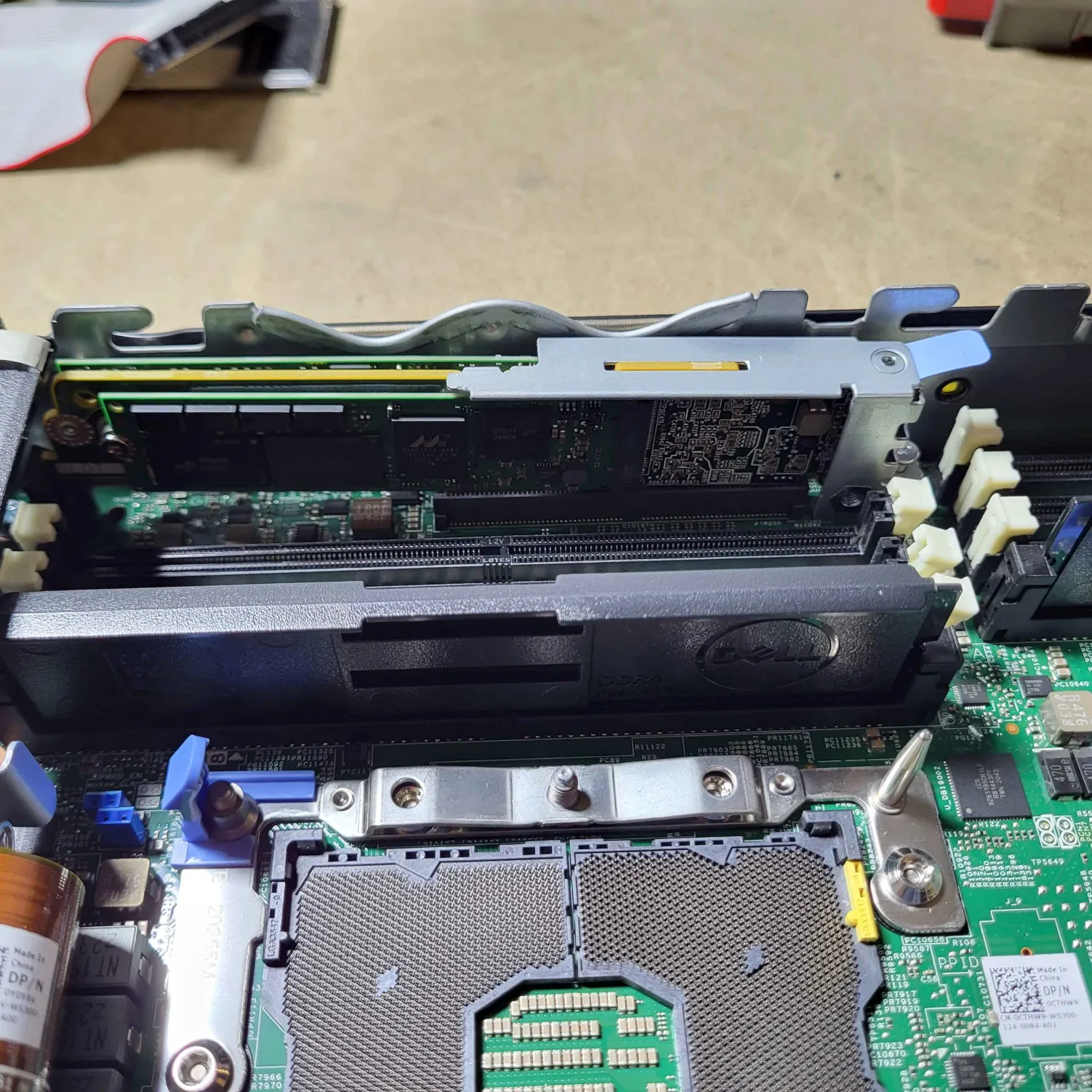


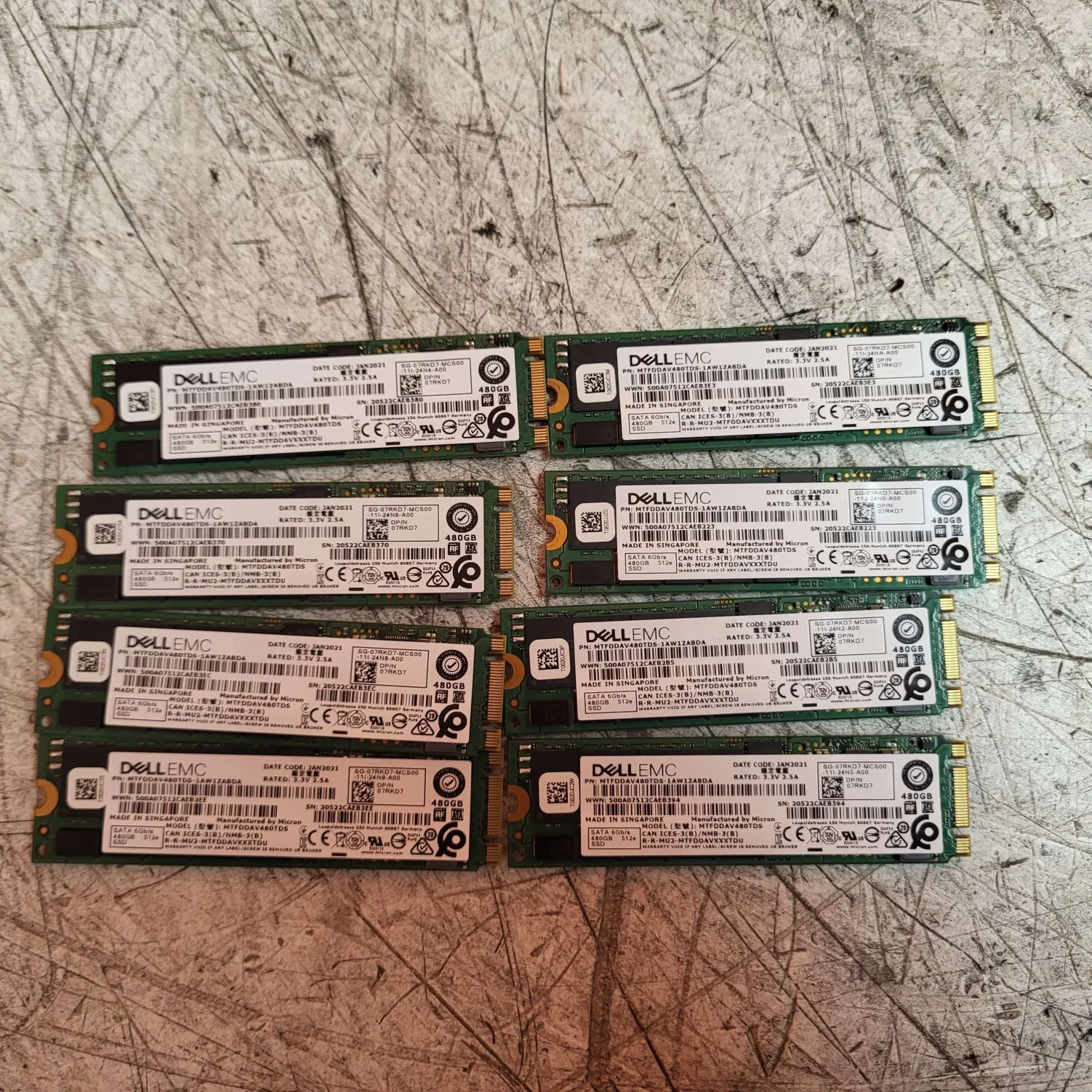
This is just a reminder to do a complete check of the server before considering it clear of storage. They are often hidden in sneaky places. You have hot swappable storage often in obvious places and then boot drives obscured places.
September 19, 2025
Defining keyboard marks vs. scratches on screen.
PC Tech Level 3: All Other Laptops Testing (Non Wholesale) instruction https://www.xworx.app/?p=11798
Ze has seen several examples of laptops where we should have written “scratches on screen” instead of “keyboard marks.” He has given this definition to help us distinguish the difference. If you feel unsure between the two, default to “scratches on screen.”
- Keyboard marks are faint discolorations or pressure points on a laptop screen caused by the keyboard’s contact with the screen, often from dirt on the keys pressing into the anti-glare coating.
- Scratches are physical abrasions that go deeper, removing material from the screen or its coating
September 18, 2025
Laptop wiping label updates, new keyboard marks policy, and notes accuracy
PC Tech Level 3: All Other Laptops Testing (Non Wholesale) instruction https://www.xworx.app/?p=11798
- We have an updated laptop wipe label to begin using! This one includes a space for wifi cards check, sim card check, and asset tag check.
(https://xworxapp.wpenginepowered.com/wp-content/uploads/2022/03/Laptop-checklist2.0-2-1-1-1-1-1-1-1.pdf)

- Be sure to accurately specific when a laptop component is missing vs broken. We had a situation where a missing hinge was marked as a broken hinge. I can see how this might happen, however, this could be used a gotcha from an ebay customer to initiate a return. Try to focus on accuracy in your descriptions for this reason, even if it is seemingly a very minor difference. Anything that could be declared as “not as described” may end up being returned.
- Because of the nature of keyboard marks on a screen, if you see any instances of keyboard marks that look like they could be boarder-line passable, like it may not even need to be notated, please ask your supervisor to look and make a judgement call on it before proceeding. This is one common defect note that we may be overreporting as a team, so this is just a double-check to make sure the note is actually warranted.
Speedpack policies for organization: for-repair/cosmetic/wholesale
PC Tech Level 2: Wholesale Laptop Inventory and Put Away https://www.xworx.app/?p=9306
- Reminder to verify that bottom panels are fully screwed down before placing in the for-repair, cosmetic, or for eBay speedpacks to avoid damage to nearby cases
- Try to keep rows sorted by height and width of machine by regularly rearranging laptops as you add more into the speedpack over time. You may still need to rearrange them again at the very end anyways, but this will make the rearranging process quicker and easier. If you see that only small laptops will fit to finish off the remainder of the pallet, be sure to only work on small laptops and not introduce more big laptops that will make packing very difficult and require even more rearranging.
- Remember: always have laptops facing screen to screen to minimize accidental damage from cases rubbing together
Recording or replacing bad CMOS batteries in servers, PCs, and all-in-ones
PC Tech Level 3: All Other PC/Server Testing Instructions https://www.xworx.app/?p=4984
- Please begin notating when a CMOS battery is dead within an all-in-one, PC, or server. If you can easily replace the CMOS battery without the risk of damaging the machine, please do so instead as it is one less thing to notate.
- We do NOT need to start replacing laptop CMOS batteries because there would be way too many to do.
- Ask your supervisor if you need a battery, but you can also grab them out of any of the scrap laptops and many scrap PCs, too.
Need to have ethernet plugged in while running autopilot check script
How to install Windows through PXE boot and check Autopilot status for Windows machine https://www.xworx.app/?p=11800
- It is important that ethernet cable is plugged in during the portion of the script where you actually run the “check-autopilotprerequisites” check. We want to make sure the laptop to connect with the Microsoft server and verify the accuracy of the autopilot status being on or off. I know that leaving in the ethernet cable during the windows set up causes the machine to change resolution sometimes and/or go to a white screen. This is because the machine is installing updates in the background. I know that can be disruptive, so it is ok with the ethernet cable is unplugged temporarily leading up to the status check, but when the actual check portion of the script begins running, the ethernet cable needs to have been reattached by then.
September 17, 2025
Notes on hard drive / SSD wipes
Wholesale Hard Drive Wiping and Packing https://www.xworx.app/?p=7495
Joseph spoke with me yesterday about SSDs that he had helped prep for the actual sale. After he had inspected our latest lot of SSDs, he had 3 requests for us.
1. Try to focus a bit more on avoiding overlapping product information with your wipe sticker. This may be difficult sometimes because of space limitations, but try to find the very best spot possible that covers the least info.

2. When we encounter drives with asset tags, we won’t be able to use these for wholesale. It should be fine for us to include these as internal drives in laptops, just not for sale by themselves. So if you run into a drive with these asset tags, keep them at your desk to use them within laptops later on.


3. Remove any remaining screw still left screwed into the sides of the drives. Joseph asked that we take care of that before it reaches his desk.
Please use 2x4GB DDR4 sticks to reach 8GBs as well as off-brand RAM first
PC Tech Level 3: All Other Laptops Testing (Non Wholesale) instruction https://www.xworx.app/?p=11798
Ze requested that we start using up all the 4GB DDR4 sticks within the laptops we are wiping as well as off-brand RAM. These are both are sticks that we aren’t going to be able to sell in wholesale, so using them in laptops is the only way to make use of them.
September 16, 2025
New daily activity schedules for mid-September
For Chandler:
Beginning at start of workday:
Start with hard drives in the mornings for all days except on Monday. Work on HDDs until all wipe stations are full or the time is 10am, whichever comes first.
After 10am:
Laptop wipes/prep until 2pm. Have your machines at the wipe station by 2pm and get them all going. Don’t wait until end of day.
By 3pm:
Either begin an eBay laptop test if it is your day, do for-repair/cosmetic test labels if there are any available, or set up for one more round of laptop wipes for today. Have all additional laptops on your wipe station by 4pm to ensure you get them running before the day is over.
For Lee:
Beginning at start of workday:
Start one new server test (highest value one you see). Work on wiping laptops while progressing the server test along until lunch time.
After lunch time:
Prioritize finishing up the first server if it isn’t already done, and then get a second server started. Then, finish out the day with any point-making activity (this will include hard drives on Mondays and eBay laptop tests every other day). Attempt to have the second server done by end of day if possible. If not, finish the second server first-thing the following day before beginning on your first new one.
Note: Cant figure out a server? Skip it, do another, & get help from Andy/Ze later.
Vintage hard drives – please write out storage size on label
Wholesale Hard Drive Wiping and Packing https://www.xworx.app/?p=7495
When wiping vintage hard drives in DBAN, please use the small blank space remaining on the sticker next to the word “wipe” to specify the total storage size of the disk. Paul says that “In DBan, after the drive has been wiped, it will just list pass or failed. Drive size is only displayed while its being wiped.” So please collect this info right as you begin to wipe the drive. He also clarified that “the size that DBan list will be good enough,” so if you can’t find the exact size printed on the outside of the drive, use the info DBAN provides as its listed size.

September 15, 2025
Recurring server testing issues to watch out for:
PC Tech Level 3: All Other PC/Server Testing Instructions https://www.xworx.app/?p=4984
Hey team, I got some feedback from Paul as he is working through this current pallet of servers. Please read below for recurring testing label errors to avoid:
Several 2x CPUs machines have been noted as only having 1 CPU. Please double check each machine you work on and that the listing on your server test label is accurate before putting it on the pallet.
Be sure that graphics cards are listed correctly. We have had listed as having a Quadro, but they are actually GeForce. Perhaps the card was swapped out at a later time, but this should always be noted.

Please remove any unnecessary labels from graphics cards or any other components we may have added ourselves to the machine, whether it is labels that say scrap on it, or any other label that doesn’t need to be there. It could confuse the customer or drive the price down.

Paul has encountered several workstations list there is an OS installed. We aren’t going to ship this with storage, so no OS will be installed. It doesn’t need to be noted, not even for the sake of letting the customer know there is a COA sticker.

Let a supervisor review any BIOS asset tags you come across that you cannot remove. We may end up letting it stay as is if the asset tag doesn’t reveal any information about the previous owner, however, this will need to be assessed on a case-by-case basis. Do not put a note that there is an asset tag on the server test label. Instead, put a separate printed dog-ear-tagged message about the asset tag and place that near your main test label.
September 12, 2025
HDDs/SSDs WIPING – 3 UPDATES
SCRAPPING PARTICULAR VINTAGE MODEL
Wholesale Hard Drive Wiping and Packing https://www.xworx.app/?p=7495
We are going to start scrapping these particular types of vintage hard drives because they are not selling. Please see the photos below:


SCRAPPING USB INTERFACE MODELS
The HDDs that have a USB interface coming directly off the drive as the main data hookup, we have been asked to scrap these drives because SMART data cannot be read from them.
PCI-E SSDS ON SUPERMICRO BOARD
It has been confirmed that the Supermicro board in the drive cage works best for reading and wiping any PCI-E industrial SSDs. Thanks for your work experimenting with that, Chandler!
SERVERS – 3 UPDATES
SUPERMICRO CHASSIS
PC Tech Level 3: All Other PC/Server Testing Instructions https://www.xworx.app/?p=4984
Where to find Supermicro chassis product numbers:
The first 3 numbers of the serial barcode will be the product number of the chassis. These can be hidden away in sneaky places including hidden behind the side rails, so look in obscured places if you can’t find it.

SERVER RAM STICKS
Please hand over any removed 16GB and higher DDR4 server RAM sticks directly to Joseph. These high capacity RAM sticks are going for high values on eBay, and Joseph will get them fast tracked to being sold.
SERVER RAM DEFAULT AMOUNT
Paul’s new instructions for RAM amounts in servers:
“For large tower or rackmount servers: 32GB for single CPU, 2x CPU 64GB. For smaller computers or servers 16GB is fine. But if the computer has a 6-core or better CPU, 32GB RAM is preferred.”
EBAY LAPTOP TESTING UPDATE
FOR C.O.A. SECTION, ALWAYS RESPOND “NONE”
PC Tech Level 3: All Other Laptops Testing (Non Wholesale) instruction https://www.xworx.app/?p=11798
The section that is labeled COA in this test is confusing to the customer. The actual COA usually should be Windows 10, but we actually install Windows 11 on the machine. Paul deals with confused ebay customers for this reason. So, while doing these eBay laptop test, just put your response to the COA as “none.” That is the preferred answer unless you hear otherwise.
Updates for September 11, 2025
UPDATE TO TESTING SERVERS, LAPTOPS, AND PCS FOR EBAY
Paul has requested that we include this checklist with machines that we send to eBay. Please begin including these with all your tested machines.
eBay laptop testing checklist: https://www.xworx.app/wp-content/uploads/2025/02/ebay-Laptops-testing-checklist.pdf
This was added to the process page: PC Tech Level 3: All Other Laptops Testing (Non Wholesale) instruction https://www.xworx.app/?p=11798
Also based on this checklist, I have updated the description of what needs to be included on a tech label to include #7 below.
HAVE THESE DESCRIPTION ON YOUR TECH LABEL
1) Issues with laptops always go first.
2) Passed (laptop brand) diagnostic.
3) Win 11 installed.
4) No drivers included.
5) Precise video card name (if applicable).
6) Ran heaven benchmark (if applicable).
7) Tested with _(Dell barrel jack, Lenovo square jack, HP barrel jack, Lenovo 65W USBC, Dell 130W USBC, etc.)_ power.
. . . . . . . . . . . .
eBay desktop testing checklist: https://www.xworx.app/wp-content/uploads/2025/02/eBay-Desktop-testing-checklist.pdf
This was added to the process page: PC Tech Level 3: All Other PC/Server Testing Instructions https://www.xworx.app/?p=4984
. . . . . . . . . . . .
eBay server testing checklist: REMOVED HERE FOR BEING AN OUTDATED VERSION
This was added to the process page: PC Tech Level 3: All Other PC/Server Testing Instructions https://www.xworx.app/?p=4984
Updates for September 10, 2025
EBAY LAPTOP TESTING PROCESS UPDATE
I added several notes to the eBay laptop testing process based on our discussion in today’s morning meeting. I’ve updated the PC Tech Level 3: All Other Laptops Testing (Non Wholesale) instruction page with the following information: https://www.xworx.app/?p=11798
- When you are recapturing the autopilot clear status of your laptop from the autopilot clear database, be sure you don’t capture the logo of your computer monitor. For example, some of us have HP branded monitors at our desks, and that would be confusing to show up in a photo where we are documenting information for a Dell or Lenovo.
- When you are taking photos of the motherboard, be sure to capture the entire insides of the laptop, not just specifically the motherboard within the case. Show the entire underside of the laptop opened up. The reason why this is important is that we want to document that there is no visible water damage anywhere inside the casing.
- When photographing the wipe paper, temporarily remove any dog-ear-tagged stickers from that wipe paper. The reason why this matters is because we don’t want the notes from the laptop to be permanently documented within the photo of the wipe paper. We may fix portions of the laptop or change the notes slightly later on, and notes recorded in this photo would result in a mismatch that eBayers may try to take advantage of and try to get some sort of refund.
- Regarding the bullet point above, once you have all your notes typed up in the notes section of the ebay test label, you have your ebay test label printed, and you’ve hit submit on the form, at that point you no longer need to retain any dog-eared notes about the laptop. You would have effectively moved those notes into our database.
SERVERS PROCESS UPDATE
I received feedback from Paul regarding our tested servers from the last several days. There were several take-aways from this discussion, and I even had a follow discussion with Ze who offered addition clarity on a few subjects. I’ve added to the PC Tech Level 3: All Other PC/Server Testing Instructions page the latest updates and clarifications. https://www.xworx.app/?p=4984
- If the server does not have a fan shroud, even if it is unclear whether or not a fan shroud actually belongs within the server, Paul say it is OK and we should write “no fan shroud.” So, any server that doesn’t have a fan shroud inside, write “no fan shroud.” This will always keep us on the safe side. Ze has asked that we do make an effort to do a bit of research on ebay/google so that we can verify if a fan shroud belongs in the case as almost all rackmount servers will. That being said, Paul has asked that default to including “no fan shroud” if there is no shroud present and we are unsure if there should be one.
- We don’t need to mention if there are riser cards in the notes, but only mention if a riser card is obviously missing, meaning that there is an obvious whole in the server somewhere where I riser card should have been. The machine should let you know if the riser card is missing with an error message, too, at least during a diagnostic test.
- We do not need to mention 1G speed NICs. We should only mention NICs if they are 10G or SFP (fiber port) NICs or something we would consider special. All 1G NICs are going to be considered normal and we should not put them in the notes. You can find the NIC speed information for Dell servers typically within the PERC RAID card info within the device settings page.
- Ze said that in general we should be notating anything extra or missing beyond the model’s standard features.
Updates for September 9, 2025
I spoke with Ze and Joseph about what to do when we run out of spare printer toner. Although we can grab spare toner out of the scrap toner gaylord to see if it works, the main thing to do is to let Ze and Joseph know when we install the last toner replacement cartridge so that way when new printers come through for testing they can remove those cartridges for us.
The cartridge our black and white printer uses is the LaserJet print cartridge 26A – CF226A
The good news is that Ze told me the current toner I just installed today should last a while, so we have plenty of time for a replacement cartridge to arrive at the warehouse.
Updates for September 8, 2025
SSD BULK WIPES PROCESS UPDATE
I updated the Wholesale Hard Drive Wiping and Packing page with the following information: (https://www.xworx.app/?p=7495)
Each SSD vendor, and even from SSD to SSD from the same vendor, has a different list of SMART attributes. Each SMART list is laid out in a different order from each other. The tricky part is that some of the same attributes are named differently, but they essentially all mean the same thing.
A great example of this is Health Status of the drive.
↓ IMPORTANT ↓
When the box at the top left just says “good” and does not give you a percentage of life left, you need to investigate the smart status list and find the actual percentage hidden in the list somewhere.
The health status could be one of the following titles or perhaps a new name similar to these options:
- normalized media wear out
- wear leveling count
- SSD life left
- life left
↑ IMPORTANT ↑
Other examples of this include the SMART status “reallocated event” which can also be referred to as “retired blocks.”
Also, the button to press to get the SSDs to refresh to make sure you are getting up-to-date accurate information is F6.
Advice for staying organized:
During this bulk wiping process you will be working with a huge amount of drives, so it is essential to stay organized within the drive cage. Here are tips to stay organized.
- Have a scrap box ready to go
- Don’t put your scrap in the scrap box until you are sure you have counted them up for your daily productivity points
- Take the time to create printed labels for boxes and don’t just scratch out old labels with pen. Boxes should be labeled super clearly and precise.
LAPTOP WIPES/SCRAP PROCESS UPDATE
I updated the PC Tech Level 3-Laptop Wiping: Laptop PXE Boot and Registration page. (https://www.xworx.app/?p=8128)
Tried everything are believe a laptop is scrap:
If you feel certain that there is nothing you can do to get the laptop to work, you can get the laptop scrapped by preparing a wiping label that indicates the laptop should be scrapped the following critical details (you need to have all these detail prepared to earn a scrap laptop point.)
On laptop wiping label, verify you have the following information in the description section:
- You have tried a different RAM stick in a different slot
- You have tried disconnecting the battery
- You have tried disconnecting any daughter boards
- You have tried removing the wifi card
- You have tried disconnecting the display cable
- You have tried removing the SSD
- You have tried all power jack options including any USBC ports even if they are ports that claim not to be intended for charging.
- No need to write down the serial number for this machine. If you already wrote it down, that is fine, too.
- Be sure to write down your initials for Tech 1.
Once you have all that information written down, give the laptop to the PC Tech Team Lead to quickly verify the laptop is indeed scrap and also supply the initials for Tech 2.
That is it! Walk the laptop over to scrap laptop and count yourself a point for the scrapped laptop.
SERVERS PROCESS UPDATE
I update the PC Tech Level 3: All Other PC/Server Testing Instructions page to include information about factoring in the cost of expensive shipping into the value check:
“Consider that it is likely going to cost us around $50 to $70 to ship it so that average shipping should be factored into the decision if its worth it to test.”
Updates for September 5, 2025
SSD PROCESS UPDATE
The Wholesale Hard Drive Wiping and Packing page has been updated to reflect instructions for SSDs: https://www.xworx.app/?p=7495
The process for SSDs has more steps. You will need to use the Crystal Disk software alongside KillDisk Industrial to wipe these. The reason is that KillDisk Industrial has difficulty reading the many SSD SMART status data fields, but Crystal Disk can read the fields KillDisk cannot. Here is a screenshot of what the software looks like:

You will want to look through the SSD SMART status fields to check if there are anything problematic that would require us to scrap the drive. One important field worth calling out is the health of the SDD: this needs to be 85% or above. Otherwise, it is scrap.


Also, the button to press to get the SSDs to refresh to make sure you are getting up-to-date accurate information is F6.
EBAY LAPTOP TESTING PROCESS UPDATE
A few follow up notes for eBay laptop testing. I’ve updated the PC Tech Level 3: All Other Laptops Testing (Non Wholesale) instruction page with the following information: https://www.xworx.app/?p=11798
While testing the keyboard in Aqua’s Keytest, you may experience the application showing a slightly discolored key. This tends to happen if you quickly rub your hand over the keys while testing for the sake of getting it done quickly. That being said, this discolored looking key will confuse a customer into thinking there is a problem with that key. So if you ever get a discolored key, press it again and the issue should resolve itself. If you have to press the key extra hard to get it to register, then that is something you need to note. But if that isn’t the case, the discolored key is just a byproduct of this software that occasionally you will need to correct. Please see the example below on the left-side Windows key.

REMINDER ABOUT LENOVO GEN NUMBERS
Remind about the model number of Lenovo laptops: many times there is a generation number written on the bottom of the laptop that isn’t displayed on the screen bezel where you normally would check for the model number. The generation number can frequently be hard to find/hard to read on the bottom panel. My suggestion is verifying the model number on the Lenovo serial number lookup page whenever you are testing a Lenovo laptop to not accidentally miss the generation number. So as an example: it might say T16 on the screen bezel, but written on the bottom panel somewhere it actually says T16 Generation 2, and that would have a big impact on the price. Here is a link to the Lenovo serial number lookup page: https://pcsupport.lenovo.com/us/en/warranty-lookup#/
Updates for September 4, 2025
Today we received clarification from Paul that broken drives on otherwise working PCs and servers should be removed as they will drag down their price value when sold on eBay. I updated the PC Tech Level 3: All Other PC/Server Testing Instructions page to reflect this information: https://www.xworx.app/?p=4984
We solved the issue with the Station 6 Zebra printer within the HDD wiping cage. The problem had to do with the Zebra printing software logging itself off. Apparently this may happen every several months. If station 6 or another station abruptly stops printing for no clear reason, give Andy a heads up and he may be able to resolve it quickly.
If you are missing the link for your phone to test laptops for ebay, please type in this link and save it to the bookmarks in Chrome on your phone. https://fs30.formsite.com/beyondsurplus/noxpttowpt/index
After completing eBay laptop test training with Lee and Chandler today, it was clear some relevant information was missing from the process page. I added the following lines of information to the PC Tech Level 3: All Other Laptops Testing (Non Wholesale) instruction page: https://www.xworx.app/?p=11798
- Diagnostic test – (also, do you have experience running these diagnostic tests at Beyond Surplus already? Speak with your supervisor about specific instructions if not because there is a specific way we record results for each different brand of laptop. For example, do you have the HP diagnostics USB you’ll need?)
- Autopilot script ideally in front of the name your device screen – This photo likely has already been taken. You should be able to find it in this database towards bottom of page: https://www.xworx.app/?p=12223. Simply take a photo of your computer screen of the photo you’ve previously taken already within this database. The quality will be lower, but as long as you can read all the text, it will be fine.
- Added the Lenovo P series laptops as another likely laptop to have graphics cards inside them.
Updates for September 3, 2025
Great news! We had our first success removing a Lenovo asset tag! It is a relatively simple process that takes place entirely within the Hiren’s Boot CD USB.
Below are the instructions:
Boot into your Hiren’s Boot CD that should already have the asset removal tool loaded onto it.
The Lenovo asset removal tool should be named lenovoasset.exe and on the root of your Hiren’s USB.
Load into command line within Hiren’s and will type in this code:
y:lenovoasset.exe -set “USERASSETDATA.ASSET_NUMBER= “
You will be asked to confirm changes if the process went as planned. Confirm the changes and wait for the command line to allow you to start typing again to verify that the process has completed. Be sure to check the results in the BIOS afterward to make sure it actually removed.
Two things to note: the y: drive might be a different letter. This is your Hiren’s Boot CD USB drive. Change the letter if necessary. Also, note that there is a (space) after the = and before the ” so in other words you are simply changing the asset tag to a space key.
Please let Andy or Ze know if you encounter issues and if more process needs to be documented.
This process page has been updated with this information: https://www.xworx.app/?p=11884
The PC Tech department reviewed Paul’s email that overviewed what information the eBay team requires us to list on labels for laptops, desktops, and servers.
I’ve compiled a list of key takeaways of new information as well as answers to questions we’ve asked in our discussions:
- Notate that screws are missing from bottom panel.
- Notate which power port you used during your wiping process (USBC or barrel jack)
- Notate if you use any electrical tape inside the machine to hold down any components.
- Laptops valued about $200 with graphics cards should run the Heaven benchmark
- Notate missing caddies used in laptops – this is especially important for Rugged laptops.
- Always notate if the machine is BIOS locked, if RAID is on, and if Computrace/Absolute Persistence is active.
- A disconnected display cable because the screen doesn’t work needs to be notated. This is also considered a separate issue from the screen being cracked. Notate any time the display cable is disconnected.
- For servers, video cards will begin remaining in systems
- For servers, Dents and scratches should be mentioned unless it is normal wear-and-tare scratches on a rack-mount server’s on the top and bottom panels from being slid in and out of racks as normal.
- For all machines, but especially servers, double check to verify that you do or don’t see any damage on the motherboard. This situation could kill it’s value and we need to notate it for the customer.
- With rackmount servers, some broken side tabs can be unscrewed to be removed. Dells tend to be able to do this, but not all servers are made for them to be removed. So, if you have broken tabs that can be removed, remove them and notate that they are not included.
- If a server has dents or is bent so that a hard drive caddy cannot be slotted in, that needs to be notated.
These process pages have been updated with this information: https://www.xworx.app/?p=8128 and https://www.xworx.app/?p=4984
Updates for September 2, 2025
I updated 3 process pages today. Here is a summary of the changes made:
Within the “PC Tech Level 3: All Other Laptops Testing (Non Wholesale) instruction” page, these notes were added: https://www.xworx.app/?p=11798
Here is a quick checklist for your laptop before you print the label and submit the information:
–(1)– DID YOU VALUE CHECK LAPTOP?
Rules:
– Needs to reach a minimum of $150 highest sold price with a cracked screen
– Needs to reach a minimum of $100 highest sold price with all other issues but with a screen that is not cracked.
–(2)– DID YOU GET ALL THE PHOTOS NEEDED?
Make sure the photos are not blurry.
Make sure there are no other objects in background such as thumb drives or mice. The customer may try to claim they thought that object was also included in the sale.
Photos you’ll need:
A) The wipe paper
B) BIOS (multiple photos as needed)
C) Diagnostic test
D) Keyboard test (also remember to test touchscreen and trackpad while testing)
E) Autopilot script ideally in front of the name your device screen
F) Motherboard
And if there is a graphics card:
G) Heaven benchmark
H) Pull up the About PC settings page and the Device Manager side by side.
Do you know about using OOBE\BYPASSNRO to pull up the desktop for graphics card testing? Ask your supervisor to explain if you are not familiar. Use the username: user and the password: (blank) just hit enter. You can accept all the privacy options.
A computer with a graphics card typically has two heatpipes and usually two fans. This is typically but not necessarily always. Usually laptops with graphics cards are the Dell XPS, Dell Precision, HP ZBook, and any gaming laptops. Lenovos are the wild cards, but usually the X1 series tends to have graphics. You will need to inspect those closely to find out.
–(3)— DO YOU HAVE THESE DESCRIPTION ON YOUR TECH LABEL IN THIS ORDER?
1) Issues with laptops always go first.
2) Passed (laptop brand) diagnostic.
3) Win 11 installed.
4) No drivers included.
5) Precise video card name (if applicable).
6) Ran heaven benchmark (if applicable).
7) Tested with _(Dell barrel jack, Lenovo square jack, HP barrel jack, Lenovo 65W USBC, Dell 130W USBC, etc.)_ power.
Within the “PC Tech Level 3: Dell 12th Gen and New Server Testing” page, these notes were added: https://www.xworx.app/?p=8508
-Included X*2.5″ HDD bays (Do not mention number of caddies. Just the bays only)
Within the “Laptop note” page, I added about 30 lines of new descriptors that had yet to be added. https://www.xworx.app/?p=12211
Updates for August 29, 2025
I updated 2 process pages today. Here is a summary of the changes made:
Within the “Wholesale Hard Drive Wiping and Packing:” page, these notes were added:
- Press the refresh button each time you check a drive’s SMART status to verify what is being displayed is fully up-to-date. The records cannot be consider accurate until pressing the refresh button.
- It is not uncommon for drives to sometimes not be detected by a wipe station at first. Through trial and error, you may realize that the wipe station you are using might be having difficulty reading drives suddenly and that the drives themselves may not be what is at fault. In that case, try restarting the system. We’ve observed restarts and even multiple restarts can cure issues with wipe stations detecting drives, too, so don’t shy away from experimenting to find out what will get your wipe station performing normally and what might be the reason for problems detecting drives. Sometimes hot swapping drives works OK, and sometimes it is better to restart the system with all drives plugged in ahead of time.
Within the “PC tech level 2: Govdeals Wholesale laptop for repair” page, I added these two laptops that should be send to for-repair instead of ebay because of their lower value:
- Dell Latitude 5410 (all)
- Dell Latitude 5411 (all)
08.27.25 PC Tech Level 3-Laptop Wiping: Laptop PXE Boot and Registration.
P.S.
- Use a marker to mark all the defective RAM with “X” or “bad” before scrapping them.
08.25.25 PC tech level 2: Govdeals Wholesale laptop for repair
QC
- Accumulate the tested laptops for the second tech to QC
- The second tech will check the tech label and erase the certificate to ensure all information is recorded correctly.
08.22.25 PC Tech Level 3: All Other Laptops Testing (Non Wholesale) instruction
5. Inspect The Machine
Open the bottom cover and inspect the motherboard.
- Any defects or liquid damage need to be noted.
- If the motherboard has 2 heatsinks, the laptop should have a dedicated graphics card.
08.22.25 PC tech level 2: Govdeals Wholesale laptop for repair
Laptops will fit this vessel
6th Gen to 7th Gen i5 or i7 laptop and 8th Gen or newer i3 wiping success with issues, but not for scrap. (With Tech Label)
Some 8th-gen or newer laptops will fit in the vessel, model listed below
- Dells:
- Dell Latitude 3400 (all)
- Dell Latitude 3500 i5
- Dell Latitude 3510 i3
- Dell Latitude 5400 (all)
- Dell Latitude 5410 (all)
- Dell Latitude 5411 (all)
- Dell Latitude 5490 (all)
- Dell Latitude 5590 (all)
- Dell Latitude 7290 (all)
- Dell Latitude 7390 (all)
- Dell Latitude 7390 2-in-1 (all)
- Dell Latitude 7480 i5
- Dell Latitude 7490 (all)
- Dell Precision 3530 (plastic case) i5
- Lenovo:
- Lenovo ThinkPad E480 i5
- Lenovo ThinkPad E490 i5
- HP:
- HP Pavilion x360 Convertible i5
- HP ProBook 440 G7 i5
08.20.25 Wholesale Hard Drive Wiping and Packing
Collect Hards from the hard drive shelf
- #1050 IDE HDD to be wiped(10GB or less)(need value check sold for $60 or more.)
- #1047 2.5″ SATA HDD to be wiped (500GB or above)
- #1048 3.5″ SATA HDD to be wiped (2TB or above)
- #1049 SAS HDD to be wiped (1TB or above)(3.5″ drives are scrap.)
- #1149 SCSI HDD to be wiped (SCSI 50-pin connector)(need value check sold for $60 or more.)
- #1150 SSD to be wiped (120GB or above)(mSATA, M.2)
07.15.25 Leave your name and date in the comment, and post it after you finish your morning reading for today.
07.14.25 PC Tech Level 3: All Other Laptops Testing (Non Wholesale) instruction
- Note:
- Record anything that needs to be mentioned, including details for any defects.
- Record the defects first in the note.
07.14.25 Use this page Laptops For eBay Bios & Autopilot Check Repository to check the laptop autopilot status.
06.17.25 PC Tech Level 3-Laptop Wiping: Laptop PXE Boot and Registration.
Uncheck the Configure Storage Controller for Intel Optane option under Advanced > System Options.

06.12.25 PC Tech Level 3-Laptop Wiping: Laptop PXE Boot and Registration.
Make sure the date and time match the current date and time, adjusted if needed.
PC Tech Level 3: All Other Laptops Testing (Non Wholesale) instruction
- Upload Pictures: Upload pictures captured before.
- Pictures that need to be uploaded
- BIOS page with specs picture.
- Diagnostic picture.
- OS picture if installed (Need the picture as proof of Autopilot free)
- Motherboard picture.
- Defects.
- Benchmark picture. (If a laptop with a dedicated graphics card is worth more than $300)
- PowerShell script that shows autopilot status.
- How to install Windows through PXE boot and check Autopilot status for Windows machine
- Pictures that need to be uploaded


06.03.25PC Tech Level 3: All Other Laptops Testing (Non Wholesale) instruction
13. Value check the laptop
Value check the 8th Gen or newer laptops that are worse than cosmetic condition but not scrap.
- Laptop with a cracked LCD or broken hinge.
- Sold less than $150(Pre-owned) will go to #1169 WHOLESALE LAPTOP REPAIR
- Sold of $150 or more will go to #1078 EBAY: LAPTOPS.
- Laptop with other issues
- Sold less than $100(Pre-owned) will go to #1169 WHOLESALE LAPTOP REPAIR
- Sold of $100 or more will go to #1078 EBAY: LAPTOPS.
05.20.25 How to check Autopilot status for Windows machine
05.19.25 PC Tech Level 3-Laptop Wiping: Laptop PXE Boot and Registration.
- Shut down the laptop by using the command” shutdown -s” or the PowerShell command”stop-somputer”. Do not force shut down the laptop by using the power button or unplugging the power supply.
- Disconnect the power, USB drive, and Ethernet from the laptop.
05.14.25 PC Tech Level 3-Laptop Wiping: Laptop PXE Boot and Registration. PC Tech Level 3-Micro PC Wiping: Micro PC PXE Boot and Registration
Make sure to remove the asset tag from the hard drive if you add a hard drive to a Laptop/PC.
05.06.25 PC Tech Level 3: All Other Laptops Testing (Non Wholesale) instruction
- Upload Pictures: Upload pictures captured before.
- Pictures that need to be uploaded
- BIOS page with specs picture.
- Diagnostic picture.
- OS picture if installed (Need the picture as proof of Autopilot free)
- Motherboard picture.
- Defects.
- Benchmark picture.(If a laptop with a dedicated graphics card is worth more than $300)
- Pictures that need to be uploaded
13. Value check the laptop
Value check the 8th Gen or newer laptops that are worse than cosmetic condition but not scrap.
- Laptop with a cracked LCD.
- Sold less than $150(Pre-owned) will go to #1169 WHOLESALE LAPTOP REPAIR
- Sold of $150 or more will go to #1078 EBAY: LAPTOPS.
- Laptop with other issues
- Sold less than $100(Pre-owned) will go to #1169 WHOLESALE LAPTOP REPAIR
- Sold of $100 or more will go to #1078 EBAY: LAPTOPS.
04.21.25 add a new page 12th Gen or newer CPU Max Speed
Use the Max speed for 12th Gen or newer CPU.
04.02.25 PC Tech Level 3-Laptop Wiping: Laptop PXE Boot and Registration.
The laptop needs wiping
- The 5th Gen or older I series laptop will go to #1077 SCRAP: LAPTOPS
- Dual-core laptop value check under $100 sold will go to #1077 SCRAP: LAPTOPS, sold for $100 or more will go to the next step for wiping.
- The 6th Gen or newer laptop will go to the next step for wiping.
- AMD Ryzen laptops will go to the next step for wiping.
- Intel Xeon laptops will go to the next step for wiping.
- Alienware laptop scrap or wipe based on value check results.
03.12.25
Latitudes 5400 and 3400 are low values; do not send to eBay. treat them like 6th and 7th gen laptops.
03.11.25 PC Tech Level 3: All Other Laptops Testing (Non Wholesale) instruction
- COA: use “None”.
- Upload Pictures: Upload pictures captured before.
- Pictures that need to be uploaded
- BIOS page with specs picture.
- Diagnostic picture.
- OS picture(if installed)
- Motherboard picture.
- Defects.
- Benchmark picture. (If a laptop with a dedicated graphics card is worth more than $300)
- Pictures that need to be uploaded
02.11.25 PC Tech Level 3-Laptop Wiping: Laptop PXE Boot and Registration.
- i series 6th Gen and older or dual core laptops: Remove M.2 NVME drive. other types of hard drives leave AS-IS. Make sure RAM is 2GB or more.
- i series 7th gen and newer or AMD Ryzen: make sure all laptops are included with hard drives and RAM.
- After QC the laptops,
- 6th Gen or older CPU laptop: disconnect the power, USB drive, and Ethernet from the laptop.
- 7th Gen or newer and AMD Ryzen CPU laptop:
- Check the Autopilot status. Refer to How to check Autopilot status for Windows machine
- Mark the Label Based on the Autopilot status. Circle the OS version on the label.
- Disconnect the power, USB drive, and Ethernet from the laptop.
02.10.25
When testing a desktop PC or Server, do not include the listing info in the tech note.

Records of Revisions
- — pctechlead@beyondsurplus.com: Updated post "PC Tech Department Daily Reading"
- — pctechlead@beyondsurplus.com: Updated post "PC Tech Department Daily Reading"
- — pctechlead@beyondsurplus.com: Updated post "PC Tech Department Daily Reading"
- — pctechlead@beyondsurplus.com: Updated post "PC Tech Department Daily Reading"
- — pctechlead@beyondsurplus.com: Updated post "PC Tech Department Daily Reading"
- — pctechlead@beyondsurplus.com: Updated post "PC Tech Department Daily Reading"
- — pctechlead@beyondsurplus.com: Updated post "PC Tech Department Daily Reading"
- — pctechlead@beyondsurplus.com: Updated post "PC Tech Department Daily Reading"
- — pctechlead@beyondsurplus.com: Updated post "PC Tech Department Daily Reading"
- — pctechlead@beyondsurplus.com: Updated post "PC Tech Department Daily Reading"
- — pctechlead@beyondsurplus.com: Updated post "PC Tech Department Daily Reading"
- — pctechlead@beyondsurplus.com: Updated post "PC Tech Department Daily Reading"
- — pctechlead@beyondsurplus.com: Updated post "PC Tech Department Daily Reading"
- — pctechlead@beyondsurplus.com: Updated post "PC Tech Department Daily Reading"
- — pctechlead@beyondsurplus.com: Updated post "PC Tech Department Daily Reading"
- — pctechlead@beyondsurplus.com: Updated post "PC Tech Department Daily Reading"
- — pctechlead@beyondsurplus.com: Updated post "PC Tech Department Daily Reading"
- — pctechlead@beyondsurplus.com: Updated post "PC Tech Department Daily Reading"
- — pctechlead@beyondsurplus.com: Updated post "PC Tech Department Daily Reading"
- — pctechlead@beyondsurplus.com: Updated post "PC Tech Department Daily Reading"
- — pctechlead@beyondsurplus.com: Updated post "PC Tech Department Daily Reading"
- — pctechlead@beyondsurplus.com: Updated post "PC Tech Department Daily Reading"
- — pctechlead@beyondsurplus.com: Updated post "PC Tech Department Daily Reading"
- — pctechlead@beyondsurplus.com: Updated post "PC Tech Department Daily Reading"
- — pctechlead@beyondsurplus.com: Updated post "PC Tech Department Daily Reading"