Last Updated on August 7, 2026 by
All-In-One/LCD monitor
|
A/V Equipment
-
How to Bag & Tag If Item Is for TBV pallet
- Use bags for small items.
- Use an appropriate bag size.
- Every item bagged needs its own label.
- If items are bagged together, they should be the same item type. (new item)
- Boxes and bags should not be overfilled with too many items or too much weight.
- No more than 5 items per bag.
- Bags that are used should not be torn or cut.
- Use an anti-static bag (pink or silver color) if an item has an exposed circuit board.
- If an item includes an AC adapter, unplug the AC from the item. Leaving it plugged in will cause damage to the port or the connector.
- If an item includes an antenna, remove it and place it with the item in the bag to prevent damage.
- When reusing a bag, remove or cover the old label.

- For multiple items that are in the same category, put them in a box and attach one label to the box. Do not mix different categories of items in one box.
- DO NOT tape items directly together; when going to eBay, the tape leaves residue.
- Do not put the Inventory Label on the LCD Screen, Manufacturer Labels, or Over Buttons
- For Items going to eBay, include the manufacturer’s box, cables & accessories if available.
- Remove single-use batteries; leaving the batteries may cause damage.
- Use a zip tie or painter’s tape to wrap the power cord; do not let it get stuck underneath anything.
- For small items stored in bags, attach the label to the bag—not the item.
- Clean the item to better apply the value check label.
- For larger items, place the Value Check label securely on an inconspicuous area of the item; if you need to add a secondary label for notes, “dog-tag” it onto the Value Check label.
-
How to Bag & Tag If Item Is Scrap
- For multiple items of the same brand & model #, tape together and attach one scrap label.
- Remove items from packaging and place accessories in their designated containers according to item type.
- Remove all storage media.
- Cut off the cord.
- Attach the label directly to an inconspicuous part. (best practice)

ATX, Modular, or Industrial Power Supply
-
How to Bag & Tag If Item Is For TBV pallet
- Use anti-static bags (pink or silver color) for small items.
- Use an appropriate bag size.
- Every item bagged needs its own label.
- If items are bagged together, they should be the same item type. (new item)
- Boxes and bags should not be overfilled with too many items or too much weight.
- No more than 5 items per bag.
- Bags that are used should not be torn or cut.
- For multiple items of the same brand & model. Put them in a box and attach one label to the box
- DO NOT tape items directly together when going to eBay; the tape leaves residue.
- Do not put the Inventory Label on the LCD Screen, Manufacturer Labels, or Over Buttons
- For Items Going into #1072 eBay, include manufacturer’s box, cables & accessories if available.
- Use a zip tie or painter’s tape to wrap the power cord; do not let it get stuck underneath anything.
- For small items stored in bags, attach the label to the bag—not the item.
- Cleaning the item to better apply the value check label.
- For larger items, place the Value Check label securely on an inconspicuous area of the item. If you need to add a secondary label for notes, “dog-tag” it onto the Value Check label.
-
-
How to Bag & Tag If Item Is Scrap


-
- Attach the label directly to an inconspicuous part. (best practice)
- For multiple items of the same brand & model #, tape together and attach one scrap label.
Circuit Board
-
How to Bag & Tag If Item Is For TBV pallet
- Use Anti-Static Bags (pink or silver color). Attach the label to the bag, not the item.
- Use an appropriate bag size.
- If the board is partially exposed or removing the board damages the bag, then the bag is too small.
- If the bag can fold 2 times or more, then the bag is too big.
- For multiple boards/cards, put them in individual bags and put all bags into a larger bag.
- Every item bagged needs its own label.
- If items are bagged together, they should be the same item type. (new item)
- Boxes and bags should not be overfilled with too many items or too much weight.
- No more than 5 items per bag.
- Bags that are used should not be torn or cut.
- Do not tape bagged items together, as this can create additional force that may dislodge capacitors or cause other damage. Instead, each item should be bagged individually and then placed together in a larger bag for proper storage
- Include the manufacturer’s box, cables & accessories, and place the Value Check label securely on an inconspicuous area of the box if the box is included.(if the box small enough for a bag, then put the box in the bag and fully apply the label on the bag.)
- Remove or cover old labels when reusing a bag.
- Remove single-use batteries; leaving them in place may cause damage.
- Attach the label to the bag—not the item.
-
How to Bag & Tag If Item Is Scrap
- Attach the label directly on an inconspicuous part, e.g, the bottom of the item (best practice)
- Do not use any bag.
- Remove the housing from most of the scrap circuit board.
- The Cisco module can leave with the housing.
- Remove items from packaging and place accessories in their designated containers according to item type.
Game Console
- Attach a label on an inconspicuous part, e.g., the bottom of the item (best practice)
- Remove Alkaline Batteries to avoid corrosion.
- Leave PSU with the game Console.
- Include manufacturer box, cables & accessories if available.
- DO NOT tape items directly; tape leaves residue.
Gold finger Card
-
How to Bag & Tag If Item Is For TBV pallet
- Use Anti-Static Bags (pink or silver color). Attach the label to the bag, not the item.
- Use an appropriate bag size.
- If the card is partially exposed or removing the card damages the bag, then the bag is too small.
- If the bag can fold 2 times or more, then the bag is too big.
- For multiple boards/cards, put them in individual bags and put all bags into a larger bag.
- Every item bagged needs its own label.
- If items are bagged together, they should be the same item type. (new item)
- Boxes and bags should not be overfilled with too many items or too much weight.
- No more than 5 items per bag.
- Bags that are used should not be torn or cut.
- Do not tape bagged items together, as this can create additional force that may dislodge capacitors or cause other damage. Instead, each item should be bagged individually and then placed together in a larger bag for proper storage
- Include the manufacturer’s box, cables & accessories, and place the Value Check label securely on an inconspicuous area of the box if the box is included.(if the box small enough for a bag, then put the box in the bag and fully apply the label on the bag.)
- Remove or cover old labels when reusing a bag.
- Attach the label to the bag—not the item.
-
How to Bag & Tag If Item Is Scrap
- Attach the label directly on an inconspicuous part, e.g, the bottom of the item (best practice)
- Do not use any bag.
- Remove items from packaging and place accessories in their designated containers according to item type.
Hard Drives/RAM
-
Do not attach the label directly to the item. Just use the label as a guide on where to put the item away. After putting the Item away, the trash label
Laptops
|
 |
|
 |
Lead-acid Battery
-
How to Bag & Tag
- Duct Tape All Exposed Connectors/Terminals. Do not use other type of tape.
- Leave the batteries in the manufacturer’s box, and make sure all asset tags are removed.
Motherboard
-
How to Bag & Tag If Item Is For TBV pallet
- Use Anti-Static Bags (pink or silver color) for the loose motherboard. Attach the label to the bag, not the item.
- Include the manufacturer’s box, cables & accessories, and dog tag the box if the box is included.
- Put the I/O shield in a separate Anti-static bag to protect the motherboard.
- Remove or cover old labels when reusing a bag.
- Attach the label to the bag—not the item.
-
How to Bag & Tag If Item Is Scrap
- Attach the label directly on an inconspicuous part, e.g bottom of the item (best practice)
- Remove RAM
- Remove the CPU if it is a ceramic CPU.
- Remove the Slot CPU.
- Remove the CPU heat sink
New Item
-
How to Bag & Tag If Item Is For TBV pallet
- Every item bagged needs its own label.
- If items are bagged together, they should be the same item type. (new item)
- Boxes and bags should not be overfilled with too many items or too much weight.
- No more than 5 items per bag.
- Bags that are used should not be torn or cut.
- Do not put the inventory label on top of any manufacturer’s label.
- DO NOT tape items directly together; tape will damage the new packing or box.
- For small items stored in bags, attach the label to the bag—not the item.
- Clean the item to better apply the value check label.
- For larger items, place the Value Check label securely on an inconspicuous area of the item. If you need to add a secondary label for notes, “dog-tag” it onto the Value Check label.
-
-
How to Bag & Tag If Item Is Scrap
- Put the scrap label on the item itself.
- Put away all items and accessories based on item type.
- Remove items from packaging and place accessories in their designated containers according to item type.
Optical/Magnetic Media
-
How to Bag & Tag If Keep
- Do not remove the media from their packaging.
- Use bags for them if a label is needed; attach a label to the bag, and not the item.
- For console video game discs that include a case, place them in the handle box located in front of the game console
-
How to Bag & Tag If Item Is Scrap
- Do not attach the label directly to the item. Just use the label as a guide on where to put the item away. After putting the Item away, the trash label
Other Loose Battery
PC Tech Level 1: How To Process & Put Away Loose Batteries
Other item
-
How to Bag & Tag If Item Is For TBV pallet
- Use bags for small items with accessories.
- Use an anti-static bag (pink or silver color) if an item has an exposed circuit board.
- Every item bagged needs its own label.
- If items are bagged together, they should be the same item type. (new item)
- Boxes and bags should not be overfilled with too many items or too much weight.
- No more than 5 items per bag.
- Bags that are used should not be torn or cut.
- If an item includes an AC adapter, unplug the AC from the item. Leaving it plugged in will cause damage to the port or the connector.
- If an item has an antenna included, remove the antenna and put it with the item in the bag to avoid damage.
- When reusing a bag, remove or cover the old label.
- For multiple items, same brand & model # put in box and attach one label on box.
- DO NOT tape items directly together; when going to eBay, the tape leaves residue.
- Do not put the Inventory Label on the LCD Screen, Manufacturer Labels, or Over Buttons
- For Items Going into #1072 eBay, include manufacturer’s box, cables & accessories if available.
- Remove single-use batteries; leaving the batteries may cause damage.
- Use a zip tie or painter’s tape to wrap the power cord; do not let it get stuck underneath anything.
- For small items stored in bags, attach the label to the bag—not the item.
- Cleaning the item to better apply the value check label.
- For larger items, place the Value Check label securely on an inconspicuous area of the item. If you need to add a secondary label for notes, “dog-tag” it onto the Value Check label.
-
-
How to Bag & Tag If Item Is Scrap
- Attach the label directly to an inconspicuous part. (best practice)
- For multiple items of the same brand & model #, tape together and attach one scrap label.
- Remove all storage media.
- Remove items from packaging and place accessories in their designated containers according to item type.
PC
|
  |
|
|
Power Strip
-
How to Bag & Tag If Item Is For TBV pallet
- Use bags for small items with accessories
- When reusing a bag, remove or cover the old label.
- For multiple items, same brand & model # put in box and attach one label on box.
- DO NOT tape items directly together; when going to eBay, the tape leaves residue.
- Do not put the Inventory Label on the LCD Screen, Manufacturer Labels, or Over Buttons
- For Items Going into #1072 eBay, include manufacturer’s box, cables & accessories if available.
- Use a zip tie or painter’s tape to wrap the power cord; do not let it get stuck underneath anything.
- For small items stored in bags, attach the label to the bag—not the item.
- Cleaning the item to better apply the value check label.
- For larger items, place the Value Check label securely on an inconspicuous area of the item. If you need to add a secondary label for notes, “dog-tag” it onto the Value Check label.
-
How to Bag & Tag If Item Is Scrap
- Attach the label directly to an inconspicuous part. (best practice)
- For multiple items of the same brand & model #, tape together and attach one scrap label.
- Cut off the cord.
- Remove items from packaging and place accessories in their designated containers according to item type.
Server
How to Bag & Tag If Item Is For Test (#1165 ALL OTHER SERVERS & WORKSTATIONS TO BE TESTED)
|
  |
How to Bag & Tag If Item Is Scrap (#1124 SCRAP: SERVER WORKSTATION or #1009 SCRAP: PC PALLET)
|
|
UPS
-
How to Bag & Tag If Item Is For TBV pallet
- Do not remove batteries from UPS.
- Be careful when removing batteries from UPS; make sure no connectors touch each other.
- Do not put Inventory Label on LCD Screens, Manufacturer Labels, or Over Buttons
- Do not tape items going to eBay; tape leaves residue.
- For Items Going into #1072 eBay, include manufacturer’s box, cables & accessories if available.
- Use a zip tie or painter’s tape to wrap the power cord; do not let it get stuck underneath anything.
- Cleaning the item to better apply the value check label.
- For larger items, place the Value Check label securely on an inconspicuous area of the item. If you need to add a secondary label for notes, “dog-tag” it onto the Value Check label.
-
-
How to Bag & Tag If Item Is Scrap
- Attach the label directly to an inconspicuous part. (best practice)
- Leave the battery with the UPS.
- Remove items from packaging and place accessories in their designated containers according to item type.
- Cut the cord off for scrap UPS. Do not cut the cord for the external UPS battery pack.
Revision by Farai edited at 2026-08-24 09:09:28
Revision by ZeDong edited at 2026-08-07 09:56:41
Revision by ZeDong edited at 2026-08-07 09:55:51
Revision by ZeDong edited at 2026-08-07 09:53:21

Records of Revisions
- — ZeDong: Updated post "How to Bag & Tag"
- — ZeDong: Updated post "How to Bag & Tag"
- — ZeDong: Updated post "How to Bag & Tag"
- — ZeDong: Updated post "How to Bag & Tag"
- — ZeDong: Updated post "How to Bag & Tag"
- — ZeDong: Updated post "How to Bag & Tag"
— ZeDong: Updated post "How to Bag & Tag" Show details
Content
Before After Unchanged: <h2><span style="color: #ff0000;"><strong>All-In-One/LCD monitor</strong></span></h2> Unchanged: <h2><span style="color: #ff0000;"><strong>All-In-One/LCD monitor</strong></span></h2> Unchanged: <table> Unchanged: <table> Unchanged: <tbody> Unchanged: <tbody> Unchanged: <tr> Unchanged: <tr> Unchanged: <td width="283"> Unchanged: <td width="283"> Unchanged: <ul> Unchanged: <ul> Unchanged: <li><strong>Face the unit back to you and put the inventory label in the top right corner.</strong></li> Unchanged: <li><strong>Face the unit back to you and put the inventory label in the top right corner.</strong></li> Unchanged: <li><strong>Do not put the inventory label over the LCD, Brand, Model, Manufacture label, button, or Ports.</strong></li> Unchanged: <li><strong>Do not put the inventory label over the LCD, Brand, Model, Manufacture label, button, or Ports.</strong></li> Unchanged: </ul> Unchanged: </ul> Unchanged: </td> Unchanged: </td> Unchanged: <td width="283"></td> Unchanged: <td width="283"></td> Unchanged: </tr> Unchanged: </tr> Unchanged: </tbody> Unchanged: </tbody> Unchanged: </table> Unchanged: </table> Unchanged: <h2><strong><span style="color: #ff0000;">A/V Equipment</span></strong></h2> Unchanged: <h2><strong><span style="color: #ff0000;">A/V Equipment</span></strong></h2> Unchanged: <ul> Unchanged: <ul> Unchanged: <li> Unchanged: <li> Unchanged: <h3><strong>How to Bag & Tag If Item Is For Resale (#1072 eBay Items For Resale)</strong></h3> Unchanged: <h3><strong>How to Bag & Tag If Item Is For Resale (#1072 eBay Items For Resale)</strong></h3> Unchanged: <ul> Unchanged: <ul> Unchanged: <li><strong>Use bags for small items.</strong></li> Unchanged: <li><strong>Use bags for small items.</strong></li> Unchanged: <li><strong>Use an anti-static bag if an item has an exposed circuit board.</strong></li> Unchanged: <li><strong>Use an anti-static bag if an item has an exposed circuit board.</strong></li> Unchanged: <li><strong>If an item included an AC adapter, unplug the AC from the item. Leaving it plugged in will cause damage to the port or the connector.</strong></li> Unchanged: <li><strong>If an item included an AC adapter, unplug the AC from the item. Leaving it plugged in will cause damage to the port or the connector.</strong></li> Unchanged: <li><strong>If an item has an antenna included, remove the antenna and put it with the item in the bag to avoid damage.</strong></li> Unchanged: <li><strong>If an item has an antenna included, remove the antenna and put it with the item in the bag to avoid damage.</strong></li> Unchanged: <li><strong>When reusing a bag, remove or mark off or cover the old label.<a href="https://xworxapp.wpenginepowered.com/wp-content/uploads/2021/08/IMG_1723.jpg" data-lb-type="grouped-post"><img class="alignnone wp-image-8445" src="https://xworxapp.wpenginepowered.com/wp-content/uploads/2021/08/IMG_1723-300x169.jpg" sizes="auto, (max-width: 150px) 100vw, 150px" srcset="https://www.xworx.app/wp-content/uploads/2021/08/IMG_1723-300x169.jpg 300w, https://www.xworx.app/wp-content/uploads/2021/08/IMG_1723-1024x575.jpg 1024w, https://www.xworx.app/wp-content/uploads/2021/08/IMG_1723-768x431.jpg 768w, https://www.xworx.app/wp-content/uploads/2021/08/IMG_1723-1110x624.jpg 1110w, https://www.xworx.app/wp-content/uploads/2021/08/IMG_1723-528x297.jpg 528w, https://www.xworx.app/wp-content/uploads/2021/08/IMG_1723.jpg 1200w" alt="" width="150" height="84" /></a></strong></li> Unchanged: <li><strong>When reusing a bag, remove or mark off or cover the old label.<a href="https://xworxapp.wpenginepowered.com/wp-content/uploads/2021/08/IMG_1723.jpg" data-lb-type="grouped-post"><img class="alignnone wp-image-8445" src="https://xworxapp.wpenginepowered.com/wp-content/uploads/2021/08/IMG_1723-300x169.jpg" sizes="auto, (max-width: 150px) 100vw, 150px" srcset="https://www.xworx.app/wp-content/uploads/2021/08/IMG_1723-300x169.jpg 300w, https://www.xworx.app/wp-content/uploads/2021/08/IMG_1723-1024x575.jpg 1024w, https://www.xworx.app/wp-content/uploads/2021/08/IMG_1723-768x431.jpg 768w, https://www.xworx.app/wp-content/uploads/2021/08/IMG_1723-1110x624.jpg 1110w, https://www.xworx.app/wp-content/uploads/2021/08/IMG_1723-528x297.jpg 528w, https://www.xworx.app/wp-content/uploads/2021/08/IMG_1723.jpg 1200w" alt="" width="150" height="84" /></a></strong></li> Unchanged: <li><strong>For multiple items, same brand & model # put in box and attach one label on box. Do not mix different items in one box.</strong></li> Unchanged: <li><strong>For multiple items, same brand & model # put in box and attach one label on box. Do not mix different items in one box.</strong></li> Unchanged: <li><strong>DO NOT tape items directly together; when going to eBay, the tape leaves residue.</strong></li> Unchanged: <li><strong>DO NOT tape items directly together; when going to eBay, the tape leaves residue.</strong></li> Unchanged: <li><strong>Do not put the Inventory Label on the LCD Screen, Manufacturer Labels, or Over Buttons</strong></li> Unchanged: <li><strong>Do not put the Inventory Label on the LCD Screen, Manufacturer Labels, or Over Buttons</strong></li> Unchanged: <li><strong>For Items going into #1072 eBay, include manufacturer’s box, cables & accessories if available.</strong></li> Unchanged: <li><strong>For Items going into #1072 eBay, include manufacturer’s box, cables & accessories if available.</strong></li> Unchanged: <li><strong>Remove single-use batteries; leaving the batteries may cause damage.</strong></li> Unchanged: <li><strong>Remove single-use batteries; leaving the batteries may cause damage.</strong></li> Unchanged: <li><strong>Use a zip tie or painter's tape to wrap the power cord; do not let it get stuck underneath anything.</strong></li> Unchanged: <li><strong>Use a zip tie or painter's tape to wrap the power cord; do not let it get stuck underneath anything.</strong></li> Unchanged: <li><strong>For small items stored in bags, attach the label to the bag—not the item.</strong></li> Unchanged: <li><strong>For small items stored in bags, attach the label to the bag—not the item.</strong></li> Unchanged: <li><strong>Cleaning the item to better apply the value check label.</strong></li> Unchanged: <li><strong>Cleaning the item to better apply the value check label.</strong></li> Unchanged: <li><strong>For larger items, place the Value Check label securely on an inconspicuous area of the item if you need to add a secondary label for notes, “dog-tag” it onto the Value Check label.</strong></li> Unchanged: <li><strong>For larger items, place the Value Check label securely on an inconspicuous area of the item if you need to add a secondary label for notes, “dog-tag” it onto the Value Check label.</strong></li> Unchanged: </ul> Unchanged: </ul> Unchanged: </li> Unchanged: </li> Unchanged: <li> Unchanged: <li> Unchanged: <h3><strong>How to Bag & Tag If Item Is Scrap</strong></h3> Unchanged: <h3><strong>How to Bag & Tag If Item Is Scrap</strong></h3> Unchanged: <ul> Unchanged: <ul> Unchanged: <li><strong>For multiple items of the same brand & model #, tape together and attach one scrap label.</strong></li> Unchanged: <li><strong>For multiple items of the same brand & model #, tape together and attach one scrap label.</strong></li> Unchanged: <li><strong>Remove items from packaging and place accessories in their designated containers according to item type.</strong></li> Unchanged: <li><strong>Remove items from packaging and place accessories in their designated containers according to item type.</strong></li> Unchanged: <li><strong>Remove all storage media.</strong></li> Unchanged: <li><strong>Remove all storage media.</strong></li> Unchanged: <li><strong>Cut off the cord.</strong></li> Unchanged: <li><strong>Cut off the cord.</strong></li> Unchanged: <li><strong>Attach the label directly to an inconspicuous part. (best practice)</strong></li> Unchanged: <li><strong>Attach the label directly to an inconspicuous part. (best practice)</strong></li> Unchanged: </ul> Unchanged: </ul> Unchanged: </li> Unchanged: </li> Unchanged: </ul> Unchanged: </ul> Unchanged: <h2><strong><span style="color: #ff0000;">ATX, Modular, or Industrial Power Supply</span></strong></h2> Unchanged: <h2><strong><span style="color: #ff0000;">ATX, Modular, or Industrial Power Supply</span></strong></h2> Unchanged: <ul> Unchanged: <ul> Unchanged: <li> Unchanged: <li> Unchanged: <h3><strong>How to Bag & Tag If Item Is For Resale (#1072 eBay Items For Resale)</strong></h3> Unchanged: <h3><strong>How to Bag & Tag If Item Is For Resale (#1072 eBay Items For Resale)</strong></h3> Unchanged: <ul> Unchanged: <ul> Unchanged: <li><strong>Use anti-static bags for small items.</strong></li> Unchanged: <li><strong>Use anti-static bags for small items.</strong></li> Unchanged: <li><strong>For multiple items of the same brand & model. Put them in a box and attach one label to the box</strong></li> Unchanged: <li><strong>For multiple items of the same brand & model. Put them in a box and attach one label to the box</strong></li> Unchanged: <li><strong>DO NOT tape items directly together when going to eBay; the tape leaves residue.</strong></li> Unchanged: <li><strong>DO NOT tape items directly together when going to eBay; the tape leaves residue.</strong></li> Unchanged: <li><strong>Do not put the Inventory Label on the LCD Screen, Manufacturer Labels, or Over Buttons</strong></li> Unchanged: <li><strong>Do not put the Inventory Label on the LCD Screen, Manufacturer Labels, or Over Buttons</strong></li> Unchanged: <li><strong>For Items Going into #1072 eBay, include manufacturer's box, cables & accessories if available.</strong></li> Unchanged: <li><strong>For Items Going into #1072 eBay, include manufacturer's box, cables & accessories if available.</strong></li> Unchanged: <li><strong>Use a zip tie or painter's tape to wrap the power cord; do not let it get stuck underneath anything.</strong></li> Unchanged: <li><strong>Use a zip tie or painter's tape to wrap the power cord; do not let it get stuck underneath anything.</strong></li> Unchanged: </ul> Unchanged: </ul> Unchanged: <ul> Unchanged: <ul> Unchanged: <li><strong>For small items stored in bags, attach the label to the bag—not the item.</strong></li> Unchanged: <li><strong>For small items stored in bags, attach the label to the bag—not the item.</strong></li> Unchanged: <li><strong>Cleaning the item to better apply the value check label.</strong></li> Unchanged: <li><strong>Cleaning the item to better apply the value check label.</strong></li> Unchanged: <li><strong>For larger items, place the Value Check label securely on an inconspicuous area of the item. If you need to add a secondary label for notes, “dog-tag” it onto the Value Check label.</strong></li> Unchanged: <li><strong>For larger items, place the Value Check label securely on an inconspicuous area of the item. If you need to add a secondary label for notes, “dog-tag” it onto the Value Check label.</strong></li> Unchanged: <li><a href="https://www.xworx.app/wp-content/uploads/2023/01/IMG_2341.jpg"><img class="alignnone size-medium wp-image-12824" src="https://www.xworx.app/wp-content/uploads/2023/01/IMG_2341-300x169.jpg" alt="" width="300" height="169" /></a> <a href="https://www.xworx.app/wp-content/uploads/2023/01/IMG_2339.jpg"><img class="alignnone size-medium wp-image-12823" src="https://www.xworx.app/wp-content/uploads/2023/01/IMG_2339-300x169.jpg" alt="" width="300" height="169" /></a> <a href="https://www.xworx.app/wp-content/uploads/2023/01/IMG_2338.jpg"><img class="alignnone size-medium wp-image-12822" src="https://www.xworx.app/wp-content/uploads/2023/01/IMG_2338-300x169.jpg" alt="" width="300" height="169" /></a></li> Unchanged: <li><a href="https://www.xworx.app/wp-content/uploads/2023/01/IMG_2341.jpg"><img class="alignnone size-medium wp-image-12824" src="https://www.xworx.app/wp-content/uploads/2023/01/IMG_2341-300x169.jpg" alt="" width="300" height="169" /></a> <a href="https://www.xworx.app/wp-content/uploads/2023/01/IMG_2339.jpg"><img class="alignnone size-medium wp-image-12823" src="https://www.xworx.app/wp-content/uploads/2023/01/IMG_2339-300x169.jpg" alt="" width="300" height="169" /></a> <a href="https://www.xworx.app/wp-content/uploads/2023/01/IMG_2338.jpg"><img class="alignnone size-medium wp-image-12822" src="https://www.xworx.app/wp-content/uploads/2023/01/IMG_2338-300x169.jpg" alt="" width="300" height="169" /></a></li> Unchanged: </ul> Unchanged: </ul> Unchanged: </li> Unchanged: </li> Unchanged: <li> Unchanged: <li> Unchanged: <h3><strong>How to Bag & Tag If Item Is Scrap</strong></h3> Unchanged: <h3><strong>How to Bag & Tag If Item Is Scrap</strong></h3> Unchanged: </li> Unchanged: </li> Unchanged: </ul> Unchanged: </ul> Unchanged: <div> Unchanged: <div> Unchanged: <ul> Unchanged: <ul> Unchanged: <li style="list-style-type: none;"> Unchanged: <li style="list-style-type: none;"> Unchanged: <ul> Unchanged: <ul> Unchanged: <li><strong>Attach the label directly to an inconspicuous part. (best practice)</strong></li> Unchanged: <li><strong>Attach the label directly to an inconspicuous part. (best practice)</strong></li> Unchanged: <li><strong>For multiple items of the same brand & model #, tape together and attach one scrap label.</strong></li> Unchanged: <li><strong>For multiple items of the same brand & model #, tape together and attach one scrap label.</strong></li> Unchanged: </ul> Unchanged: </ul> Unchanged: </li> Unchanged: </li> Unchanged: </ul> Unchanged: </ul> Unchanged: </div> Unchanged: </div> Unchanged: <h2><strong><span style="color: #ff0000;">Circuit Board</span></strong></h2> Unchanged: <h2><strong><span style="color: #ff0000;">Circuit Board</span></strong></h2> Unchanged: <ul> Unchanged: <ul> Unchanged: <li> Unchanged: <li> Unchanged: <h3><strong>How to Bag & Tag If Item Is For Resale (#1072 eBay Items For Resale)</strong></h3> Unchanged: <h3><strong>How to Bag & Tag If Item Is For Resale (#1072 eBay Items For Resale)</strong></h3> Unchanged: <ul> Unchanged: <ul> Unchanged: <li><strong style="font-size: 16px;">Use Anti-Static Bags (pink). Attach the label to the bag, not the item.</strong></li> Unchanged: <li><strong style="font-size: 16px;">Use Anti-Static Bags (pink). Attach the label to the bag, not the item.</strong></li> Unchanged: <li><strong>Use an appropriate bag size.</strong></li> Unchanged: <li><strong>Use an appropriate bag size.</strong></li> Unchanged: <li><strong>For multiple boards/cards, put them in individual bags and put all bags into a larger bag, then put the label on the larger bag.</strong></li> Unchanged: <li><strong>For multiple boards/cards, put them in individual bags and put all bags into a larger bag, then put the label on the larger bag.</strong></li> Unchanged: <li><strong>Do not tape bagged items together, as this can create additional force that may dislodge capacitors or cause other damage. Instead, each item should be bagged individually and then placed together in a larger bag for proper storage</strong></li> Unchanged: <li><strong>Do not tape bagged items together, as this can create additional force that may dislodge capacitors or cause other damage. Instead, each item should be bagged individually and then placed together in a larger bag for proper storage</strong></li> Deleted: <li><strong>Include the manufacturer's box, cables & accessories, and dogtagthe box if the box is included.</strong></li>Added: <li><strong>Include the manufacturer's box, cables & accessories, and place the Value Check label securely on an inconspicuous area of the box if the box is included.(if the box small enough for a bag, then put the box in the bag and fully apply the label on the bag.) </strong></li> Unchanged: <li><strong>Remove, mark off, or cover old labels when reusing a bag. Do not use a blank label to cover the old label.</strong></li> Unchanged: <li><strong>Remove, mark off, or cover old labels when reusing a bag. Do not use a blank label to cover the old label.</strong></li> Unchanged: <li><strong>Remove single-use batteries; leaving them in place may cause damage.</strong></li> Unchanged: <li><strong>Remove single-use batteries; leaving them in place may cause damage.</strong></li> Unchanged: <li><strong>Attach the label to the bag—not the item.</strong></li> Unchanged: <li><strong>Attach the label to the bag—not the item.</strong></li> Unchanged: </ul> Unchanged: </ul> Unchanged: </li> Unchanged: </li> Unchanged: <li> Unchanged: <li> Unchanged: <h3><strong>How to Bag & Tag If Item Is Scrap</strong></h3> Unchanged: <h3><strong>How to Bag & Tag If Item Is Scrap</strong></h3> Unchanged: <ul> Unchanged: <ul> Unchanged: <li><strong>Attach the label directly on an inconspicuous part, e.g, the bottom of the item (best practice)</strong></li> Unchanged: <li><strong>Attach the label directly on an inconspicuous part, e.g, the bottom of the item (best practice)</strong></li> Unchanged: <li><strong>Do not use any bag.</strong></li> Unchanged: <li><strong>Do not use any bag.</strong></li> Unchanged: <li><strong>Remove the housing from most of the scrap circuit board.</strong></li> Unchanged: <li><strong>Remove the housing from most of the scrap circuit board.</strong></li> Unchanged: <li><strong>The Cisco module can leave with the housing.</strong></li> Unchanged: <li><strong>The Cisco module can leave with the housing.</strong></li> Unchanged: <li><strong>Remove items from packaging and place accessories in their designated containers according to item type.</strong></li> Unchanged: <li><strong>Remove items from packaging and place accessories in their designated containers according to item type.</strong></li> Unchanged: </ul> Unchanged: </ul> Unchanged: </li> Unchanged: </li> Unchanged: </ul> Unchanged: </ul> Unchanged: <h2><span style="color: #ff0000;">Game Console</span></h2> Unchanged: <h2><span style="color: #ff0000;">Game Console</span></h2> Unchanged: <ul> Unchanged: <ul> Unchanged: <li><b>Attach a label on an inconspicuous part, e.g., the bottom of the item (best practice)</b></li> Unchanged: <li><b>Attach a label on an inconspicuous part, e.g., the bottom of the item (best practice)</b></li> Unchanged: <li><strong>Remove Alkaline Batteries to avoid corrosion</strong>.</li> Unchanged: <li><strong>Remove Alkaline Batteries to avoid corrosion</strong>.</li> Unchanged: <li><strong>Leave PSU with the game Console.</strong></li> Unchanged: <li><strong>Leave PSU with the game Console.</strong></li> Unchanged: <li><b>Include manufacturer box, cables & accessories if available.</b></li> Unchanged: <li><b>Include manufacturer box, cables & accessories if available.</b></li> Unchanged: <li><strong>DO NOT tape items directly; tape leaves residue.</strong></li> Unchanged: <li><strong>DO NOT tape items directly; tape leaves residue.</strong></li> Unchanged: </ul> Unchanged: </ul> Unchanged: <h2><strong><span style="color: #ff0000;">Gold finger Card</span></strong></h2> Unchanged: <h2><strong><span style="color: #ff0000;">Gold finger Card</span></strong></h2> Unchanged: <ul> Unchanged: <ul> Unchanged: <li> Unchanged: <li> Unchanged: <h3><strong>How to Bag & Tag If Item Is For Resale (#1072 eBay Items For Resale)</strong></h3> Unchanged: <h3><strong>How to Bag & Tag If Item Is For Resale (#1072 eBay Items For Resale)</strong></h3> Unchanged: <ul> Unchanged: <ul> Unchanged: <li><strong style="font-size: 16px;">Use Anti-Static Bags (pink). Attach the label to the bag, not the item.</strong></li> Unchanged: <li><strong style="font-size: 16px;">Use Anti-Static Bags (pink). Attach the label to the bag, not the item.</strong></li> Unchanged: <li><strong>Use an appropriate bag size.</strong></li> Unchanged: <li><strong>Use an appropriate bag size.</strong></li> Unchanged: <li><strong>For multiple boards/cards, put them in individual bags and put all bags into a larger bag, then put the label on the larger bag.</strong></li> Unchanged: <li><strong>For multiple boards/cards, put them in individual bags and put all bags into a larger bag, then put the label on the larger bag.</strong></li> Unchanged: <li><strong>Do not tape bagged items together, as this can create additional force that may dislodge capacitors or cause other damage. Instead, each item should be bagged individually and then placed together in a larger bag for proper storage</strong></li> Unchanged: <li><strong>Do not tape bagged items together, as this can create additional force that may dislodge capacitors or cause other damage. Instead, each item should be bagged individually and then placed together in a larger bag for proper storage</strong></li> Deleted: <li><strong>Include the manufacturer's box, cables & accessories, and dogtagthe box if the box is included.</strong></li>Added: <li><strong>Include the manufacturer's box, cables & accessories, and place the Value Check label securely on an inconspicuous area of the box if the box is included.(if the box small enough for a bag, then put the box in the bag and fully apply the label on the bag.) </strong></li> Unchanged: <li><strong>Remove, mark off, or cover old labels when reusing a bag. Do not use a blank label to cover the old label.</strong></li> Unchanged: <li><strong>Remove, mark off, or cover old labels when reusing a bag. Do not use a blank label to cover the old label.</strong></li> Unchanged: <li><strong>Attach the label to the bag—not the item.</strong></li> Unchanged: <li><strong>Attach the label to the bag—not the item.</strong></li> Unchanged: </ul> Unchanged: </ul> Unchanged: </li> Unchanged: </li> Unchanged: <li> Unchanged: <li> Unchanged: <h3><strong>How to Bag & Tag If Item Is Scrap</strong></h3> Unchanged: <h3><strong>How to Bag & Tag If Item Is Scrap</strong></h3> Unchanged: <ul> Unchanged: <ul> Unchanged: <li><strong>Attach the label directly on an inconspicuous part, e.g, the bottom of the item (best practice)</strong></li> Unchanged: <li><strong>Attach the label directly on an inconspicuous part, e.g, the bottom of the item (best practice)</strong></li> Unchanged: <li><strong>Do not use any bag.</strong></li> Unchanged: <li><strong>Do not use any bag.</strong></li> Unchanged: <li><strong>Remove items from packaging and place accessories in their designated containers according to item type.</strong></li> Unchanged: <li><strong>Remove items from packaging and place accessories in their designated containers according to item type.</strong></li> Unchanged: </ul> Unchanged: </ul> Unchanged: </li> Unchanged: </li> Unchanged: </ul> Unchanged: </ul> Unchanged: <h2><strong><span style="color: #ff0000;">Hard Drives/RAM</span></strong></h2> Unchanged: <h2><strong><span style="color: #ff0000;">Hard Drives/RAM</span></strong></h2> Unchanged: <ul> Unchanged: <ul> Unchanged: <li> Unchanged: <li> Unchanged: <div><span style="color: #000000;"><strong>Do not attach the label directly to the item. </strong></span><span style="color: #000000;"><strong>Just use the label as a guide on where to put the item away. </strong></span><span style="color: #000000;"><strong>After putting the Item away, the trash label</strong></span></div></li> Unchanged: <div><span style="color: #000000;"><strong>Do not attach the label directly to the item. </strong></span><span style="color: #000000;"><strong>Just use the label as a guide on where to put the item away. </strong></span><span style="color: #000000;"><strong>After putting the Item away, the trash label</strong></span></div></li> Unchanged: </ul> Unchanged: </ul> Unchanged: <h2><span style="color: #ff0000;"><strong>Laptops</strong></span></h2> Unchanged: <h2><span style="color: #ff0000;"><strong>Laptops</strong></span></h2> Unchanged: <table> Unchanged: <table> Unchanged: <tbody> Unchanged: <tbody> Unchanged: <tr> Unchanged: <tr> Unchanged: <td width="283"> Unchanged: <td width="283"> Unchanged: <ul> Unchanged: <ul> Unchanged: <li><strong>Keep</strong> Unchanged: <li><strong>Keep</strong> Unchanged: <ul> Unchanged: <ul> Unchanged: <li><strong>Face the laptop open side to you, and put the label at the top left corner of the top surface. Pickup number should be close to the left edge.</strong></li> Unchanged: <li><strong>Face the laptop open side to you, and put the label at the top left corner of the top surface. Pickup number should be close to the left edge.</strong></li> Unchanged: <li><strong>Do not put the inventory label over the LCD, Brand, Model, Manufacture label, button, or Ports.</strong></li> Unchanged: <li><strong>Do not put the inventory label over the LCD, Brand, Model, Manufacture label, button, or Ports.</strong></li> Unchanged: </ul> Unchanged: </ul> Unchanged: </li> Unchanged: </li> Unchanged: </ul> Unchanged: </ul> Unchanged: </td> Unchanged: </td> Unchanged: <td width="283"><a href="https://www.xworx.app/wp-content/uploads/2025/08/IMG_4197.jpg"><img class="alignnone size-medium wp-image-12880" src="https://www.xworx.app/wp-content/uploads/2025/08/IMG_4197-300x166.jpg" alt="" width="300" height="166" /></a></td> Unchanged: <td width="283"><a href="https://www.xworx.app/wp-content/uploads/2025/08/IMG_4197.jpg"><img class="alignnone size-medium wp-image-12880" src="https://www.xworx.app/wp-content/uploads/2025/08/IMG_4197-300x166.jpg" alt="" width="300" height="166" /></a></td> Unchanged: </tr> Unchanged: </tr> Unchanged: <tr> Unchanged: <tr> Unchanged: <td width="283"> Unchanged: <td width="283"> Unchanged: <ul> Unchanged: <ul> Unchanged: <li><strong>Scrap</strong> Unchanged: <li><strong>Scrap</strong> Unchanged: <ul> Unchanged: <ul> Unchanged: <li><strong>Remove RAM and Storage</strong></li> Unchanged: <li><strong>Remove RAM and Storage</strong></li> Unchanged: <li><strong>Face the laptop open side to you, and put the label at the top left corner of the top surface.</strong></li> Unchanged: <li><strong>Face the laptop open side to you, and put the label at the top left corner of the top surface.</strong></li> Unchanged: <li><strong>Do not put the inventory label over the LCD, Brand, Model, Manufacture label, button, or Ports.</strong></li> Unchanged: <li><strong>Do not put the inventory label over the LCD, Brand, Model, Manufacture label, button, or Ports.</strong></li> Unchanged: <li></li> Unchanged: <li></li> Unchanged: </ul> Unchanged: </ul> Unchanged: </li> Unchanged: </li> Unchanged: </ul> Unchanged: </ul> Unchanged: </td> Unchanged: </td> Unchanged: <td width="283"><a href="https://www.xworx.app/wp-content/uploads/2025/08/IMG_4197-1.jpg"><img class="alignnone size-medium wp-image-12881" src="https://www.xworx.app/wp-content/uploads/2025/08/IMG_4197-1-300x166.jpg" alt="" width="300" height="166" /></a></td> Unchanged: <td width="283"><a href="https://www.xworx.app/wp-content/uploads/2025/08/IMG_4197-1.jpg"><img class="alignnone size-medium wp-image-12881" src="https://www.xworx.app/wp-content/uploads/2025/08/IMG_4197-1-300x166.jpg" alt="" width="300" height="166" /></a></td> Unchanged: </tr> Unchanged: </tr> Unchanged: </tbody> Unchanged: </tbody> Unchanged: </table> Unchanged: </table> Unchanged: <h2><strong><span style="color: #ff0000;">Lead-acid Battery</span></strong></h2> Unchanged: <h2><strong><span style="color: #ff0000;">Lead-acid Battery</span></strong></h2> Unchanged: <ul> Unchanged: <ul> Unchanged: <li> Unchanged: <li> Unchanged: <div> Unchanged: <div> Unchanged: <h3><strong>How to Bag & Tag</strong></h3> Unchanged: <h3><strong>How to Bag & Tag</strong></h3> Unchanged: </div> Unchanged: </div> Unchanged: <ul> Unchanged: <ul> Unchanged: <li><strong>Duct Tape All Exposed Connectors/Terminals. Do not use other type of tape.</strong></li> Unchanged: <li><strong>Duct Tape All Exposed Connectors/Terminals. Do not use other type of tape.</strong></li> Unchanged: <li><strong>Leave the batteries in the manufacturer's box, and make sure all asset tags are removed.</strong></li> Unchanged: <li><strong>Leave the batteries in the manufacturer's box, and make sure all asset tags are removed.</strong></li> Unchanged: </ul> Unchanged: </ul> Unchanged: </li> Unchanged: </li> Unchanged: </ul> Unchanged: </ul> Unchanged: <h2><strong><span style="color: #ff0000;">Motherboard</span></strong></h2> Unchanged: <h2><strong><span style="color: #ff0000;">Motherboard</span></strong></h2> Unchanged: <ul> Unchanged: <ul> Unchanged: <li> Unchanged: <li> Unchanged: <h3><strong>How to Bag & Tag If Item Is For Resale (#1072 eBay Items For Resale)</strong></h3> Unchanged: <h3><strong>How to Bag & Tag If Item Is For Resale (#1072 eBay Items For Resale)</strong></h3> Unchanged: <ul> Unchanged: <ul> Unchanged: <li><strong style="font-size: 16px;">Use Anti-Static Bags (pink) for the loose motherboard. Attach the label to the bag, not the item.</strong></li> Unchanged: <li><strong style="font-size: 16px;">Use Anti-Static Bags (pink) for the loose motherboard. Attach the label to the bag, not the item.</strong></li> Unchanged: <li><strong>Include the manufacturer's box, cables & accessories, and dog tag the box if the box is included.</strong></li> Unchanged: <li><strong>Include the manufacturer's box, cables & accessories, and dog tag the box if the box is included.</strong></li> Unchanged: <li><strong>Put the I/O shield in a separate Anti-static bag to protect the motherboard.</strong></li> Unchanged: <li><strong>Put the I/O shield in a separate Anti-static bag to protect the motherboard.</strong></li> Unchanged: <li><strong>Remove, mark off, or cover old labels when reusing a bag. Do not use a blank label to cover the old label.</strong></li> Unchanged: <li><strong>Remove, mark off, or cover old labels when reusing a bag. Do not use a blank label to cover the old label.</strong></li> Unchanged: <li><strong>Attach the label to the bag—not the item.</strong></li> Unchanged: <li><strong>Attach the label to the bag—not the item.</strong></li> Unchanged: </ul> Unchanged: </ul> Unchanged: </li> Unchanged: </li> Unchanged: <li> Unchanged: <li> Unchanged: <h3><strong>How to Bag & Tag If Item Is Scrap</strong></h3> Unchanged: <h3><strong>How to Bag & Tag If Item Is Scrap</strong></h3> Unchanged: <ul> Unchanged: <ul> Unchanged: <li><strong>Attach the label directly on an inconspicuous part, e.g bottom of the item (best practice)</strong></li> Unchanged: <li><strong>Attach the label directly on an inconspicuous part, e.g bottom of the item (best practice)</strong></li> Unchanged: <li><strong>Remove RAM</strong></li> Unchanged: <li><strong>Remove RAM</strong></li> Unchanged: <li><strong>Remove the CPU if it is a ceramic CPU.</strong></li> Unchanged: <li><strong>Remove the CPU if it is a ceramic CPU.</strong></li> Unchanged: <li><strong>Remove the Slot CPU.</strong></li> Unchanged: <li><strong>Remove the Slot CPU.</strong></li> Unchanged: <li><strong>Remove the CPU heat sink</strong></li> Unchanged: <li><strong>Remove the CPU heat sink</strong></li> Unchanged: </ul> Unchanged: </ul> Unchanged: </li> Unchanged: </li> Unchanged: </ul> Unchanged: </ul> Unchanged: <h2><strong><span style="color: #ff0000;">New Item</span></strong></h2> Unchanged: <h2><strong><span style="color: #ff0000;">New Item</span></strong></h2> Unchanged: <ul> Unchanged: <ul> Unchanged: <li> Unchanged: <li> Unchanged: <h3><strong>How to Bag & Tag If Item Is For Resale (#1072 eBay Items For Resale)</strong></h3> Unchanged: <h3><strong>How to Bag & Tag If Item Is For Resale (#1072 eBay Items For Resale)</strong></h3> Unchanged: <ul> Unchanged: <ul> Unchanged: <li><strong>Do not put the inventory label on top of any manufacturer's label.</strong></li> Unchanged: <li><strong>Do not put the inventory label on top of any manufacturer's label.</strong></li> Unchanged: <li><strong>DO NOT tape items directly together; tape will damage the new packing or box.</strong></li> Unchanged: <li><strong>DO NOT tape items directly together; tape will damage the new packing or box.</strong></li> Unchanged: <li><strong>For small items stored in bags, attach the label to the bag—not the item.</strong></li> Unchanged: <li><strong>For small items stored in bags, attach the label to the bag—not the item.</strong></li> Unchanged: <li><strong>Cleaning the item to better apply the value check label.</strong></li> Unchanged: <li><strong>Cleaning the item to better apply the value check label.</strong></li> Unchanged: <li><strong>For larger items, place the Value Check label securely on an inconspicuous area of the item. If you need to add a secondary label for notes, “dog-tag” it onto the Value Check label.</strong></li> Unchanged: <li><strong>For larger items, place the Value Check label securely on an inconspicuous area of the item. If you need to add a secondary label for notes, “dog-tag” it onto the Value Check label.</strong></li> Unchanged: <li><a href="https://www.xworx.app/wp-content/uploads/2023/01/IMG_2341.jpg"><img class="alignnone size-medium wp-image-12824" src="https://www.xworx.app/wp-content/uploads/2023/01/IMG_2341-300x169.jpg" alt="" width="300" height="169" /></a> <a href="https://www.xworx.app/wp-content/uploads/2023/01/IMG_2339.jpg"><img class="alignnone size-medium wp-image-12823" src="https://www.xworx.app/wp-content/uploads/2023/01/IMG_2339-300x169.jpg" alt="" width="300" height="169" /></a> <a href="https://www.xworx.app/wp-content/uploads/2023/01/IMG_2338.jpg"><img class="alignnone size-medium wp-image-12822" src="https://www.xworx.app/wp-content/uploads/2023/01/IMG_2338-300x169.jpg" alt="" width="300" height="169" /></a></li> Unchanged: <li><a href="https://www.xworx.app/wp-content/uploads/2023/01/IMG_2341.jpg"><img class="alignnone size-medium wp-image-12824" src="https://www.xworx.app/wp-content/uploads/2023/01/IMG_2341-300x169.jpg" alt="" width="300" height="169" /></a> <a href="https://www.xworx.app/wp-content/uploads/2023/01/IMG_2339.jpg"><img class="alignnone size-medium wp-image-12823" src="https://www.xworx.app/wp-content/uploads/2023/01/IMG_2339-300x169.jpg" alt="" width="300" height="169" /></a> <a href="https://www.xworx.app/wp-content/uploads/2023/01/IMG_2338.jpg"><img class="alignnone size-medium wp-image-12822" src="https://www.xworx.app/wp-content/uploads/2023/01/IMG_2338-300x169.jpg" alt="" width="300" height="169" /></a></li> Unchanged: </ul> Unchanged: </ul> Unchanged: </li> Unchanged: </li> Unchanged: <li> Unchanged: <li> Unchanged: <h3><strong>How to Bag & Tag If Item Is Scrap</strong></h3> Unchanged: <h3><strong>How to Bag & Tag If Item Is Scrap</strong></h3> Unchanged: <ul> Unchanged: <ul> Unchanged: <li><strong>Put the scrap label on the item itself.</strong></li> Unchanged: <li><strong>Put the scrap label on the item itself.</strong></li> Unchanged: <li><strong>Put away all items and accessories based on item type.</strong></li> Unchanged: <li><strong>Put away all items and accessories based on item type.</strong></li> Unchanged: <li><strong>Remove items from packaging and place accessories in their designated containers according to item type.</strong></li> Unchanged: <li><strong>Remove items from packaging and place accessories in their designated containers according to item type.</strong></li> Unchanged: </ul> Unchanged: </ul> Unchanged: </li> Unchanged: </li> Unchanged: </ul> Unchanged: </ul> Unchanged: <h2><span style="color: #ff0000;"><strong>Optical/Magnetic Media</strong></span></h2> Unchanged: <h2><span style="color: #ff0000;"><strong>Optical/Magnetic Media</strong></span></h2> Unchanged: <ul> Unchanged: <ul> Unchanged: <li> Unchanged: <li> Unchanged: <h3><strong>How to Bag & Tag If keep</strong></h3> Unchanged: <h3><strong>How to Bag & Tag If keep</strong></h3> Unchanged: <ul> Unchanged: <ul> Unchanged: <li><strong>Do not remove the media from their packaging.</strong></li> Unchanged: <li><strong>Do not remove the media from their packaging.</strong></li> Unchanged: <li><strong>Use bags for them if a label is needed; attach a label to the bag, and not the item.</strong></li> Unchanged: <li><strong>Use bags for them if a label is needed; attach a label to the bag, and not the item.</strong></li> Unchanged: <li><strong>For console video game discs that include a case, place them in the handle box located in front of the game console</strong></li> Unchanged: <li><strong>For console video game discs that include a case, place them in the handle box located in front of the game console</strong></li> Unchanged: </ul> Unchanged: </ul> Unchanged: </li> Unchanged: </li> Unchanged: <li> Unchanged: <li> Unchanged: <h3><strong>How to Bag & Tag If Item Is Scrap</strong></h3> Unchanged: <h3><strong>How to Bag & Tag If Item Is Scrap</strong></h3> Unchanged: <ul> Unchanged: <ul> Unchanged: <li><span style="color: #000000;"><strong>Do not attach the label directly to the item. </strong></span><span style="color: #000000;"><strong>Just use the label as a guide on where to put the item away. </strong></span><span style="color: #000000;"><strong>After putting the Item away, the trash label</strong></span></li> Unchanged: <li><span style="color: #000000;"><strong>Do not attach the label directly to the item. </strong></span><span style="color: #000000;"><strong>Just use the label as a guide on where to put the item away. </strong></span><span style="color: #000000;"><strong>After putting the Item away, the trash label</strong></span></li> Unchanged: </ul> Unchanged: </ul> Unchanged: </li> Unchanged: </li> Unchanged: </ul> Unchanged: </ul> Unchanged: <h2><span style="color: #ff0000;"><strong>Other Loose Battery</strong></span></h2> Unchanged: <h2><span style="color: #ff0000;"><strong>Other Loose Battery</strong></span></h2> Unchanged: <a href="https://www.xworx.app/?p=12440" target="_blank" rel="noopener">PC Tech Level 1: How To Process & Put Away Loose Batteries</a> Unchanged: <a href="https://www.xworx.app/?p=12440" target="_blank" rel="noopener">PC Tech Level 1: How To Process & Put Away Loose Batteries</a> Unchanged: <h2><strong><span style="color: #ff0000;">Other item</span></strong></h2> Unchanged: <h2><strong><span style="color: #ff0000;">Other item</span></strong></h2> Unchanged: <ul> Unchanged: <ul> Unchanged: <li> Unchanged: <li> Unchanged: <h3><strong>How to Bag & Tag If Item Is For Resale (#1072 eBay Items For Resale)</strong></h3> Unchanged: <h3><strong>How to Bag & Tag If Item Is For Resale (#1072 eBay Items For Resale)</strong></h3> Unchanged: <ul> Unchanged: <ul> Unchanged: <li><strong>Use bags for small items with accessories.</strong></li> Unchanged: <li><strong>Use bags for small items with accessories.</strong></li> Unchanged: <li><strong>Use an anti-static bag if an item has an exposed circuit board.</strong></li> Unchanged: <li><strong>Use an anti-static bag if an item has an exposed circuit board.</strong></li> Unchanged: <li><strong>If an item included an AC adapter, unplug the AC from the item. Leaving it plugged in will cause damage to the port or the connector.</strong></li> Unchanged: <li><strong>If an item included an AC adapter, unplug the AC from the item. Leaving it plugged in will cause damage to the port or the connector.</strong></li> Unchanged: <li><strong>If an item has an antenna included, remove the antenna and put it with the item in the bag to avoid damage.</strong></li> Unchanged: <li><strong>If an item has an antenna included, remove the antenna and put it with the item in the bag to avoid damage.</strong></li> Unchanged: <li><strong>When reusing a bag, remove or mark off or cover the old label.<a href="https://xworxapp.wpenginepowered.com/wp-content/uploads/2021/08/IMG_1723.jpg" data-lb-type="grouped-post"><img class="alignnone wp-image-8445" src="https://xworxapp.wpenginepowered.com/wp-content/uploads/2021/08/IMG_1723-300x169.jpg" sizes="auto, (max-width: 150px) 100vw, 150px" srcset="https://www.xworx.app/wp-content/uploads/2021/08/IMG_1723-300x169.jpg 300w, https://www.xworx.app/wp-content/uploads/2021/08/IMG_1723-1024x575.jpg 1024w, https://www.xworx.app/wp-content/uploads/2021/08/IMG_1723-768x431.jpg 768w, https://www.xworx.app/wp-content/uploads/2021/08/IMG_1723-1110x624.jpg 1110w, https://www.xworx.app/wp-content/uploads/2021/08/IMG_1723-528x297.jpg 528w, https://www.xworx.app/wp-content/uploads/2021/08/IMG_1723.jpg 1200w" alt="" width="150" height="84" /></a></strong></li> Unchanged: <li><strong>When reusing a bag, remove or mark off or cover the old label.<a href="https://xworxapp.wpenginepowered.com/wp-content/uploads/2021/08/IMG_1723.jpg" data-lb-type="grouped-post"><img class="alignnone wp-image-8445" src="https://xworxapp.wpenginepowered.com/wp-content/uploads/2021/08/IMG_1723-300x169.jpg" sizes="auto, (max-width: 150px) 100vw, 150px" srcset="https://www.xworx.app/wp-content/uploads/2021/08/IMG_1723-300x169.jpg 300w, https://www.xworx.app/wp-content/uploads/2021/08/IMG_1723-1024x575.jpg 1024w, https://www.xworx.app/wp-content/uploads/2021/08/IMG_1723-768x431.jpg 768w, https://www.xworx.app/wp-content/uploads/2021/08/IMG_1723-1110x624.jpg 1110w, https://www.xworx.app/wp-content/uploads/2021/08/IMG_1723-528x297.jpg 528w, https://www.xworx.app/wp-content/uploads/2021/08/IMG_1723.jpg 1200w" alt="" width="150" height="84" /></a></strong></li> Unchanged: <li><strong>For multiple items, same brand & model # put in box and attach one label on box.</strong></li> Unchanged: <li><strong>For multiple items, same brand & model # put in box and attach one label on box.</strong></li> Unchanged: <li><strong>DO NOT tape items directly together; when going to eBay, the tape leaves residue.</strong></li> Unchanged: <li><strong>DO NOT tape items directly together; when going to eBay, the tape leaves residue.</strong></li> Unchanged: <li><strong>Do not put the Inventory Label on the LCD Screen, Manufacturer Labels, or Over Buttons</strong></li> Unchanged: <li><strong>Do not put the Inventory Label on the LCD Screen, Manufacturer Labels, or Over Buttons</strong></li> Unchanged: <li><strong>For Items Going into #1072 eBay, include manufacturer’s box, cables & accessories if available.</strong></li> Unchanged: <li><strong>For Items Going into #1072 eBay, include manufacturer’s box, cables & accessories if available.</strong></li> Unchanged: <li><strong>Remove single-use batteries; leaving the batteries may cause damage.</strong></li> Unchanged: <li><strong>Remove single-use batteries; leaving the batteries may cause damage.</strong></li> Unchanged: <li><strong>Use a zip tie or painter's tape to wrap the power cord; do not let it get stuck underneath anything.</strong></li> Unchanged: <li><strong>Use a zip tie or painter's tape to wrap the power cord; do not let it get stuck underneath anything.</strong></li> Unchanged: <li><strong>For small items stored in bags, attach the label to the bag—not the item.</strong></li> Unchanged: <li><strong>For small items stored in bags, attach the label to the bag—not the item.</strong></li> Unchanged: <li><strong>Cleaning the item to better apply the value check label.</strong></li> Unchanged: <li><strong>Cleaning the item to better apply the value check label.</strong></li> Unchanged: <li><strong>For larger items, place the Value Check label securely on an inconspicuous area of the item. If you need to add a secondary label for notes, “dog-tag” it onto the Value Check label.</strong></li> Unchanged: <li><strong>For larger items, place the Value Check label securely on an inconspicuous area of the item. If you need to add a secondary label for notes, “dog-tag” it onto the Value Check label.</strong></li> Unchanged: <li><a href="https://www.xworx.app/wp-content/uploads/2023/01/IMG_2341.jpg"><img class="alignnone size-medium wp-image-12824" src="https://www.xworx.app/wp-content/uploads/2023/01/IMG_2341-300x169.jpg" alt="" width="300" height="169" /></a> <a href="https://www.xworx.app/wp-content/uploads/2023/01/IMG_2339.jpg"><img class="alignnone size-medium wp-image-12823" src="https://www.xworx.app/wp-content/uploads/2023/01/IMG_2339-300x169.jpg" alt="" width="300" height="169" /></a> <a href="https://www.xworx.app/wp-content/uploads/2023/01/IMG_2338.jpg"><img class="alignnone size-medium wp-image-12822" src="https://www.xworx.app/wp-content/uploads/2023/01/IMG_2338-300x169.jpg" alt="" width="300" height="169" /></a></li> Unchanged: <li><a href="https://www.xworx.app/wp-content/uploads/2023/01/IMG_2341.jpg"><img class="alignnone size-medium wp-image-12824" src="https://www.xworx.app/wp-content/uploads/2023/01/IMG_2341-300x169.jpg" alt="" width="300" height="169" /></a> <a href="https://www.xworx.app/wp-content/uploads/2023/01/IMG_2339.jpg"><img class="alignnone size-medium wp-image-12823" src="https://www.xworx.app/wp-content/uploads/2023/01/IMG_2339-300x169.jpg" alt="" width="300" height="169" /></a> <a href="https://www.xworx.app/wp-content/uploads/2023/01/IMG_2338.jpg"><img class="alignnone size-medium wp-image-12822" src="https://www.xworx.app/wp-content/uploads/2023/01/IMG_2338-300x169.jpg" alt="" width="300" height="169" /></a></li> Unchanged: </ul> Unchanged: </ul> Unchanged: </li> Unchanged: </li> Unchanged: <li> Unchanged: <li> Unchanged: <h3><strong>How to Bag & Tag If Item Is Scrap</strong></h3> Unchanged: <h3><strong>How to Bag & Tag If Item Is Scrap</strong></h3> Unchanged: <ul> Unchanged: <ul> Unchanged: <li><strong>Attach the label directly to an inconspicuous part. (best practice)</strong></li> Unchanged: <li><strong>Attach the label directly to an inconspicuous part. (best practice)</strong></li> Unchanged: <li><strong>For multiple items of the same brand & model #, tape together and attach one scrap label.</strong></li> Unchanged: <li><strong>For multiple items of the same brand & model #, tape together and attach one scrap label.</strong></li> Unchanged: <li><strong>Remove all storage media.</strong></li> Unchanged: <li><strong>Remove all storage media.</strong></li> Unchanged: <li><strong>Remove items from packaging and place accessories in their designated containers according to item type.</strong></li> Unchanged: <li><strong>Remove items from packaging and place accessories in their designated containers according to item type.</strong></li> Unchanged: </ul> Unchanged: </ul> Unchanged: </li> Unchanged: </li> Unchanged: </ul> Unchanged: </ul> Unchanged: <h2><strong><span style="color: #ff0000;">PC</span></strong></h2> Unchanged: <h2><strong><span style="color: #ff0000;">PC</span></strong></h2> Unchanged: <table> Unchanged: <table> Unchanged: <tbody> Unchanged: <tbody> Unchanged: <tr> Unchanged: <tr> Unchanged: <td width="283"> Unchanged: <td width="283"> Unchanged: <ul> Unchanged: <ul> Unchanged: <li> Unchanged: <li> Unchanged: <h3><span id="How_to_Bag_Tag_If_Item_Is_For_Test_1084_ALL_OTHER_PC_SERVER_TO_BE_TESTED"><strong>How to Bag & Tag If Item Is For Test (#1084 ALL OTHER PC TO BE TESTED)</strong></span></h3> Unchanged: <h3><span id="How_to_Bag_Tag_If_Item_Is_For_Test_1084_ALL_OTHER_PC_SERVER_TO_BE_TESTED"><strong>How to Bag & Tag If Item Is For Test (#1084 ALL OTHER PC TO BE TESTED)</strong></span></h3> Unchanged: <ul> Unchanged: <ul> Unchanged: <li><strong>Wipe clean the item as needed. Do not leave it dusty.</strong></li> Unchanged: <li><strong>Wipe clean the item as needed. Do not leave it dusty.</strong></li> Unchanged: <li><strong>Face the PC toward you and put the Label on the front.</strong></li> Unchanged: <li><strong>Face the PC toward you and put the Label on the front.</strong></li> Unchanged: <li><strong>If there is no space to place the label, put the label on top of the PC.</strong></li> Unchanged: <li><strong>If there is no space to place the label, put the label on top of the PC.</strong></li> Unchanged: <li><strong>D</strong><strong>o not put the inventory label over the LCD, Brand, Model, Manufacture label, button, or Ports.</strong></li> Unchanged: <li><strong>D</strong><strong>o not put the inventory label over the LCD, Brand, Model, Manufacture label, button, or Ports.</strong></li> Unchanged: </ul> Unchanged: </ul> Unchanged: </li> Unchanged: </li> Unchanged: </ul> Unchanged: </ul> Unchanged: </td> Unchanged: </td> Unchanged: <td width="283"><a href="https://www.xworx.app/wp-content/uploads/2021/08/IMG_1090-e1635271536631.jpg"><img class="alignnone size-thumbnail wp-image-6787" src="https://www.xworx.app/wp-content/uploads/2021/08/IMG_1090-e1635271536631-150x150.jpg" alt="" width="150" height="150" /></a><a href="https://www.xworx.app/wp-content/uploads/2024/12/IMG_1105-rotated.jpg"><img class="alignnone size-thumbnail wp-image-11946" src="https://www.xworx.app/wp-content/uploads/2024/12/IMG_1105-150x150.jpg" alt="" width="150" height="150" /></a></td> Unchanged: <td width="283"><a href="https://www.xworx.app/wp-content/uploads/2021/08/IMG_1090-e1635271536631.jpg"><img class="alignnone size-thumbnail wp-image-6787" src="https://www.xworx.app/wp-content/uploads/2021/08/IMG_1090-e1635271536631-150x150.jpg" alt="" width="150" height="150" /></a><a href="https://www.xworx.app/wp-content/uploads/2024/12/IMG_1105-rotated.jpg"><img class="alignnone size-thumbnail wp-image-11946" src="https://www.xworx.app/wp-content/uploads/2024/12/IMG_1105-150x150.jpg" alt="" width="150" height="150" /></a></td> Unchanged: </tr> Unchanged: </tr> Unchanged: </tbody> Unchanged: </tbody> Unchanged: </table> Unchanged: </table> Unchanged: <table> Unchanged: <table> Unchanged: <tbody> Unchanged: <tbody> Unchanged: <tr> Unchanged: <tr> Unchanged: <td width="283"> Unchanged: <td width="283"> Unchanged: <ul> Unchanged: <ul> Unchanged: <li> Unchanged: <li> Unchanged: <h3><strong>How to Bag & Tag If Item Is Scrap (#1009 SCRAP: PC PALLET)</strong></h3> Unchanged: <h3><strong>How to Bag & Tag If Item Is Scrap (#1009 SCRAP: PC PALLET)</strong></h3> Unchanged: <ul> Unchanged: <ul> Unchanged: <li><strong>Remove all cards and RAM from the Scrap PC.</strong></li> Unchanged: <li><strong>Remove all cards and RAM from the Scrap PC.</strong></li> Unchanged: <li><strong>Remove all the Ceramic CPU</strong></li> Unchanged: <li><strong>Remove all the Ceramic CPU</strong></li> Unchanged: <li><strong>Remove all the Slot CPU</strong></li> Unchanged: <li><strong>Remove all the Slot CPU</strong></li> Unchanged: <li><strong>Face the PC toward you and put the Label on the front.</strong></li> Unchanged: <li><strong>Face the PC toward you and put the Label on the front.</strong></li> Unchanged: <li><strong>If there is no space to place the label, put the label on top of the PC.</strong></li> Unchanged: <li><strong>If there is no space to place the label, put the label on top of the PC.</strong></li> Unchanged: <li><strong>Do not put the inventory label over the LCD, Brand, Model, Manufacture label, button, or Ports.</strong></li> Unchanged: <li><strong>Do not put the inventory label over the LCD, Brand, Model, Manufacture label, button, or Ports.</strong></li> Unchanged: </ul> Unchanged: </ul> Unchanged: </li> Unchanged: </li> Unchanged: </ul> Unchanged: </ul> Unchanged: </td> Unchanged: </td> Unchanged: <td width="283"><a href="https://www.xworx.app/wp-content/uploads/2021/08/IMG_1090-e1635271536631.jpg"><img class="alignnone size-thumbnail wp-image-6787" src="https://www.xworx.app/wp-content/uploads/2021/08/IMG_1090-e1635271536631-150x150.jpg" alt="" width="150" height="150" /></a><a href="https://www.xworx.app/wp-content/uploads/2024/12/IMG_1105-rotated.jpg"><img class="alignnone size-thumbnail wp-image-11946" src="https://www.xworx.app/wp-content/uploads/2024/12/IMG_1105-150x150.jpg" alt="" width="150" height="150" /></a></td> Unchanged: <td width="283"><a href="https://www.xworx.app/wp-content/uploads/2021/08/IMG_1090-e1635271536631.jpg"><img class="alignnone size-thumbnail wp-image-6787" src="https://www.xworx.app/wp-content/uploads/2021/08/IMG_1090-e1635271536631-150x150.jpg" alt="" width="150" height="150" /></a><a href="https://www.xworx.app/wp-content/uploads/2024/12/IMG_1105-rotated.jpg"><img class="alignnone size-thumbnail wp-image-11946" src="https://www.xworx.app/wp-content/uploads/2024/12/IMG_1105-150x150.jpg" alt="" width="150" height="150" /></a></td> Unchanged: </tr> Unchanged: </tr> Unchanged: </tbody> Unchanged: </tbody> Unchanged: </table> Unchanged: </table> Unchanged: <h2><strong><span style="color: #ff0000;">Power Strip</span></strong></h2> Unchanged: <h2><strong><span style="color: #ff0000;">Power Strip</span></strong></h2> Unchanged: <ul> Unchanged: <ul> Unchanged: <li> Unchanged: <li> Unchanged: <h3><strong>How to Bag & Tag If Item Is For Resale (#1072 eBay Items For Resale)</strong></h3> Unchanged: <h3><strong>How to Bag & Tag If Item Is For Resale (#1072 eBay Items For Resale)</strong></h3> Unchanged: <ul> Unchanged: <ul> Unchanged: <li><strong>Use bags for small items with accessories</strong></li> Unchanged: <li><strong>Use bags for small items with accessories</strong></li> Unchanged: <li><strong>When reusing a bag, remove or mark off or cover the old label.<a href="https://xworxapp.wpenginepowered.com/wp-content/uploads/2021/08/IMG_1723.jpg" data-lb-type="grouped-post"><img class="alignnone wp-image-8445" src="https://xworxapp.wpenginepowered.com/wp-content/uploads/2021/08/IMG_1723-300x169.jpg" sizes="auto, (max-width: 150px) 100vw, 150px" srcset="https://www.xworx.app/wp-content/uploads/2021/08/IMG_1723-300x169.jpg 300w, https://www.xworx.app/wp-content/uploads/2021/08/IMG_1723-1024x575.jpg 1024w, https://www.xworx.app/wp-content/uploads/2021/08/IMG_1723-768x431.jpg 768w, https://www.xworx.app/wp-content/uploads/2021/08/IMG_1723-1110x624.jpg 1110w, https://www.xworx.app/wp-content/uploads/2021/08/IMG_1723-528x297.jpg 528w, https://www.xworx.app/wp-content/uploads/2021/08/IMG_1723.jpg 1200w" alt="" width="150" height="84" /></a></strong></li> Unchanged: <li><strong>When reusing a bag, remove or mark off or cover the old label.<a href="https://xworxapp.wpenginepowered.com/wp-content/uploads/2021/08/IMG_1723.jpg" data-lb-type="grouped-post"><img class="alignnone wp-image-8445" src="https://xworxapp.wpenginepowered.com/wp-content/uploads/2021/08/IMG_1723-300x169.jpg" sizes="auto, (max-width: 150px) 100vw, 150px" srcset="https://www.xworx.app/wp-content/uploads/2021/08/IMG_1723-300x169.jpg 300w, https://www.xworx.app/wp-content/uploads/2021/08/IMG_1723-1024x575.jpg 1024w, https://www.xworx.app/wp-content/uploads/2021/08/IMG_1723-768x431.jpg 768w, https://www.xworx.app/wp-content/uploads/2021/08/IMG_1723-1110x624.jpg 1110w, https://www.xworx.app/wp-content/uploads/2021/08/IMG_1723-528x297.jpg 528w, https://www.xworx.app/wp-content/uploads/2021/08/IMG_1723.jpg 1200w" alt="" width="150" height="84" /></a></strong></li> Unchanged: <li><strong>For multiple items, same brand & model # put in box and attach one label on box.</strong></li> Unchanged: <li><strong>For multiple items, same brand & model # put in box and attach one label on box.</strong></li> Unchanged: <li><strong>DO NOT tape items directly together; when going to eBay, the tape leaves residue.</strong></li> Unchanged: <li><strong>DO NOT tape items directly together; when going to eBay, the tape leaves residue.</strong></li> Unchanged: <li><strong>Do not put the Inventory Label on the LCD Screen, Manufacturer Labels, or Over Buttons</strong></li> Unchanged: <li><strong>Do not put the Inventory Label on the LCD Screen, Manufacturer Labels, or Over Buttons</strong></li> Unchanged: <li><strong>For Items Going into #1072 eBay, include manufacturer’s box, cables & accessories if available.</strong></li> Unchanged: <li><strong>For Items Going into #1072 eBay, include manufacturer’s box, cables & accessories if available.</strong></li> Unchanged: <li><strong>Use a zip tie or painter's tape to wrap the power cord; do not let it get stuck underneath anything.</strong></li> Unchanged: <li><strong>Use a zip tie or painter's tape to wrap the power cord; do not let it get stuck underneath anything.</strong></li> Unchanged: <li><strong>For small items stored in bags, attach the label to the bag—not the item.</strong></li> Unchanged: <li><strong>For small items stored in bags, attach the label to the bag—not the item.</strong></li> Unchanged: <li><strong>Cleaning the item to better apply the value check label.</strong></li> Unchanged: <li><strong>Cleaning the item to better apply the value check label.</strong></li> Unchanged: <li><strong>For larger items, place the Value Check label securely on an inconspicuous area of the item. If you need to add a secondary label for notes, “dog-tag” it onto the Value Check label.</strong></li> Unchanged: <li><strong>For larger items, place the Value Check label securely on an inconspicuous area of the item. If you need to add a secondary label for notes, “dog-tag” it onto the Value Check label.</strong></li> Unchanged: </ul> Unchanged: </ul> Unchanged: </li> Unchanged: </li> Unchanged: <li> Unchanged: <li> Unchanged: <h3><strong>How to Bag & Tag If Item Is Scrap</strong></h3> Unchanged: <h3><strong>How to Bag & Tag If Item Is Scrap</strong></h3> Unchanged: <ul> Unchanged: <ul> Unchanged: <li><strong>Attach the label directly to an inconspicuous part. (best practice)</strong></li> Unchanged: <li><strong>Attach the label directly to an inconspicuous part. (best practice)</strong></li> Unchanged: <li><strong>For multiple items of the same brand & model #, tape together and attach one scrap label.</strong></li> Unchanged: <li><strong>For multiple items of the same brand & model #, tape together and attach one scrap label.</strong></li> Unchanged: <li><strong>Cut off the cord.</strong></li> Unchanged: <li><strong>Cut off the cord.</strong></li> Unchanged: <li><strong>Remove items from packaging and place accessories in their designated containers according to item type.</strong></li> Unchanged: <li><strong>Remove items from packaging and place accessories in their designated containers according to item type.</strong></li> Unchanged: </ul> Unchanged: </ul> Unchanged: </li> Unchanged: </li> Unchanged: </ul> Unchanged: </ul> Unchanged: <h2><span style="color: #ff0000;"><strong>Server</strong></span></h2> Unchanged: <h2><span style="color: #ff0000;"><strong>Server</strong></span></h2> Unchanged: <table> Unchanged: <table> Unchanged: <tbody> Unchanged: <tbody> Unchanged: <tr> Unchanged: <tr> Unchanged: <td width="283"> Unchanged: <td width="283"> Unchanged: <h3><strong>How to Bag & Tag If Item Is For Test (#1165 ALL OTHER SERVERS & WORKSTATIONS TO BE TESTED)</strong></h3> Unchanged: <h3><strong>How to Bag & Tag If Item Is For Test (#1165 ALL OTHER SERVERS & WORKSTATIONS TO BE TESTED)</strong></h3> Unchanged: <ul> Unchanged: <ul> Unchanged: <li><strong>Remove all Cards but RAID cards.</strong></li> Unchanged: <li><strong>Remove all Cards but RAID cards.</strong></li> Unchanged: <li><strong>Tower</strong> Unchanged: <li><strong>Tower</strong> Unchanged: <ul> Unchanged: <ul> Unchanged: <li><strong>Face the tower toward you and put the Label on the front.</strong></li> Unchanged: <li><strong>Face the tower toward you and put the Label on the front.</strong></li> Unchanged: </ul> Unchanged: </ul> Unchanged: </li> Unchanged: </li> Unchanged: <li><strong>For the Rackmount server,</strong> Unchanged: <li><strong>For the Rackmount server,</strong> Unchanged: <ul> Unchanged: <ul> Unchanged: <li><strong>Face the front of the server toward you and put the label at the front right corner of the top surface.</strong></li> Unchanged: <li><strong>Face the front of the server toward you and put the label at the front right corner of the top surface.</strong></li> Unchanged: </ul> Unchanged: </ul> Unchanged: </li> Unchanged: </li> Unchanged: </ul> Unchanged: </ul> Unchanged: <ul> Unchanged: <ul> Unchanged: <li><strong>Do not put the inventory label over the LCD, Brand, Model, Manufacture label, button, or Ports.</strong></li> Unchanged: <li><strong>Do not put the inventory label over the LCD, Brand, Model, Manufacture label, button, or Ports.</strong></li> Unchanged: </ul> Unchanged: </ul> Unchanged: </td> Unchanged: </td> Unchanged: <td width="283"><a href="https://www.xworx.app/wp-content/uploads/2021/08/IMG_2157-rotated.jpg"><img class="alignnone size-thumbnail wp-image-12291" src="https://www.xworx.app/wp-content/uploads/2021/08/IMG_2157-150x150.jpg" alt="" width="150" height="150" /></a><a href="https://www.xworx.app/wp-content/uploads/2021/08/IMG_2156-rotated.jpg"><img class="alignnone size-thumbnail wp-image-12292" src="https://www.xworx.app/wp-content/uploads/2021/08/IMG_2156-150x150.jpg" alt="" width="150" height="150" /></a></td> Unchanged: <td width="283"><a href="https://www.xworx.app/wp-content/uploads/2021/08/IMG_2157-rotated.jpg"><img class="alignnone size-thumbnail wp-image-12291" src="https://www.xworx.app/wp-content/uploads/2021/08/IMG_2157-150x150.jpg" alt="" width="150" height="150" /></a><a href="https://www.xworx.app/wp-content/uploads/2021/08/IMG_2156-rotated.jpg"><img class="alignnone size-thumbnail wp-image-12292" src="https://www.xworx.app/wp-content/uploads/2021/08/IMG_2156-150x150.jpg" alt="" width="150" height="150" /></a></td> Unchanged: </tr> Unchanged: </tr> Unchanged: <tr> Unchanged: <tr> Unchanged: <td width="283"> Unchanged: <td width="283"> Unchanged: <h3><strong>How to Bag & Tag If Item Is Scrap (#1124 SCRAP: SERVER WORKSTATION or #1009 SCRAP: PC PALLET)</strong></h3> Unchanged: <h3><strong>How to Bag & Tag If Item Is Scrap (#1124 SCRAP: SERVER WORKSTATION or #1009 SCRAP: PC PALLET)</strong></h3> Unchanged: <ul> Unchanged: <ul> Unchanged: <li><strong>Remove all Cards and RAM from the Scrap server/Workstation.</strong> Unchanged: <li><strong>Remove all Cards and RAM from the Scrap server/Workstation.</strong> Unchanged: <ul> Unchanged: <ul> Unchanged: <li><strong>Tower</strong> Unchanged: <li><strong>Tower</strong> Unchanged: <ul> Unchanged: <ul> Unchanged: <li><strong>Face the tower toward you and put the Label on the front</strong></li> Unchanged: <li><strong>Face the tower toward you and put the Label on the front</strong></li> Unchanged: </ul> Unchanged: </ul> Unchanged: </li> Unchanged: </li> Unchanged: <li><strong>For the Rackmount server,</strong> Unchanged: <li><strong>For the Rackmount server,</strong> Unchanged: <ul> Unchanged: <ul> Unchanged: <li><strong>Face the front of the server toward you and put the label at the front right corner of the top surface.</strong></li> Unchanged: <li><strong>Face the front of the server toward you and put the label at the front right corner of the top surface.</strong></li> Unchanged: </ul> Unchanged: </ul> Unchanged: </li> Unchanged: </li> Unchanged: <li><strong>Do not put the inventory label over the LCD, Brand, Model, Manufacture label, button, or Ports.</strong></li> Unchanged: <li><strong>Do not put the inventory label over the LCD, Brand, Model, Manufacture label, button, or Ports.</strong></li> Unchanged: </ul> Unchanged: </ul> Unchanged: </li> Unchanged: </li> Unchanged: </ul> Unchanged: </ul> Unchanged: </td> Unchanged: </td> Unchanged: <td width="283"><a href="https://www.xworx.app/wp-content/uploads/2021/08/IMG_2157-rotated.jpg"><img class="alignnone size-thumbnail wp-image-12291" src="https://www.xworx.app/wp-content/uploads/2021/08/IMG_2157-150x150.jpg" alt="" width="150" height="150" /></a><a href="https://www.xworx.app/wp-content/uploads/2021/08/IMG_2156-rotated.jpg"><img class="alignnone size-thumbnail wp-image-12292" src="https://www.xworx.app/wp-content/uploads/2021/08/IMG_2156-150x150.jpg" alt="" width="150" height="150" /></a></td> Unchanged: <td width="283"><a href="https://www.xworx.app/wp-content/uploads/2021/08/IMG_2157-rotated.jpg"><img class="alignnone size-thumbnail wp-image-12291" src="https://www.xworx.app/wp-content/uploads/2021/08/IMG_2157-150x150.jpg" alt="" width="150" height="150" /></a><a href="https://www.xworx.app/wp-content/uploads/2021/08/IMG_2156-rotated.jpg"><img class="alignnone size-thumbnail wp-image-12292" src="https://www.xworx.app/wp-content/uploads/2021/08/IMG_2156-150x150.jpg" alt="" width="150" height="150" /></a></td> Unchanged: </tr> Unchanged: </tr> Unchanged: </tbody> Unchanged: </tbody> Unchanged: </table> Unchanged: </table> Unchanged: <h2><span style="color: #ff0000;">UPS</span></h2> Unchanged: <h2><span style="color: #ff0000;">UPS</span></h2> Unchanged: <ul> Unchanged: <ul> Unchanged: <li> Unchanged: <li> Unchanged: <h3><strong>How to Bag & Tag If Item Is For Resale (#1072 eBay Items For Resale)</strong></h3> Unchanged: <h3><strong>How to Bag & Tag If Item Is For Resale (#1072 eBay Items For Resale)</strong></h3> Unchanged: <ul> Unchanged: <ul> Unchanged: <li><strong>Remove batteries from all UPSs that go to eBay, and leave all harnesses inside the UPS.</strong></li> Unchanged: <li><strong>Remove batteries from all UPSs that go to eBay, and leave all harnesses inside the UPS.</strong></li> Unchanged: <li><strong>Be careful when removing batteries from UPS; make sure no connectors touch each other.</strong></li> Unchanged: <li><strong>Be careful when removing batteries from UPS; make sure no connectors touch each other.</strong></li> Deleted: <li><strong>Attach a corner of the label (dog tag) to an inconspicuous part.</strong></li> Unchanged: <li><strong>Do not put Inventory Label on LCD Screens, Manufacturer Labels, or Over Buttons</strong></li> Unchanged: <li><strong>Do not put Inventory Label on LCD Screens, Manufacturer Labels, or Over Buttons</strong></li> Deleted: <li><strong> DOnot tape items going to eBay; tape leaves residue.</strong></li>Added: <li><strong>Do not tape items going to eBay; tape leaves residue.</strong></li> Unchanged: <li><strong>For Items Going into #1072 eBay, include manufacturer's box, cables & accessories if available.</strong></li> Unchanged: <li><strong>For Items Going into #1072 eBay, include manufacturer's box, cables & accessories if available.</strong></li> Unchanged: <li><strong>Use a zip tie or painter's tape to wrap the power cord; do not let it get stuck underneath anything.</strong></li> Unchanged: <li><strong>Use a zip tie or painter's tape to wrap the power cord; do not let it get stuck underneath anything.</strong></li> Unchanged: <li><strong>Cleaning the item to better apply the value check label.</strong></li> Unchanged: <li><strong>Cleaning the item to better apply the value check label.</strong></li> Unchanged: <li><strong>For larger items, place the Value Check label securely on an inconspicuous area of the item. If you need to add a secondary label for notes, “dog-tag” it onto the Value Check label.</strong></li> Unchanged: <li><strong>For larger items, place the Value Check label securely on an inconspicuous area of the item. If you need to add a secondary label for notes, “dog-tag” it onto the Value Check label.</strong></li> Unchanged: <li><a href="https://www.xworx.app/wp-content/uploads/2023/01/IMG_2341.jpg"><img class="alignnone size-medium wp-image-12824" src="https://www.xworx.app/wp-content/uploads/2023/01/IMG_2341-300x169.jpg" alt="" width="300" height="169" /></a> <a href="https://www.xworx.app/wp-content/uploads/2023/01/IMG_2339.jpg"><img class="alignnone size-medium wp-image-12823" src="https://www.xworx.app/wp-content/uploads/2023/01/IMG_2339-300x169.jpg" alt="" width="300" height="169" /></a> <a href="https://www.xworx.app/wp-content/uploads/2023/01/IMG_2338.jpg"><img class="alignnone size-medium wp-image-12822" src="https://www.xworx.app/wp-content/uploads/2023/01/IMG_2338-300x169.jpg" alt="" width="300" height="169" /></a></li> Unchanged: <li><a href="https://www.xworx.app/wp-content/uploads/2023/01/IMG_2341.jpg"><img class="alignnone size-medium wp-image-12824" src="https://www.xworx.app/wp-content/uploads/2023/01/IMG_2341-300x169.jpg" alt="" width="300" height="169" /></a> <a href="https://www.xworx.app/wp-content/uploads/2023/01/IMG_2339.jpg"><img class="alignnone size-medium wp-image-12823" src="https://www.xworx.app/wp-content/uploads/2023/01/IMG_2339-300x169.jpg" alt="" width="300" height="169" /></a> <a href="https://www.xworx.app/wp-content/uploads/2023/01/IMG_2338.jpg"><img class="alignnone size-medium wp-image-12822" src="https://www.xworx.app/wp-content/uploads/2023/01/IMG_2338-300x169.jpg" alt="" width="300" height="169" /></a></li> Unchanged: </ul> Unchanged: </ul> Unchanged: </li> Unchanged: </li> Unchanged: <li> Unchanged: <li> Unchanged: <div> Unchanged: <div> Unchanged: <h3><strong>How to Bag & Tag If Item Is Scrap</strong></h3> Unchanged: <h3><strong>How to Bag & Tag If Item Is Scrap</strong></h3> Unchanged: </div> Unchanged: </div> Unchanged: <ul> Unchanged: <ul> Unchanged: <li><strong>Attach the label directly to an inconspicuous part. (best practice)</strong></li> Unchanged: <li><strong>Attach the label directly to an inconspicuous part. (best practice)</strong></li> Unchanged: <li><strong>Leave the battery with the UPS.</strong></li> Unchanged: <li><strong>Leave the battery with the UPS.</strong></li> Unchanged: <li><strong>Remove items from packaging and place accessories in their designated containers according to item type.</strong></li> Unchanged: <li><strong>Remove items from packaging and place accessories in their designated containers according to item type.</strong></li> Unchanged: <li><strong>Cut the cord off for scrap UPS. Do not cut the cord for the external UPS battery pack.</strong></li> Unchanged: <li><strong>Cut the cord off for scrap UPS. Do not cut the cord for the external UPS battery pack.</strong></li> Unchanged: </ul> Unchanged: </ul> Unchanged: </li> Unchanged: </li> Unchanged: </ul> Unchanged: </ul> - — ZeDong: Created post "How to Bag & Tag"
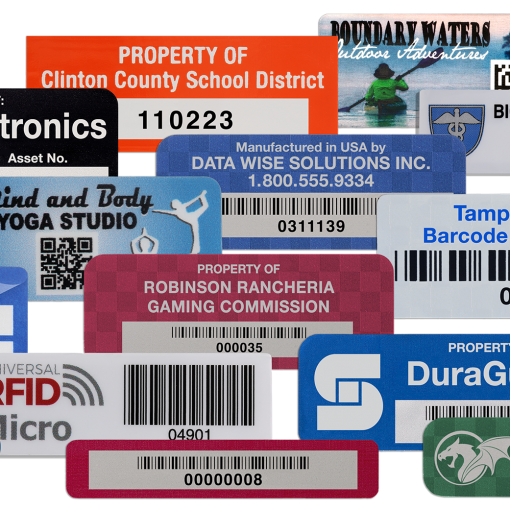
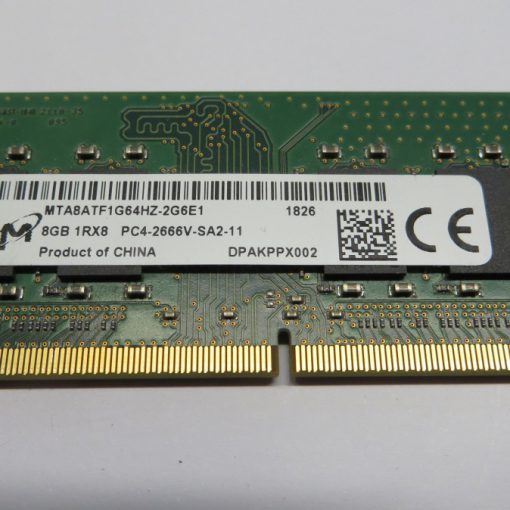


READ
Read. CB.