Last Updated on August 28, 2025 by
Introduction
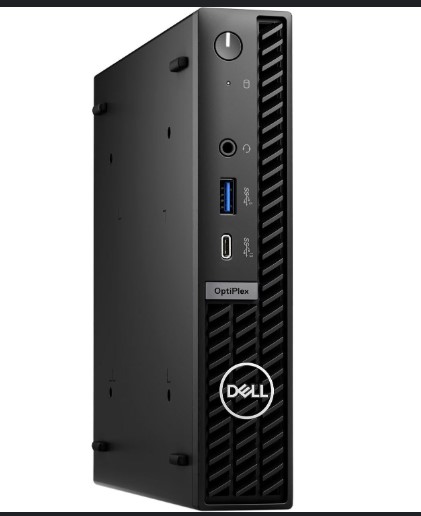
This page will guide you on how to process the micro PCs. All PCs that fit into this category will be kept for testing later, regardless of CPU type. We do not have this category in ARIS now; just use the 6th Gen or newer i-series PC to inventory the micro PC. Will update the page is ARIS is updated.
Server and workstation refer to All Servers&Workstations #6000,
Dual core or 4th gen i series PC refers to Intel Core 2 Duo or Intel/AMD Dual Core or iSeries 4th Gen & Older PC #5984,
Ryzen CPU PC, Custom PC single core PC, and Quad core PC refer to Custom PC OR All Other PC To Be Tested #5991
6th Gen or newer i-series PC refers to i-Series CPU PC 6th Gen & Newer #6002
Item Examples
Micro PC
PC Tech Level 1: PC Form Factor
How to Process
-
Check the machine and remove asset tags
-
Stroage
- Do not remove storage.
-
Extra
- Do not remove the CMOS battery
- Remove all loose screws inside the PC.
- Remove all antennas to avoid damage when putting the PC away.
-
How to Bag & Tag
- Put Away
- Stack the PCs neatly in the speed pack.
- Put a cardboard between layers.
- Speedpack of Micro PCs

Records of Revisions
- — ZeDong: Updated post "Micro PC #12377"
- — ZeDong: Created post "Micro PC #12377"





READ
Read Edmundo Sanchez 03/16/2026