Last Updated on September 16, 2025 by
Introduction
This page provides guidance on how to handle RAM, including sorting and putting it away.
RAMs require no value check. However, some RAM will be automatically scrapped based on RAM type and capacity.
Item id/category#: 5982

Item Type: All RAM & Memory
See: How to identify DDR1, DDR2, DDR3 & DDR4 Memory (RAM) for PC
Value Check? No
Where to Put Away If Keeper: All RAM DDR3 & Newer, Put Away Based On Type & Size.
Where to Put Away If Scrap: All RAM DDR2 & Older: #1028 or #1091; SCRAP: “GOLD” MEMORY
Where to Put Away If Silver Connectors: #1025 Scrap Circuit Board
Item Examples
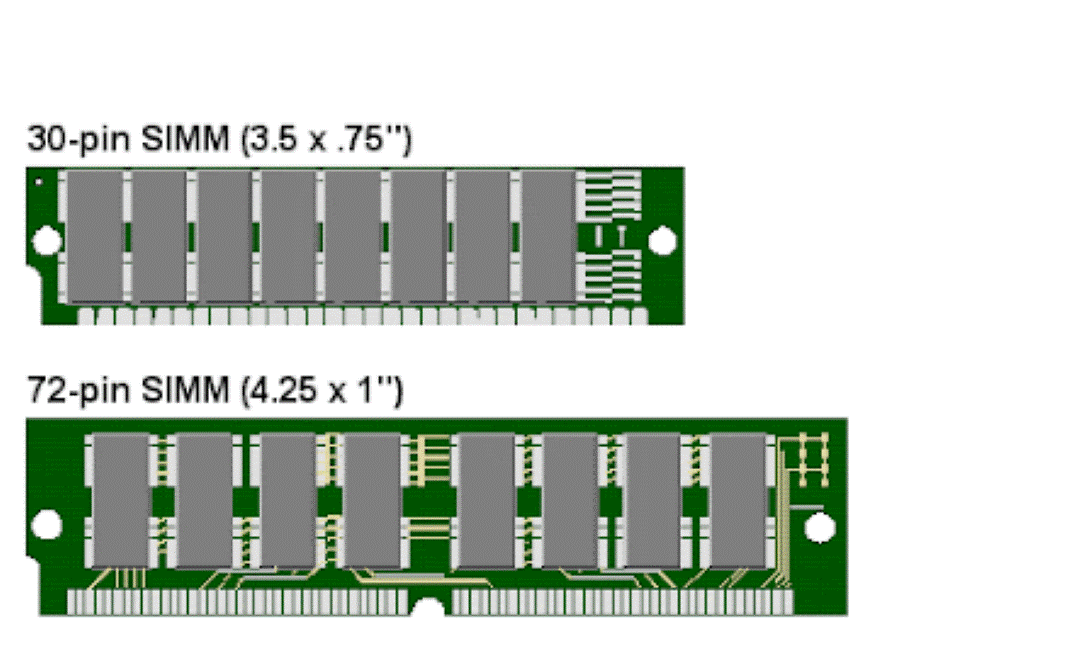
| SIMM:
|
SD RAM:
|
RAMBUS
|
DDR RAM:
|


PC Tech Level 1: How to Identify Memory Module
How to Process
Remove the asset tag
Sorting
- Have 2 different boxes on the cart, one for Keep, one for Scrap. Put away the RAM by the end of the day. Do not accumulate.
- Sort RAM based on type
- Keep:
- 8GB or larger DDR3 Desktop/Server RAM
- 4GB or larger DDR3 Laptop RAM
- DDR4 RAM
- DDR5 RAM
- Scrap:
- SIMM
- SD RAM
- RAMBUS
- DDR1 RAM
- DDR2 RAM
- 4GB or less DDR3 Desktop/Server RAM
- 2GB or less DDR3 Laptop RAM
- Keep:
Bag & Tag
Put Away
- Keep
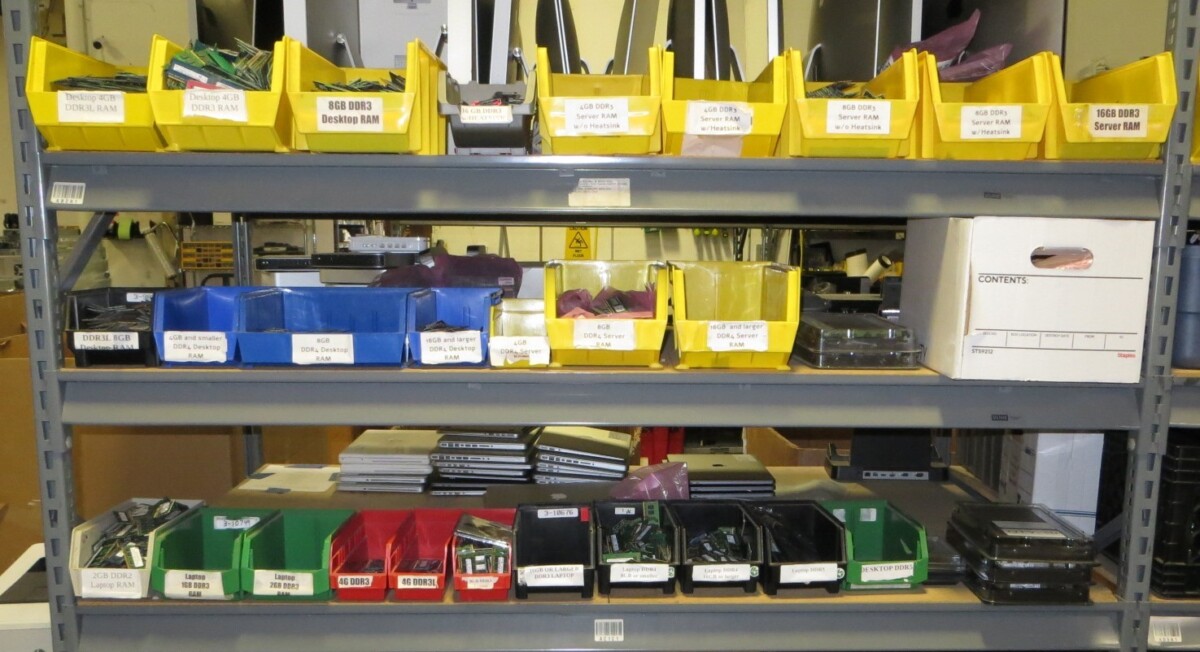
- Put away based on the label of the bin.
- If the bin is full, transfer all the RAM into an anti-static bag. Print a label identical to the one on the bin and attach it to the bag.

- Scrap
-
- Sort and put away based on whether it has a heatsink or not. (After sorting, put scrap RAM in an anti-static bag and put inventory label on the bag, put away when bag is full.)
- #1028 SCRAP: “GOLD” MEMORY W/O HEAT SHIELD
- #1091 SCRAP “GOLD” MEMORY W/ HEAT SHIELD
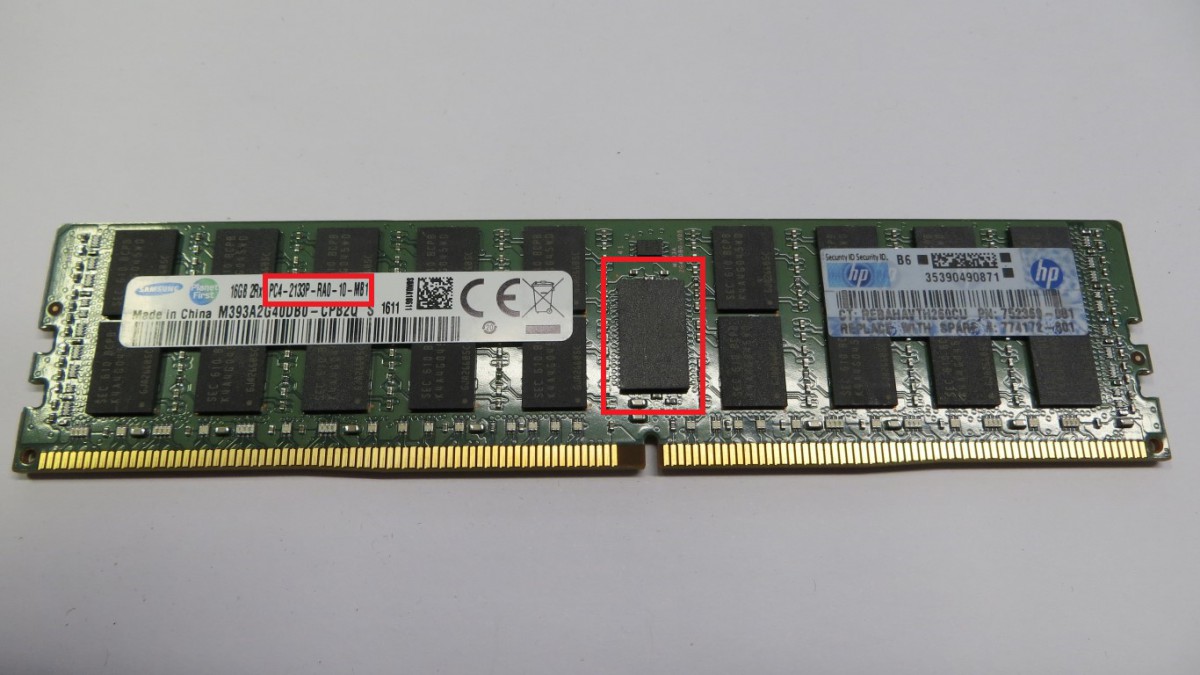
How to identify Server or Desktop RAM
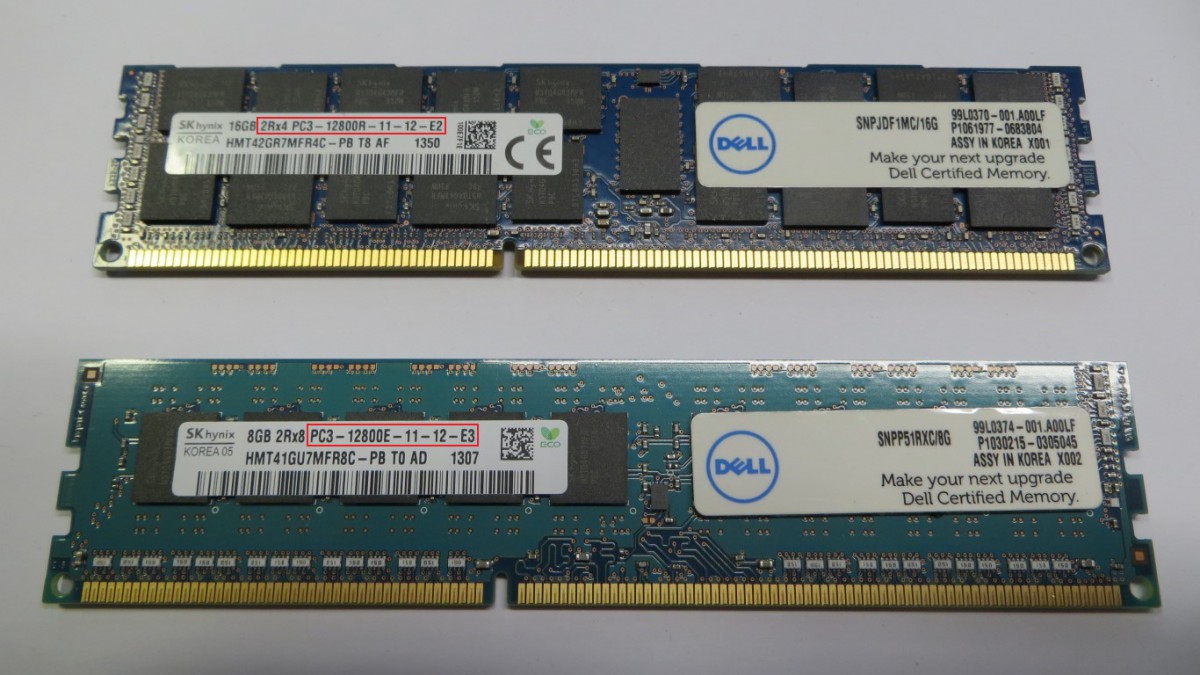
DDR3 and older:
- Desktop: speed ends with U or has UDIMM on the label will be the desktop RAM.
- Server: Speed ends with E, R, or F will be the server RAM.

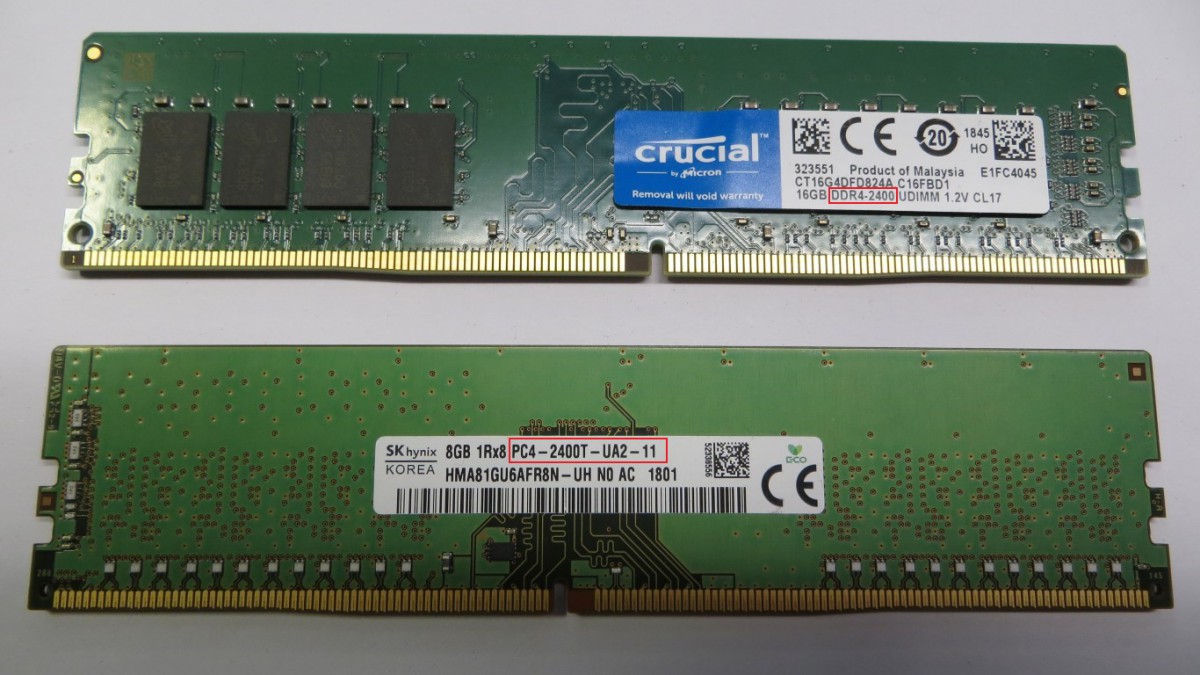
DDR4 and newer
- Desktop: No ECC chip in the middle of the RAM.
- Server: There is an ECC chip in the middle of the RAM.





One thought on “RAM/Memory #5982”
Read NE